You Can Finally Edit Instagram Stories After Posting—Here's How
No more deleting and reposting over a typo.
Published on Nov 23, 2026
(SPOT.ph) We're sure you've been there: You upload an Instagram Story, only to realize a few minutes later that you've misspelled something or forgotten to add music. By then, people may have already viewed or reacted to it, leaving you with two choices: live with the mistake or delete and start over.
Well, we have some good news for the perfectionists out there.
Instagram is rolling out a long-requested feature that allows you to edit Stories even after posting them. You can change the text, music, stickers, and drawings without losing your existing views, likes, and replies.
"If you've ever noticed a typo right after posting a Story, this one's for you... A lot of people have been asking for this, so I’m excited to get this one out there," Instagram CEO Adam Mosseri announced on November 18.
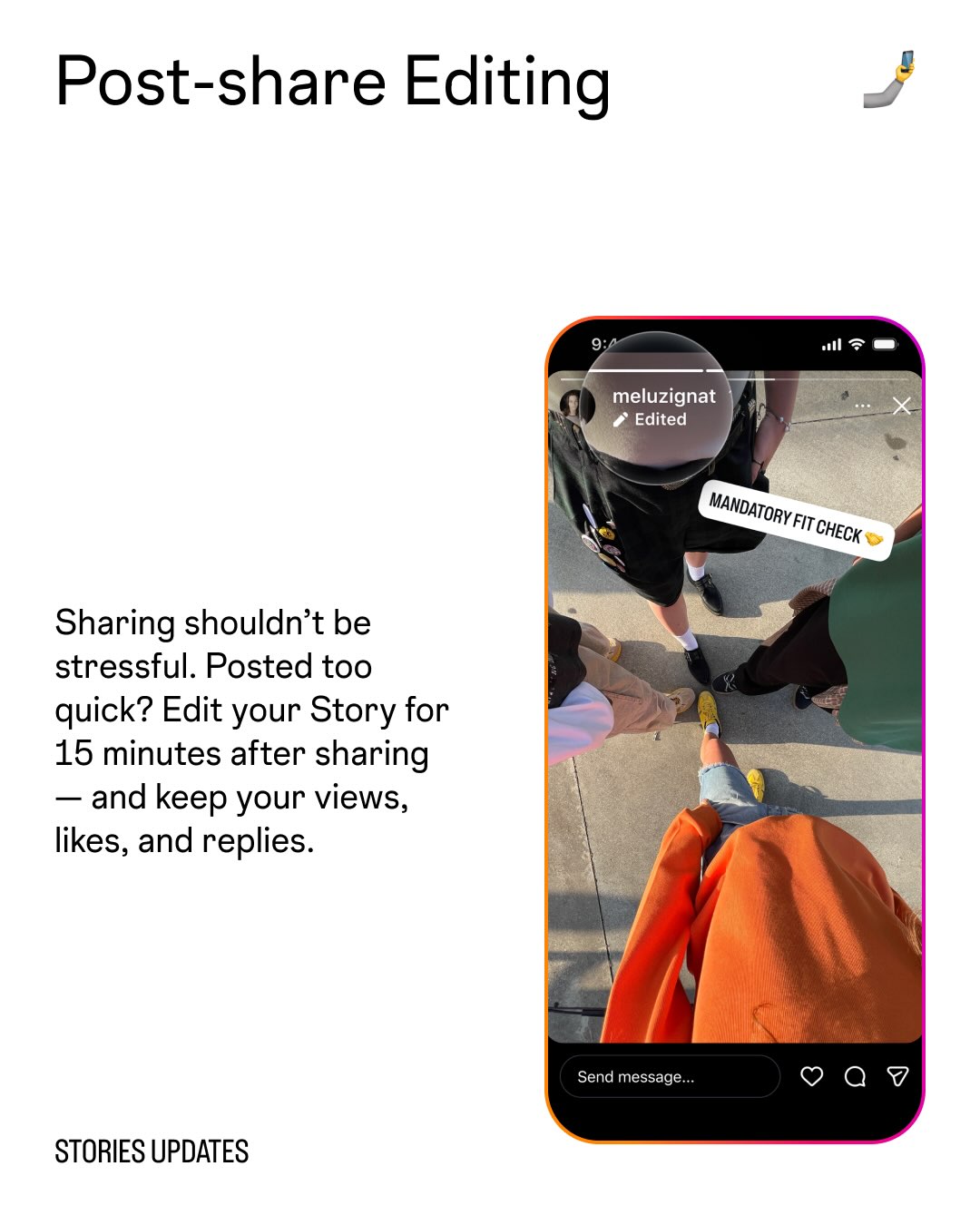
There's one catch, though: Instagram only gives you 15 minutes after posting to make changes. Once that window closes, you'll have to delete and repost if you want to correct anything.
You also can't replace the original photo or video, so if you've uploaded the wrong one, you'll still have to start over.
Also read: What Happens When You Accidentally Like—Then Unlike—Someone's Instagram Post?
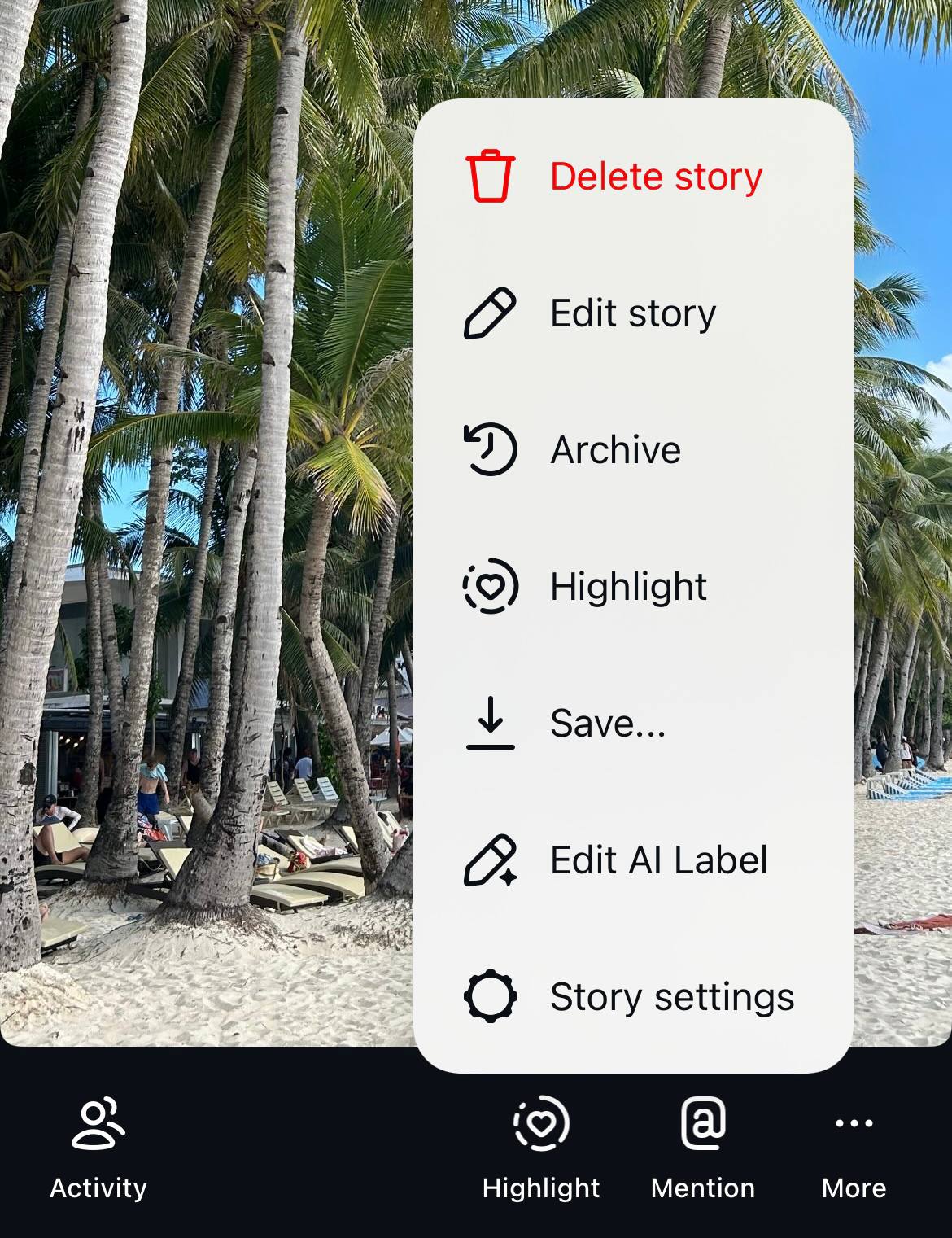
To edit a posted Story, open it and tap the three-dot "More" button in the bottom-right corner. From the menu, select "Edit Story" to access the editing tools. You should be able to find it right below "Delete Story."
You can then correct your text, change the music, adjust your stickers, or modify any drawings before saving your changes.
Do note that Instagram will display an "Edited" label in the upper-right corner of modified Stories, letting viewers know that changes have been made.
And if someone has already reshared your Story, that reshare will be removed once you make changes.
The feature is being rolled out gradually, so you might not see the editing option on your account just yet. You can check whether it's available by looking for the new option under the three-dot menu!
The ability to edit published Stories is just one of several updates Instagram announced on November 18. The platform is also introducing improvements to make Stories easier to create and customize.
For starters, Instagram has updated its multi-select feature, which should come in handy if you're the type to spam your Stories with photos (we all know someone). You can now select several photos at once and arrange them into different layouts. This includes arranging pictures into collages, rather than uploading each image as a separate Story.

Instagram is also giving users more flexibility with photo sizes. Rather than forcing every picture into the usual vertical Story format, the updated editor supports landscape, square, and 4:3 images, making it easier to share photos without awkward cropping. To make those differently sized photos look better on screen, there's also a new background picker with blur effects, solid colors, and gradients to fill the space around your photos.
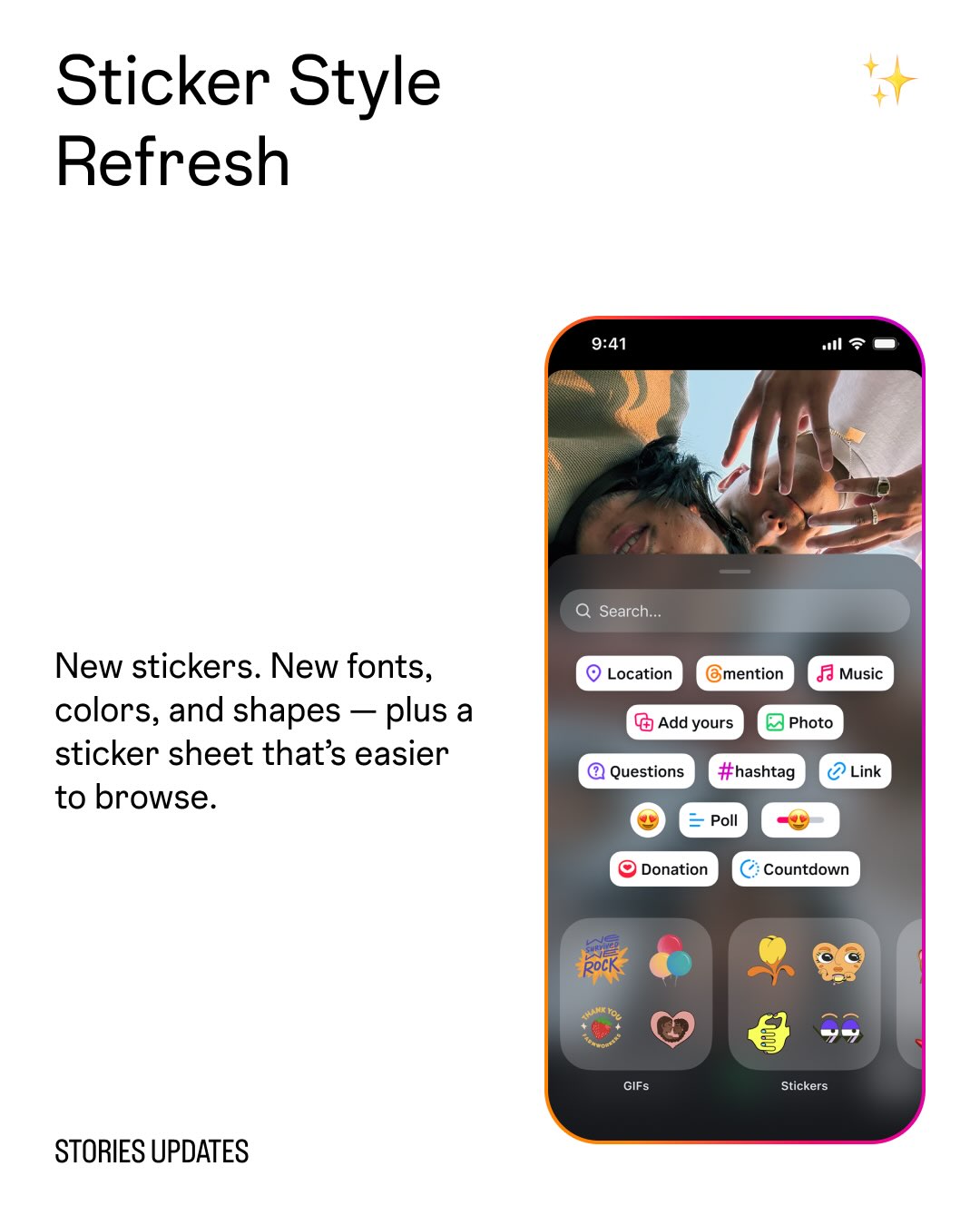
Finally, the platform is refreshing its stickers with new fonts, colors, and shapes. Stickers will also be organized into easier-to-browse sheets, so users can find the designs they want without scrolling through as many options.
Like the new editing feature, the other Stories improvements are being rolled out gradually.
Also read: View Stories Anonymously, See Rewatch Counts + More in This New Instagram Feature
Micah believes that writing is always political. Beyond the byline, you’ll find her bruising herself on a pole or doting on her beagle. Reach her at micah@spot.ph.