Selling Online? Here's What You Need to Know About the New BIR Seal Badge
Even freelancers, content creators, and online service providers may need one.

Published on Oct 7, 2026
(SPOT.ph) Running a shop, offering services, or selling pre-loved clothes online? The Bureau of Internal Revenue (BIR) is now requiring digital merchants to display an official BIR Registration Seal Badge on the online platforms they use for business.
The requirement has raised concerns among small sellers, freelancers, and side-hustlers, especially those who may earn too little to owe income tax but still have to deal with registration, filing requirements, invoices, and other compliance costs.
With the BIR’s extended October 31, 2026 deadline approaching, here is a breakdown of what the requirement is, who is covered, and how to secure yours.
Also read: 10 Part-Time Employment Opportunities in the Philippines
What is the BIR Registration Seal Badge?
Simply put, the BIR Registration Seal Badge is the digital equivalent of the yellow tax certificate (Certificate of Registration or COR) that physical stores hang on their shop walls.
Under Revenue Memorandum Circular (RMC) No. 38-2026, the BIR created the Registration Seal Badge that’s specifically for anyone conducting business online. The badge features a scannable QR code that confirms your shop is properly registered with the bureau. It’s basically a quick way to show buyers and tax agents that your business is legitimate—without making sensitive information, like your home address or personal TIN, public.
If you run an online business, the Seal Badge should be prominently displayed on your online store.
Fortunately, there’s still time to set it up. Under RMC No. 99-2026, the BIR extended the compliance deadline, so online merchants now have until October 31, 2026 to download and display the badge on their profiles without facing penalties.
The BIR maintains that the mandate is all about protecting buyers.
“The Seal Badge is meant to make registration more transparent and easier for consumers to verify, so we encourage all concerned taxpayers to use the extended period and complete the requirement by October 31,” BIR Commissioner Charlito Martin Mendoza said in a statement.
Who actually needs to display the BIR badge?
If you operate an online store, run a social media shop on Instagram, Facebook, or TikTok, or sell on e-commerce platforms like Shopee or Lazada, you are required to display the seal.
However, the requirement isn’t limited to sellers of physical products. The BIR memorandum clearly applies to individuals and businesses that provide services digitally or maintain an online commercial presence.
According to the bureau, covered taxpayers also include: “professionals or persons offering their services through online websites, e-commerce platforms or mobile applications, bloggers, vloggers, live streamers, content creators, influencers, and individuals earning through online views, advertisements, affiliate commissions, brand sponsorships, or similar monetized digital activities.”
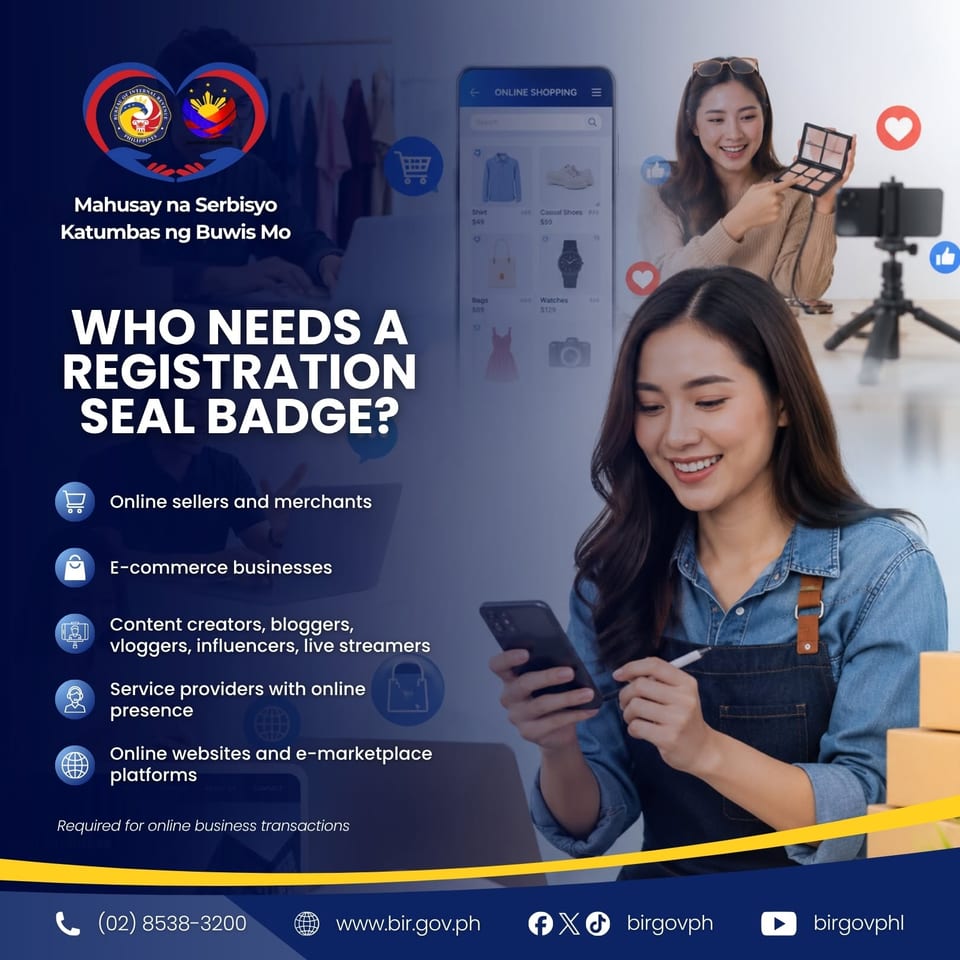
A quick reminder, though: Registering a small side-hustle doesn't automatically mean a heavy tax bill. Under Philippine tax law, individuals with an annual gross income of ₱250,000 or less pay 0% income tax, though basic registration and compliance rules still apply.
Also read: Is Burnout Killing the Joy of Your Hobby-Business? Here's How to Fight It
How to get the BIR Seal Badge
Getting a digital Seal Badge is handled entirely online through the BIR’s Online Registration and Update System (ORUS) portal. The steps depend on whether your business is already registered or brand new.
If you already have an active BIR business registration
Log In: Visit the BIR ORUS portal and sign in to your account. If you do not have an online profile yet, enroll your existing TIN first.
Update Information: Navigate to Update Information, select Correction/Change/Update of Registration, and click the Update Information button. Fill out any necessary fields or business details.
Review and Submit: Check all details on the Summary page, tick the acknowledgment boxes, and click Submit Application.
Pay the DST: After getting redirected to the ORUS profile page, pay P30 for loose Documentary Stamp Tax (DST). Payment options include Landbank or debit cards, credit cards, and e-wallets via MYEG Philippines.
Download Badge: After payment is processed, you will be redirected to your profile page to download your updated Certificate of Registration alongside the new Registration Seal Badge.
If you are registering a new online business
Create an ORUS Account: Visit ORUS and set up your online taxpayer account.
Fill Out Registration Details: Select your business type (Individual or Non-Individual) and complete the required tabs, including business address, line of business, and appropriate PSIC/PSOC codes for digital trade or services.
Submit Application: Review your details on the Summary page, upload your required attachments (such as a valid government ID or DTI/SEC certificate), and submit.
Await RDO Approval and Pay DST: Wait for your Revenue District Office (RDO) to review and approve your application (typically within 3 working days). Once approved, pay the P30 DST through the integrated online payment portal.
Generate and Download: Log back into your ORUS profile page to download your official Certificate of Registration (COR), Authority to Print (ATP), and downloadable Registration Seal Badge.
Celia Nachura writes to pay for plane tickets, tennis classes, and a pile of books she’ll never have the time to read. She is also the emotional support human to two dogs, Daisy and Nacho.