GCash’s Commute QR section also includes options to reload your Beep card, buy a single journey QR ticket, and pay for other transport services—but these features are yet to go live.
Mobility
How to Use GCash and Debit/Credit Cards to Pay for Your MRT-3 Ride
Tap and go at turnstiles with this quick guide.
Published on Jul 25, 2025
(SPOT.ph) As promised by the Department of Transportation
(DOTr) last month, there will be no more queuing to buy a Single Journey Ticket
or reload a Beep card. Starting July 26, passengers on Metro Manila’s busiest
train line—the MRT-3—can now pay for their fare using contactless options like
GCash, debit and credit cards, or NFC-enabled phones.
The all-in-one system is said to be the first of its kind in
the world, combining multiple payment modes—QR codes, EMV-based cards, and Near Field Communication (NCF)—in a single terminal. All Mastercard and Visa cards are accepted, whether physical or linked to a phone or digital wallet. Note that not all turnstiles are enabled for contactless payment, so watch for signage or ask station staff where to queue.
Now the question on every commuter’s mind: will it cost more? According to DOTr Secretary Vince Dizon, there’s no additional charge for using these cashless payments.
"Walang dagdag sa pasahe dito. 'Yung sistema, kung ano ang ikakaltas sa GCash niyo, sa credit card niyo, sa debit card niyo, pareho lang kung bumili kayo ng Single Journey Ticket," Dizon said during the launch.
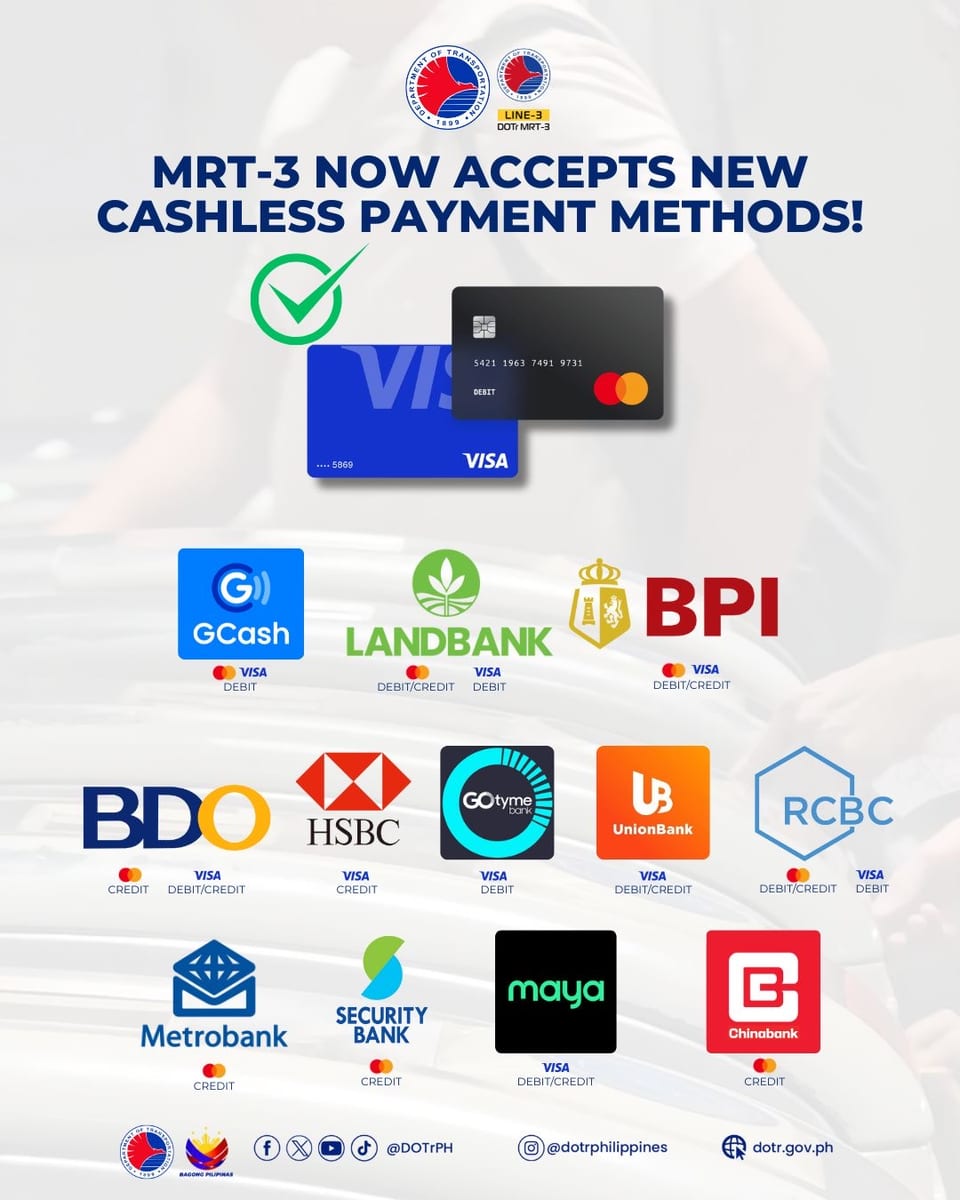
Click to Enlarge
Photo from Facebook/Department of Transportation - Philippines.
Don’t worry, stored value cards like Beep cards are still accepted, but this new system adds flexibility, especially for riders who don’t use the train often enough to justify buying a card.
The same system is set to roll out across LRT-1 and LRT-2 in the coming months, this time with RCBC as an additional partner.
A similar initiative was already introduced in May 2023, when LRT-1 commuters were given the option to use QR tickets via the Maya app. Riders could purchase Single Journey Tickets through their phones and scan them at designated fast-lane turnstiles equipped with black Maya-branded scanners. Although the fare matched Beep card rates, a P2 convenience fee was charged per transaction.
How to use GCash for MRT-3
For those without debit cards and credit cards, GCash offers added flexibility. You don't need a physical card—just open the app to get a QR code and scan it at the station. Here's how:
A step-by-step guide on how to use GCash Commute.
Open
the GCash app and tap “Commute.”
This will generate a unique QR code specifically for train use. It’s only valid
for one ride, so you’ll need to get a new one each time you travel. If you're worried about poor signal inside the station, GCash lets you download the QR code in advance so you can save it to your phone before your trip.
Head
to the MRT-3 station and go straight to the turnstile.
Look for lanes marked for QR code or contactless payments. These are equipped
to scan the GCash Commute QR.
Scan
your QR code at the turnstile.
Hold your phone up to the scanner. The system will temporarily deduct the
maximum fare, which is currently P28 for regular commuters. You won’t need to press any buttons.
Tap
out when you reach your destination.
Once you exit, the system calculates your actual fare based on how far you
traveled. If it’s less than the maximum, GCash will automatically refund the
difference back to your wallet. That's it!
Micah believes that writing is always political. Beyond the byline, you’ll find her bruising herself in a pole studio or napping with her beagle. Reach her at micah@spot.ph.
You Might Also Like