
This MRT/LRT Guide Lets You Plan Your Commute Without Internet
It shows you the fastest route, fare, and ETA-all in one place.
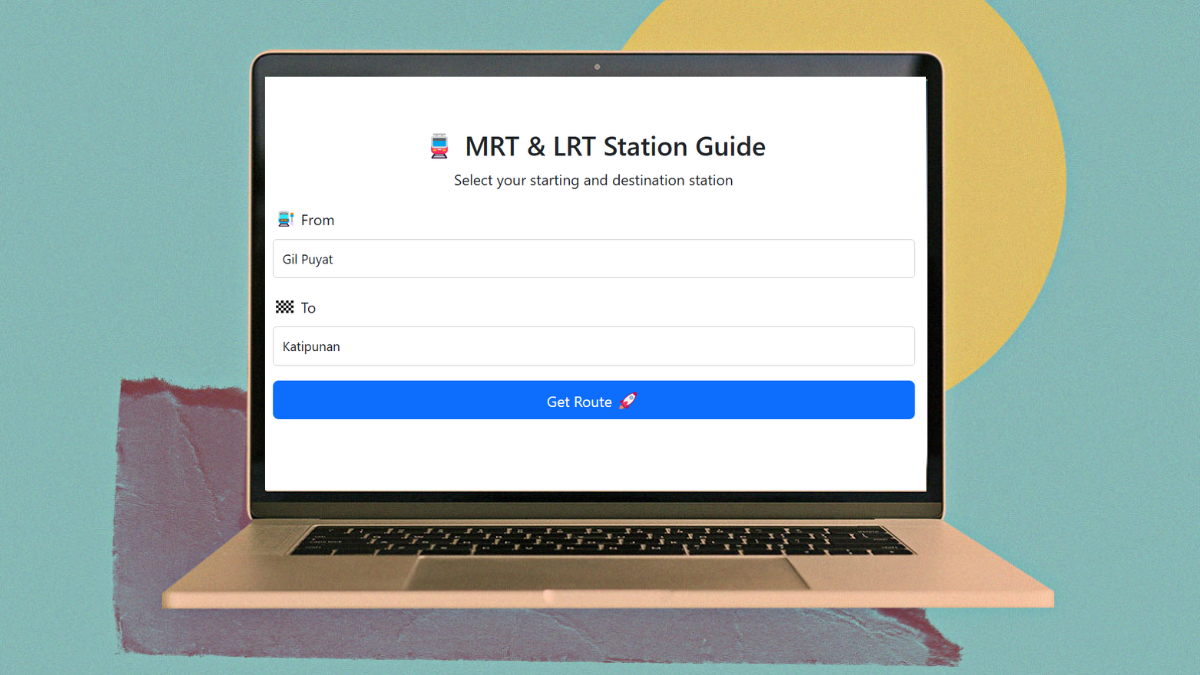
(SPOT.ph) Commuting in Metro Manila is often made more challenging by the lack of proper, centralized information. Sure, there are signages at the stations, fare matrices posted on walls, and staff on the information desk—but there’s no single source that puts everything together in one place that doesn’t require downloading a (laggy) app.
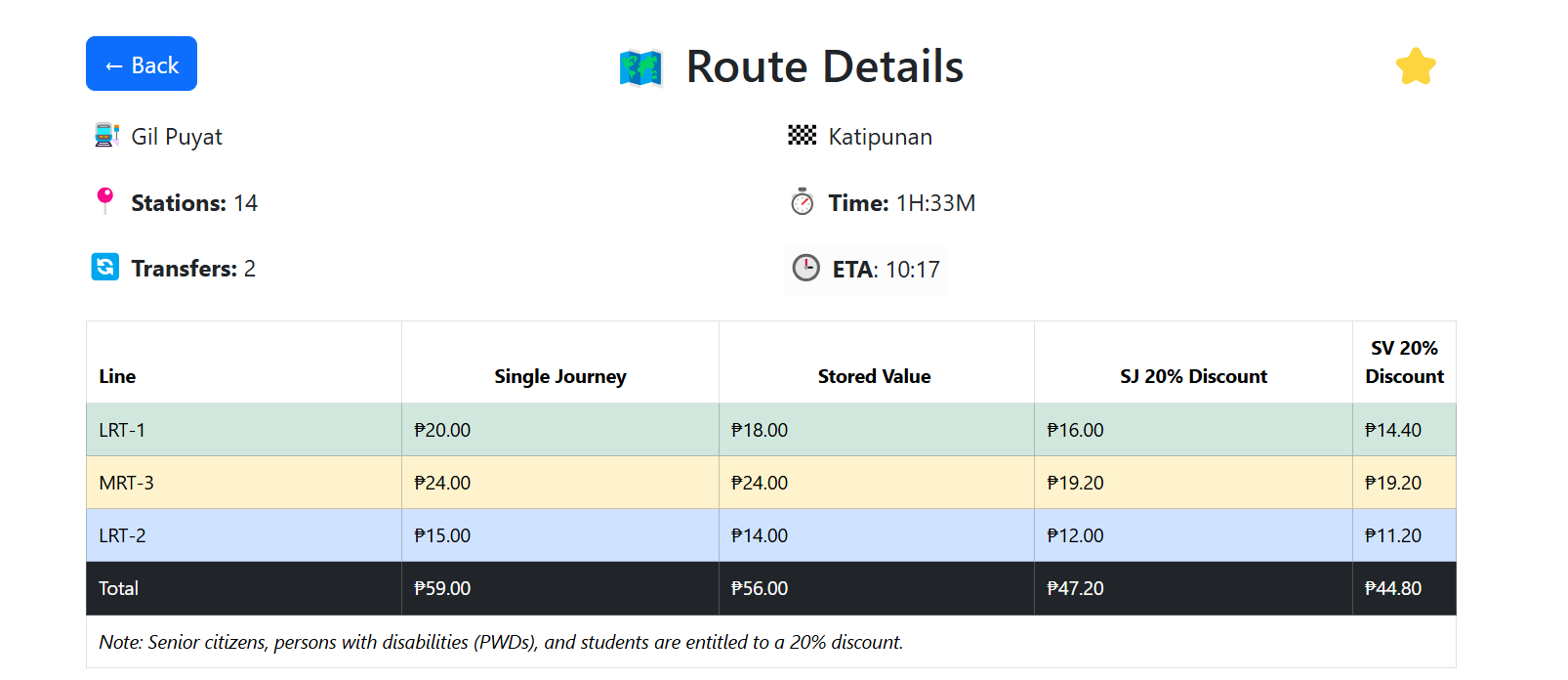
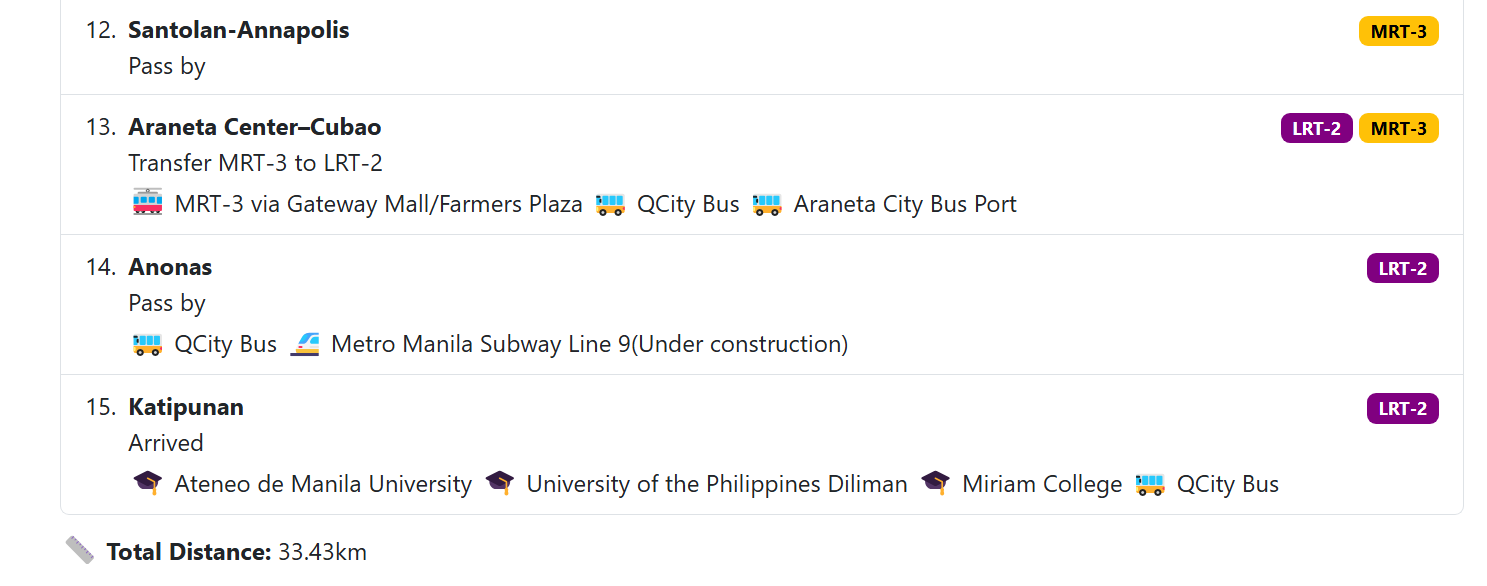
Enter mrt-guide.web.app, a simple but super useful tool for navigating Metro Manila’s MRT and LRT lines. The website lets you check route options between stations, including the estimated travel time (ETA) to get there. You can click on any station to see where it connects, how far it is from other stops, and how much your fare will cost for both Single Journey Tickets and Stored Value Cards.
Also read: From Redemptorist-Aseana to Dr. Santos: Everything You Need to Know About LRT-1 Cavite Extension
An LRT and MRT guide without internet connection
The tool was built by Erroll Sipagan, a senior software engineer currently based in Singapore. With the chaos of Manila’s current setup—and with MRT-7 and the Metro Manila Subway on the way—he knew there was a need for something reliable.
“This app was actually inspired by Singapore MRT LRT Offline, a simple and easy-to-use route guide app that I personally found helpful here in Singapore. So I thought, why not create a similar app for the Philippines?” Sipagan told SPOT.ph.
As mentioned earlier, there’s no need to download an app or create an account. It’s browser-based, so it works on your phone or laptop. The best part? It works offline, too. As long as you’ve loaded mrt-guide.web.app at least once while connected to the internet, you’ll be able to access it later even without a stable signal. Sipagan's goal, after all, was to make the experience “simple and lightweight.”
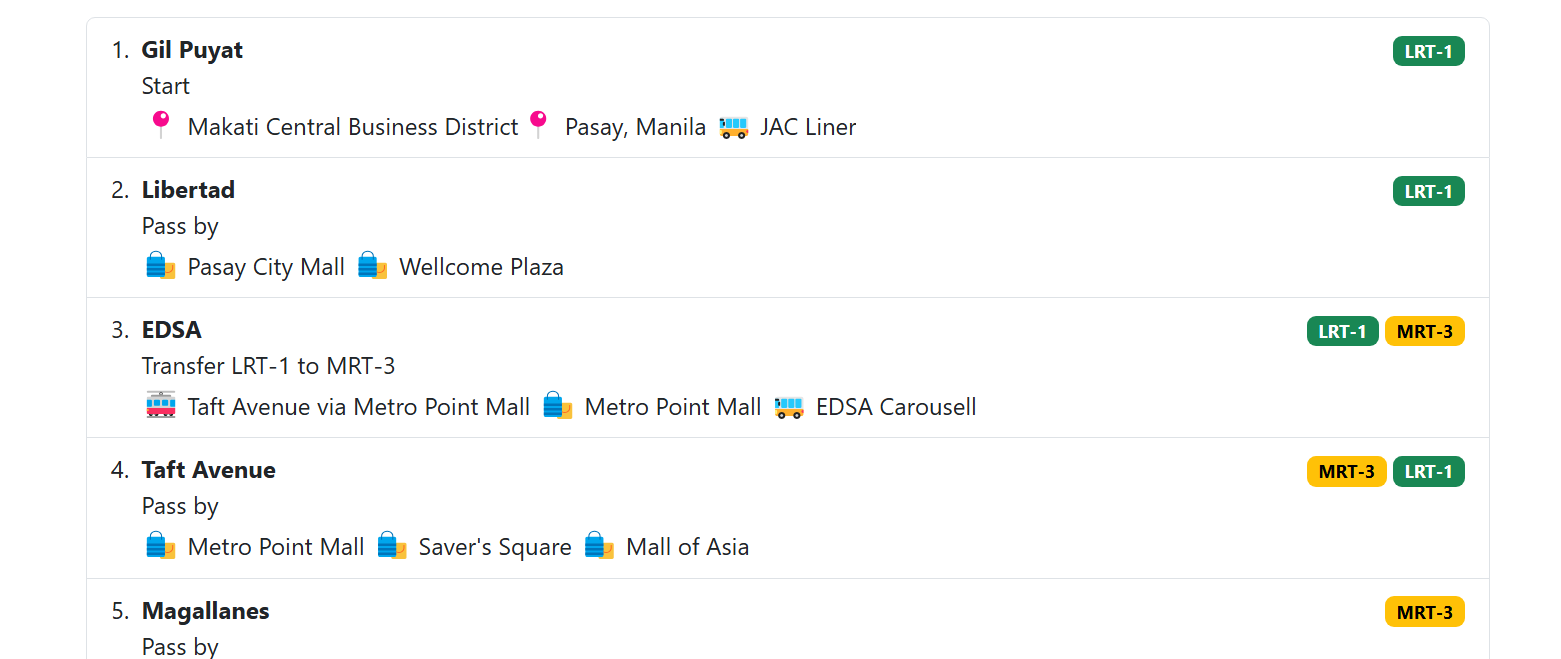
The website also includes some helpful extras, like the ability to "favorite" up to three routes for quick access and landmark listings near stations to see which stop is closest to your destination.
“I try to update the app every two weeks, depending on when I can find free time, since I also work full-time,” Sipagan said. “Some features I plan to work on include a visual map of the entire train system, auto-suggestions based on location, notifications for transfers, and a more beautiful and user-friendly interface.”
He added that many of the features in the current version were suggested directly by users, something he hopes to continue. Suggestions can be sent through this feedback form.
In the future, Sipagan hopes to add more train routes as they roll out—and maybe even throw in other modes of transportation, too.
“I didn’t have any issues finding data for trains. But I do wish there was a complete and reliable source for all bus and jeepney routes—I’d love to integrate them into the app someday.”
Also read: A Day in the Life of a Metro Manila Commuter