
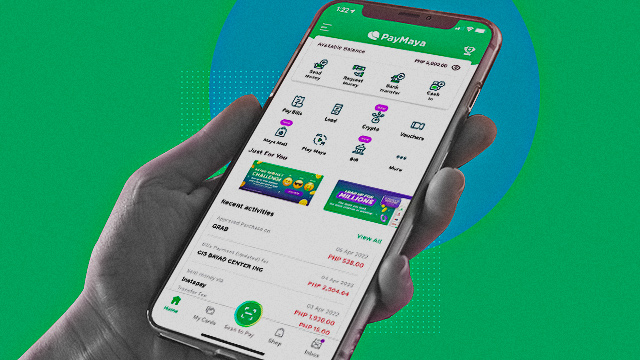
PayMaya said on April 6 that their users can now buy and sell cryptocurrencies using the mobile app as they expand their digital finance services.
PayMaya users who wish to trade cryptocurrency tokens just need to have an upgraded account without extra cash in and cash out fees.
"We're excited to offer this new feature to our users - especially as more Filipinos become increasingly interested in cryptocurrency," said PayMaya Philippines president Shailesh Baidwan said in a statement.
PayMaya said that they developed the feature under their Invest platform together with Coinbase Institutional, the largest publicly traded crypto company globally.
Crypto coins and tokens that can be traded in PayMaya so far are Bitcoin (BTC), Ethereum (ETH), Cardano (ADA), Chainlink (LINK), Uniswap (UNI), Solana (SOL), Quant (QNT), Polkadot (DOT), Polygon (MATIC), and Tether (USDT).
Also read:
Cracking the Code to Cryptocurrency: How to Start With Just a Few Hundreds
The Concise, Non-Boring Glossary for Cryptocurrency Newbies
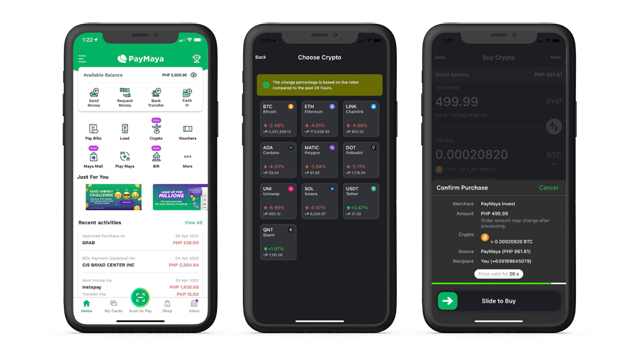
Here's how to use the new PayMaya cryptocurrency feature:
How to buy crypto through PayMaya:
- Tap "Crypto" on the PayMaya homepage.
- Tap "Buy" on the bottom of the screen, then select the desired cryptocurrency.
- Input the desired Philippine Peso amount you want to spend. You will see the equivalent cryptocurrency value based on an estimated market price. Tap"Next" on the upper right hand of the screen.
- A "Confirm Purchase" tab will pop up. On this tab, you will see the amount in PHP you will be spending and the amount of cryptocurrency you will be receiving through this transaction. Once you have checked the details, you may confirm your purchase and slide to buy.
- Once you purchase your desired cryptocurrency, the amount will reflect on your app's Crypto page.
How to sell crypto through PayMaya:
- Tap "Crypto" on the PayMaya homepage.
- Tap "Sell" on the bottom of the screen, then select the desired cryptocurrency.
- Select a percentage value to sell a part of your currently owned asset. You will see the equivalent PHP value based on an estimated market price. Then tap "Next" on the upper right hand of the screen.
- A "Confirm Sale" tab will pop up. On this tab, you will see the amount of cryptocurrency you will be selling and the amount of PHP you will be receiving through this transaction. Once you have checked the details, you may confirm your purchase and slide to sell.
- You will automatically receive your earnings on your PayMaya wallet. Simply go to your app's home screen and check the amount.