
Beep Card Guide: How to Reload Electronically
Skip the line at the train station.
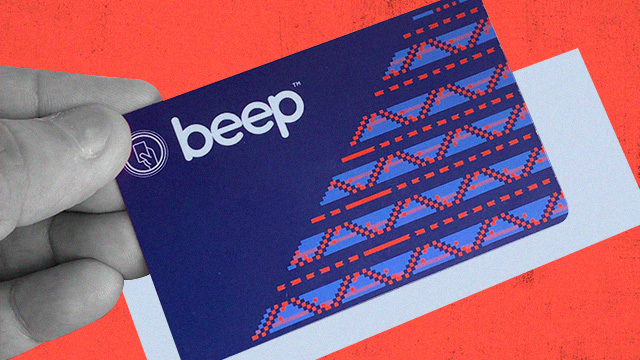
(Spot.ph) Beep, through its over-the-air loading partners, allows commuters to reload their cards via ATMs and online channels for a fee. This means heading straight to the turnstile and skipping the line when you arrive at the station.
Also read:
Commuters, Here's How You Can Get Discounts on Your Fares...Sort Of
Here's How to Use Your beep card Without the Card
Here are the many ways you can reload your Beep card electronically:
Via ShopeePay
1. Log in to Shopee app and tap “Load, Bills & Travel"
2. Under the Travel category, click "Beep card"
3. Enter the 16-digit number found at the back of the Beep card and select the Top Up amount
4. Tap Checkout and chooe ShopeePay as payment option
5. Click "Pay Now" and enter your ShopeePay PIN
6. Tap the beep card at any e-load stations in LRT-1, LRT-2 and MRT-3 and select P2P Bus Terminals to fetch the load
Available denominations include P20, P50, P100, P200, P300, P500, and P1,000.
Via BPI
1. Log in to BPI Online or BPI Mobile app and go to “Payments/Load”
2. Select “Load E-Wallet”
3. Fill in the details and select an e-wallet
4. Confirm the details of your transaction then click on “Confirm”
5. Enter the One-Time PIN (OTP) then select “Submit"
6. Tap your Beep card at any e-loading station and insert the card in the slot
7. Wait for the Beep load station to fetch and credit the load onto the card
8. Wait for the display to reflect the reloaded amount
Via PayMaya
1. Go to PayMaya and tap "Load"
2. Choose "Transport" and click "Beep"
3. Select the amount to load
4. Enter the 16-digit card number and click "Next"
5. Slide to buy the load
6. Tap your Beep card at any e-loading station and insert the card in the slot
7. Wait for the Beep load station to fetch and credit the load onto the card
8. Wait for the display to reflect the reloaded amount
Via China Bank ATM
1. Insert China Bank ATM card and enter the PIN
2. Choose Beep transactions, then Beep reload
3. Choose the amount to reload. A fee of P10 will be charged
4. Tap and hold your Beep card on the scanner
Via Share Treats
1. Visit sharetreats.ph
2. Click "Brands" then select Beep
3. Click "Treat" and pay via GCash, GrabPay, Maya or credit/debit payment
4. Copy the code sent via SMS, e-mail or in-app
5. Visit sharetreats.ph/beep and input the 16-digit beep card number found at the back of the card and the nine-digit code then click "Redeem"
6. Go to a Beep e-load station and insert the card in the slot
7. Wait for the Beep load station to fetch and credit the load onto the card
8. Wait for the display to reflect the reloaded amount
Via JustPay.To
1. Go to justpay.to/beep
2. Enter the beep card number found at the back of the card
3. Choose a payment method (credit or debit card, bank transfer, online banking, digital cash or wallet, crypto)
4. Select the amount to reload.
5. Click "Pay Now."
6. Go to a Beep E-load station and insert the card in the slot
7. Wait for the Beep load station to fetch and credit the load onto the card
8. Wait for the display to reflect the reloaded amount