

Spot Reviews: The OMNI Universal Tower Extension Cord
Charging multiple devices is a breeze.
Products and services mentioned on our websites are independently selected by our editors. If you buy something through our links, Summit Media may earn an affiliate commission at no extra cost to you.
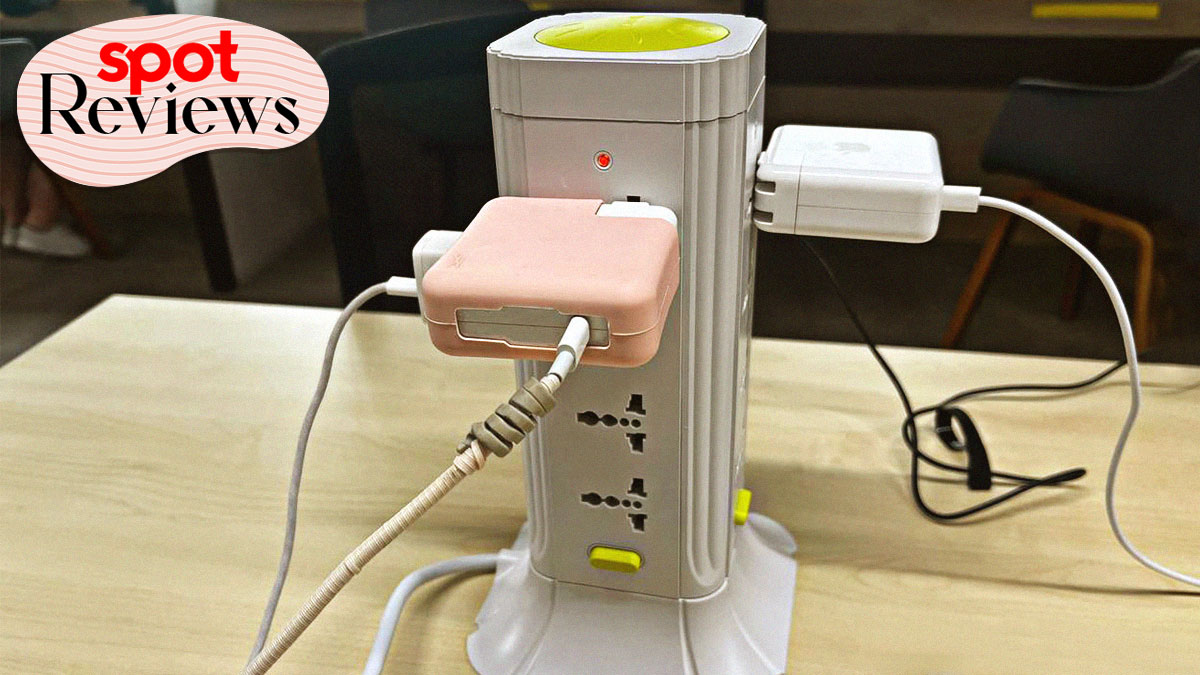
(SPOT.ph) Charging or powering multiple devices and gadgets at once is a real dilemma when you have a limited number of power sources. How are you supposed to keep your laptop, phone, and wireless earphones up and running when the only sockets around are already occupied by other people or worse, powering your fridge and water dispenser at home? Let's not get started on spaces with sockets hidden under tight spots or tucked far from seats and tables. An extension cord is the obvious solution, but we found a gadget that takes it to the next level: the OMNI Universal Tower Extension Cord.
The tower extension cord, priced at P1,299.75 on Lazada, stands as opposed to the usual extension cords that lay flat on a surface. The sheer number of sockets on it has me convinced I won't ever need another extension cord in my life, and I decided to put it to the test in the office with the help of my officemates.

Also read: Spot Reviews: The Momax PINPOP Tracker
What is the OMNI Universal Tower Extension Cord?
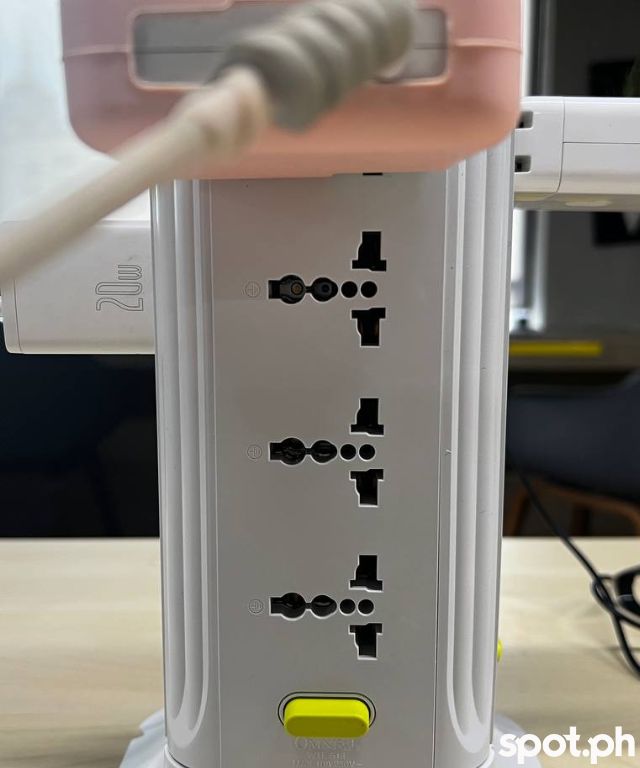
The OMNI Universal Tower Extension Cord is an upright extension cord with 16 universal sockets that can accommodate multiple devices and appliances, even if you have just one power source. Apart from increasing the number of devices you can power, the cord also offers added length so you can charge from a distance or settle appliances where they need to be without worrying about cord length.
Thoughts on the OMNI Universal Tower Extension Cord
What I love
Several devices help me get stuff done throughout the day and the extension tower powered all of them without overheating. Each socket is universal, so I could charge my laptop, phone, and powerbank without caring about adapter compatibility. What's even better is that the tower's flared base and overall weight prevents heavy adapters—like the one for Apple's MacBook—from toppling the whole unit over, or from falling from the socket. Each socket is tight enough to ensure connection to power. I tried shaking them out to see if it would lose power, but it stayed plugged. Despite the strong grip of each socket, I could easily pull chargers out.
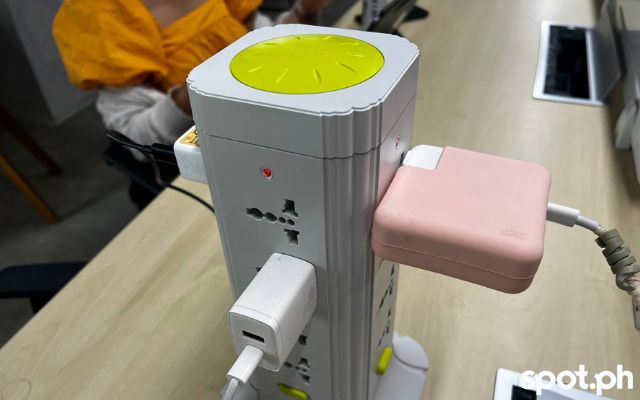
I also liked that there's enough space between each socket. I could plug in multiple gadgets on just one side without worrying about blocking an empty socket my officemate can still use, or potentially unplugging or knocking over my seatmate's plugged adapter. The best part? No overheating whatsoever even though we used it the entire work day.
Things to consider
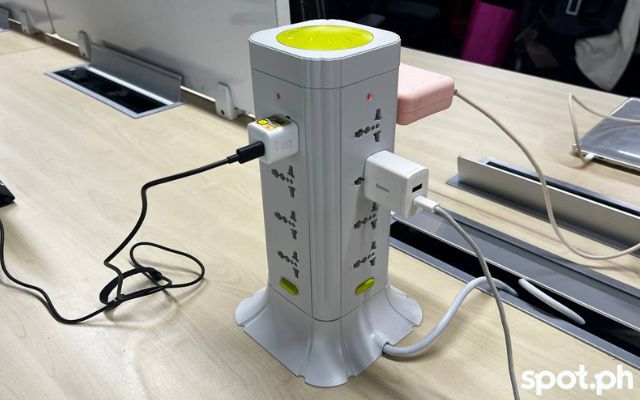
Each side comes with a power switch that you need to press to release power from the main cord to your device. You can just leave it on every time, but your first instinct might be to wonder what's wrong if you plug a gadget and nothing happens.
The tower itself is also quite bulky and heavy, so you definitely can't bring it in a bag or a tote every day. If you're using it at the office, it's best to leave it at your cubicle or table. Should you decide to use it at home, it should probably have a permanent space on an elevated surface or tucked away in a corner, because you can accidentally trip on it on the floor if it's just out in the open.
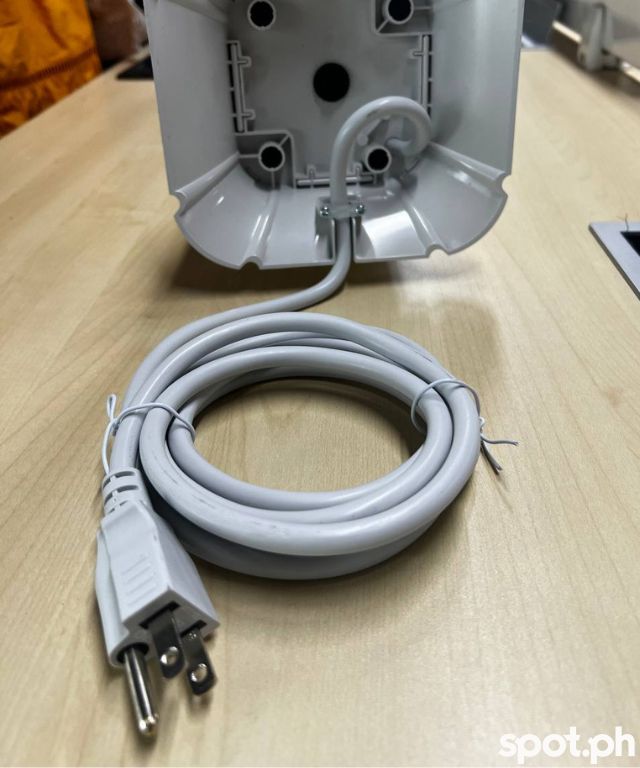
Plugging in the tower extension cord to a power source might require an adapter because it has a Type B plug, which has three prongs.
Only one thing could make this gadget better than it is—USB slots. There are times I only have cords or wires without the adapters and I would like to be able to charge my device even without a plug.
OMNI Universal Tower Extension Cord Specs and Features
Power switch
Once all my devices are fully charged, I pull them from the cord to prevent overheating. With the power switch available on each side, I can just turn off switch and everything plugged to it stops charging. I shared the tower with officemates and they could easily turn off their side of the tower without disrupting my side and vice versa.
16 universal sockets
Life's just been a breeze knowing that I don't have to worry about compatibility—I can bring out a charger and it will fit into the extension cord regardless of how many prongs it has. It also prevents wires from being tied together as the cords jut outwards instead of upwards like with standard extension cords. Granted, I've never used all 16 sockets with officemates and family, but it's nice to know I have the option should I potentially need it in the future.
Safety breaker
While technology has come far in keeping us safe, there's still the paranoia of accidentally plugging too many devices at once and overheating an extension cord to the point that it starts a fire. There's a safety breaker at the bottom of the base just in case, so you can use the tower sans all the overthinking.
The OMNI Universal Tower Extension Cord is a must for the office and home
When we have meetings at the office pantry, you'll often find employees rising from their chairs in the middle of a presentation and gravitating towards the walls—that's where all the sockets are, and they're usually standing on guard while their laptops recharge on the floors. With the extension tower, people can just stay in their seats and charge as they work.
Using it in a shared condo with friends or in a family home proves convenient. Think of it as a charging dock for everyone's devices or a hub for appliances.
One officemate said it would be useful for events, as you could plug lights, charge camera and walkie-talkie batteries, juice up phones, power laptops, and more. It reminds me of late nights cramming papers and presentations with college classmates, and it made me wish I had one of these bad boys back when I was still studying.
OMNI Universal Tower Extension Cord price and where to buy
Priced at P1,299.75, the OMNI Universal Tower Extension Cord is a true bang for your buck. The 16-socket version is available on Lazada and on Shopee for P1,300, both from the official OMNI store.
Alternatives for the OMNI Universal Tower Extension Cord
In case the 16-socket version is too much for you, OMNI also offers a 12-socket version priced at P1,199.75 on Lazada, and at P1,200 on Shopee. A smaller, more compact model, the Jaguar Electronics Tower Extension Cord, has four univeral sockets, one USB-C port, and two USB-A ports priced at P489 from P1,290 on Lazada.


The OMNI 16-Gang Universal Tower Extension Cord is available on Lazada and Shopee.
Editor's note: The unit used in this review was purchased using vouchers from an affiliate partner.
Also read: Spot Reviews: The Owala FreeSip Is Taking Over
Links are updated regularly and as much as possible but note that products can run out of stock, discounts can expire, and listed prices can change without prior notice.
For more discounts and deals, check out Spot's exclusive vouchers.