
Here's How to Get Your Own GCash Visa Card
For just P250 including delivery fee.

(SPOT.ph) Are you a frequent GCash user? In case you didn't know, the Philippines' top mobile wallet has its own prepaid debit card which you can use in physical stores or to conveniently withdraw money in ATMs across the globe, and it's now available via the app.
You can get your own GCash card for P250, which includes the delivery fee of P65. The new GCash Card is also powered by Visa. Note that this is only available to fully verified GCash users.
Also read:
10 More Mobile Wallets to Try for a Cashless Existence
When Your Virtual Wallet Hits a Snag, Who Do You Call?
What you can do with the GCash Card
With this card, you can tap into your GCash funds easily as you can link it to your GCash wallet balance. Do note that other services like GCredit and GGives cannot be linked to your card.
You can use it to pay for your goods and services at over 80 million merchants in 210 countries around the globe, and you can also withdraw using the card via any affiliated ATMs worldwide.
Also read: Here's How to Check Your Balance Whenever GCash is Down
How to get your own GCash Card
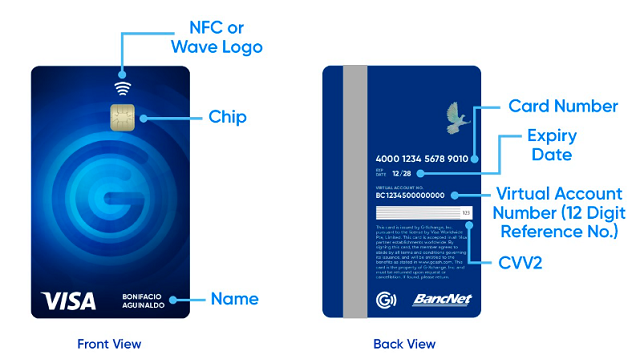
- On your app, tap View All
- Scroll down to Manage and click Cards.
- Select Order a Card and click Send me a card. There's an option to have it delivered to your doorstep (Coming soon: option to buy it in-store).
- Check the Card Information where you'll see your GCash registered name and how it would look like on the card.
- Fill out the order form.
- Review the details and make sure the delivery information is correct to avoid inconveniences. Once payment is made and form is submitted, you cannot cancel your order.
- Click Confirm then wait for it to be delivered within four to 10 business days.