
Maya Users, Cash In Is Free at These Establishments
Because those cash-in fees can pile up.
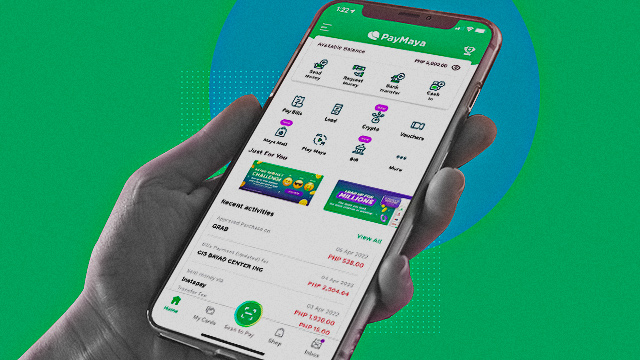
(SPOT.ph) Cash-in fees might not seem like much for one-time transactions but they pile up in the long run, damaging your potential savings. To help cushion the blow of inflation and rising costs, mobile wallet Maya made cash ins free at select establishments.
Maya users can cash in up to P,8000 per month for free—any amount exceeding that will garner a 2% cash in fee. Users on an upgraded account have a monthly cash in limit of P100,000 per month, while Super Users can cash in up to P500,000.
Also read:
Everything You Need to Know About PayMaya's New Crypto Feature
PayMaya Now Has the Largest Cashless Network Reach in the PH
Maya cash in is free for these establishments:
Banks
- BPI
- RCBC
- UnionBank
- China Bank
Instead of the usual InstaPay and PesoNet services, Maya allows users to link their bank accounts for direct transfers free of charge. Here's how to do it on the Maya app:
- Select Bank Account in the Cash In screen
- Choose your partner bank
- Enter cash in amount and tap Continue
- Log in to your online banking account and complete the authorization requirements of the bank
- Select your source account to be linked and tap Continue
Once linked, you can cash in for free 24/7.
- Under Linked Bank Accounts, choose your partner bank
- Enter your cash in amount and tap Continue
- Enter OTP to complete your transaction
Convenience stores
- Ministop
- Family Mart
- Alfamart
Supermarkets and drug stores
- SM Supermarket
- SM Hypermarket
- Robinsons Supermarkets
- Robinsons Easymart
- Landers
- The Marketplace
- Shopwise
- Savemore
- Waltermart
- Ever
- Super8
- Southstar Drug
Payment kiosks
- Touchpay
- Pay&Go
- ZoomPay
- eTap
Sari-sari stores
Users who opt to cash in via Maya Centers in sari-sari stores nationwide can get 100% cashback on service fees capped at P150. TrueMoney outlet all over the country also offer cash-in services.
For more information, visit Maya's website.