
The SPOT.ph Guide to Using ShopeePay
It's not just for online shopping.

(SPOT.ph) In the fast-paced digital age, the way we handle our finances has dramatically transformed, accelerated even by the pandemic that hit in 2020. From bill payments to grocery shopping, nearly every aspect of our lives has shifted online, urging us to embrace the convenience of cashless transactions. With the plethora of options available, it's imperative to explore the diverse range of online payment services. Notably, ShopeePay emerges as a prominent contender, offering not only virtual transactions but also tangible debit cards for seamless online shopping experiences.
What is ShopeePay?
ShopeePay is one of the mobile wallets in the Philippines that allows users to store funds securely and make cashless transactions effortlessly. With just a few taps on your smartphone, you can pay bills, purchase groceries, or indulge in a guilt-free shopping spree. This all-in-one solution streamlines the process, eliminating the hassles associated with traditional payment methods.
Benefits and Features of Using ShopeePay
Discounts and Cashback Offers
This digital payment marvel not only simplifies your financial transactions but also ensures that you can stretch your hard-earned money further. It offers discounts, deals, and exclusive promotions. From irresistible flash sales to limited-time offers, ShopeePay keeps you at the forefront of the best deals in town.
But the savings don't end there. ShopeePay takes your shopping experience to the next level by rewarding you with generous cashback offers. Imagine receiving a portion of your spending back in your digital wallet, just for making everyday purchases. It's like being granted a personal shopping assistant that constantly finds ways to put money back into your pocket.
Other Features
Aside from using the topped-up money to buy stuff online, ShopeePay has the following features available in case you want to do something else with the funds:
- Pay for goods or services from partner establishments
- Do a bank transfer with select banks
- Send money to another Shopee user or other e-wallets
- Request money from another Shopee user
How to Set Up Your ShopeePay Account
Sign Up for a Shopee Account
Before you can enjoy the benefits of having a ShopeePay account, you need to sign up for a Shopee account first using the Shopee app.
- You may choose one of the three ways to get started:
- Mobile number: Fill out the blank field with your active mobile number
- Google e-mail address: Make sure your e-mail address is linked to your phone. Click on “Sign Up with Google” once done and choose your preferred e-mail address.
- Facebook account: Make sure your Facebook account is logged in using the respective app. Click on “Sign Up with Facebook” once done.
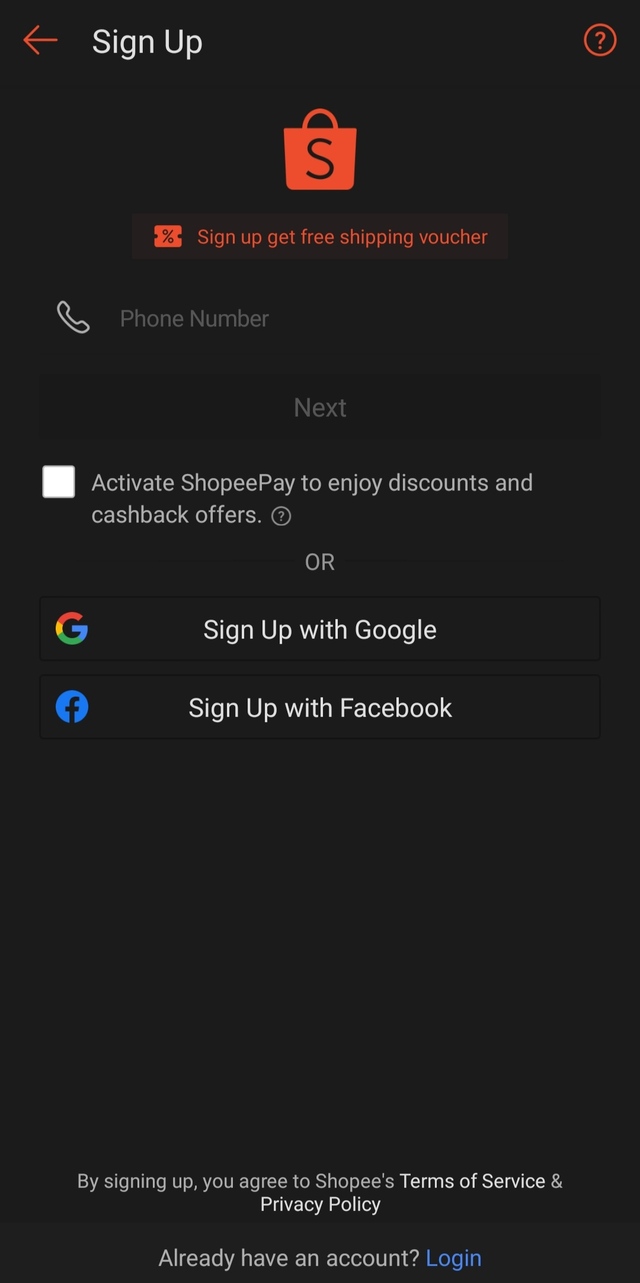
- After this, you will be automatically signed in to your Shopee account.
Activating and Verifying Your ShopeePay Wallet
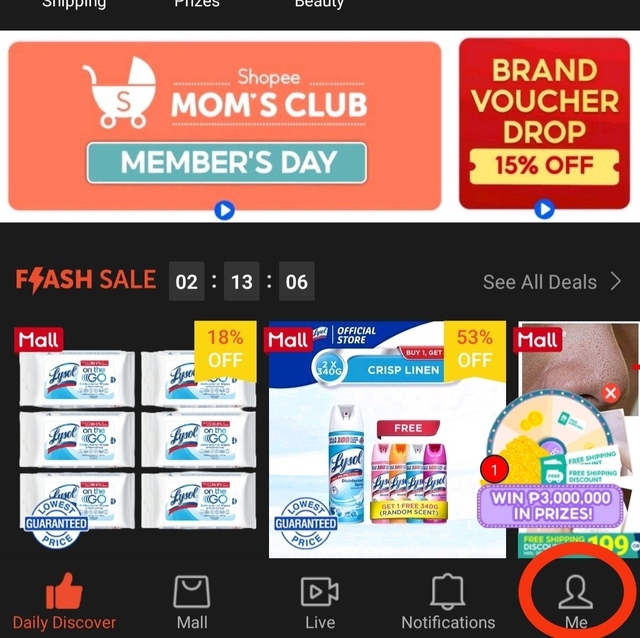
- Log in to your account using the Shopee app and go to “Me.” It’s on the lower-right-hand side of the screen.
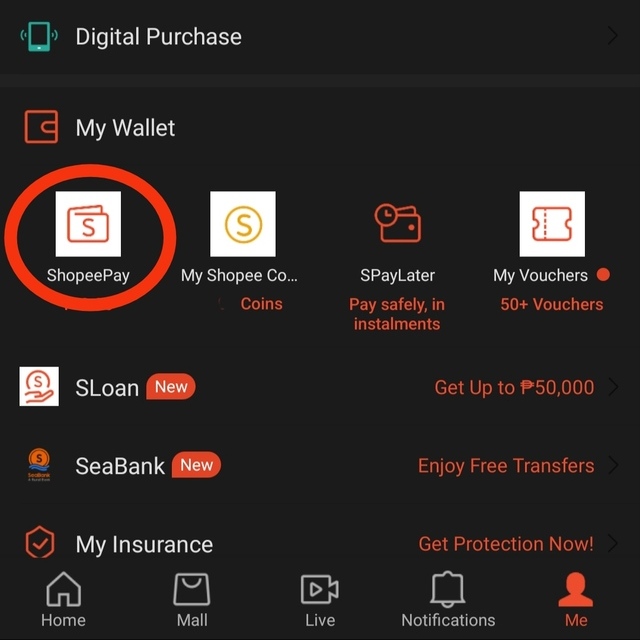
- Under “MyWallet,” choose “ShopeePay.”
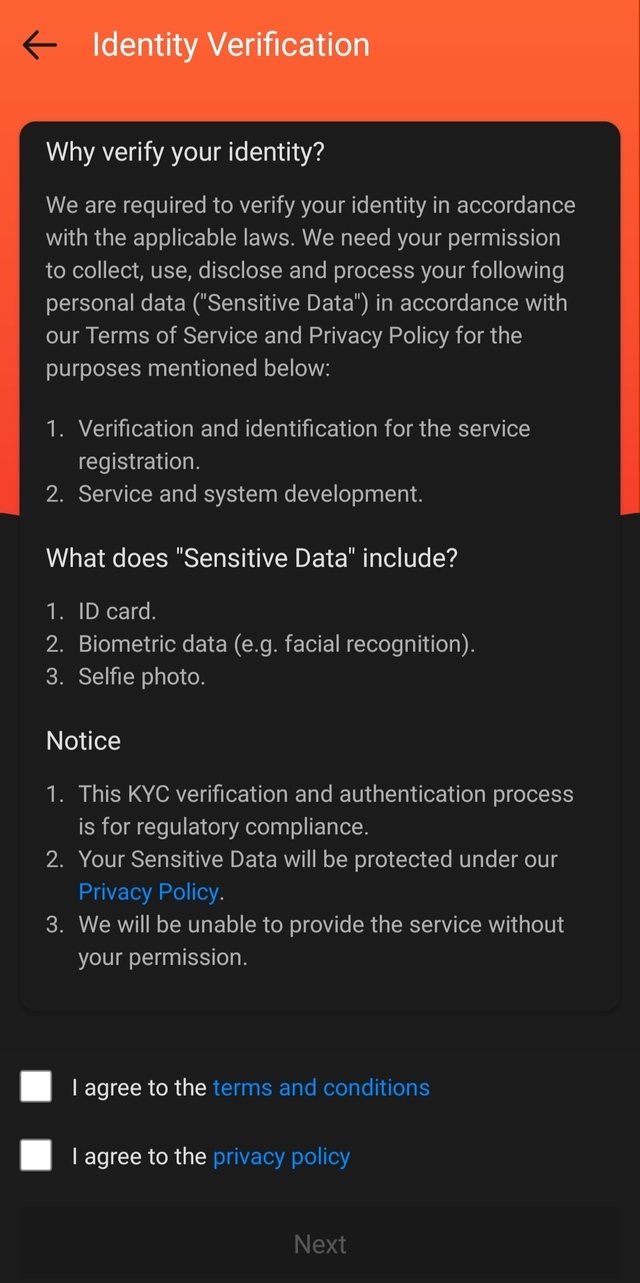
- You will be brought to a page where you need to verify your account. For this step, you need to prepare an ID card and your phone for capturing data, such as biometric data and your selfie. Tick the boxes corresponding to your agreement to the terms and conditions and privacy policy and click “Next.”
- Follow the steps indicated and wait for feedback.
How to Use ShopeePay for Transactions
Topping Up Your Wallet
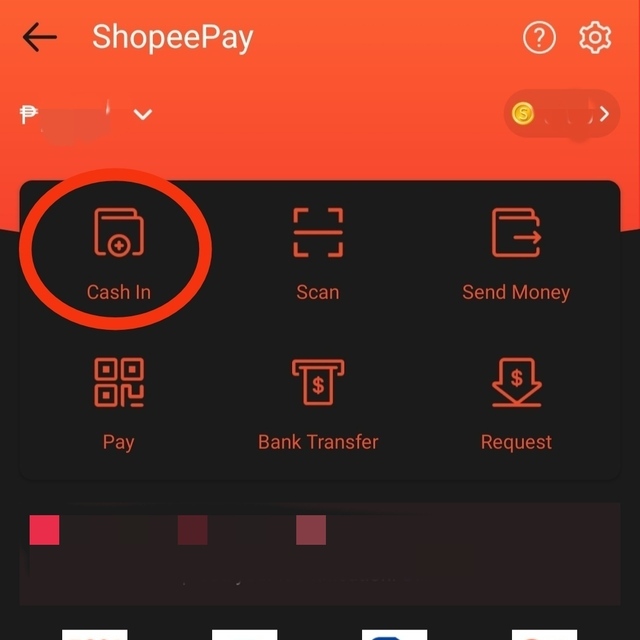
- Under “MyWallet,” choose “ShopeePay.”
- Choose “Cash In.”
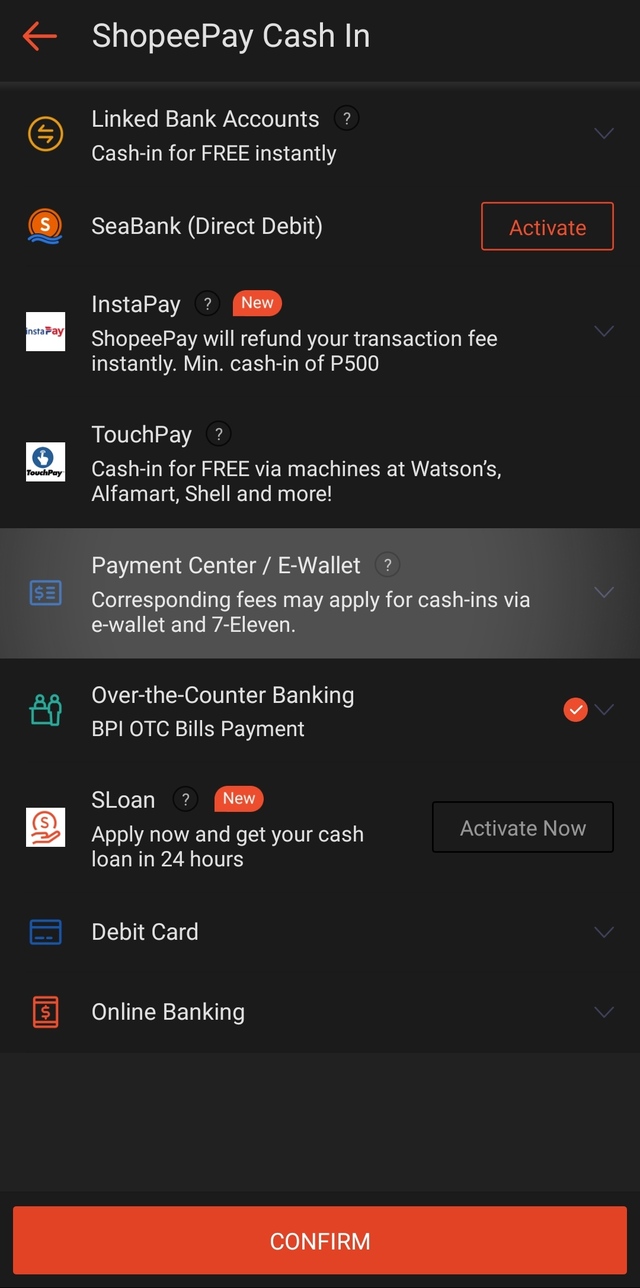
- The next page will show you the different payment methods you can use to top up your ShopeePay account. Choose your preferred method and click “Confirm.”
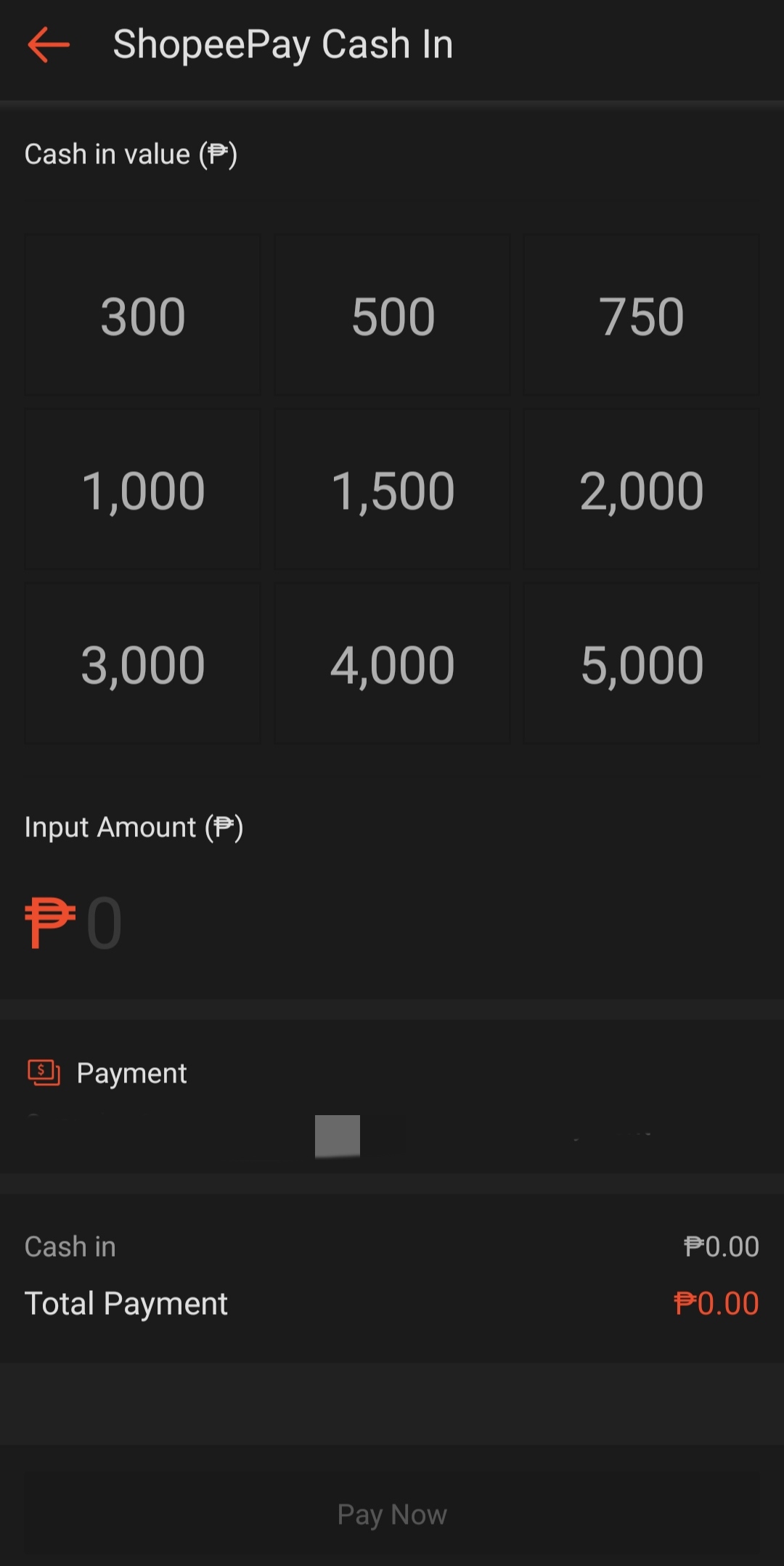
- Click on the amount you want to cash in or manually input the amount if it’s not in the options. Click “Pay Now.”
Making Payments with ShopeePay
- Under “MyWallet,” choose “ShopeePay.”
- Choose “Pay.”
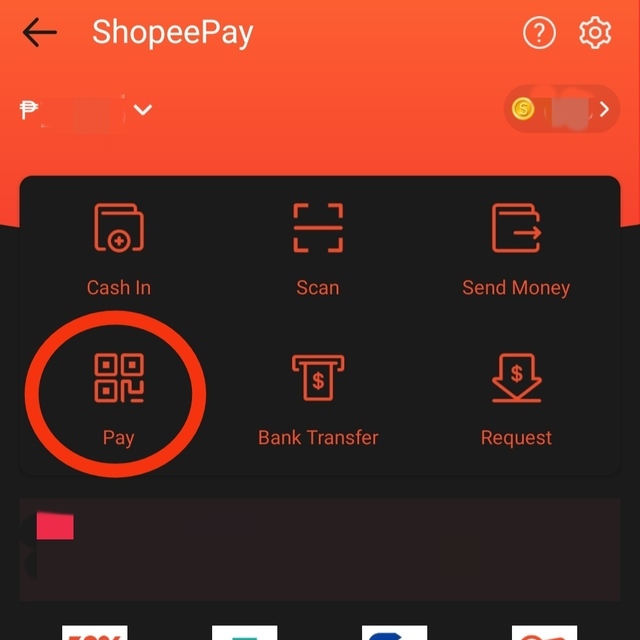
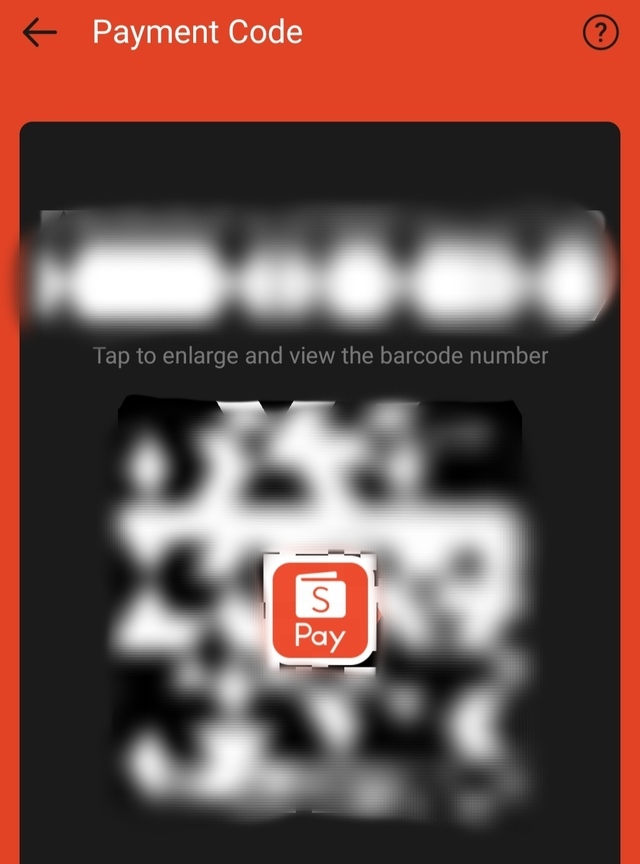
- You will be asked for your biometrics or PIN code to view the QR code. Present the QR code to the cashier for scanning.
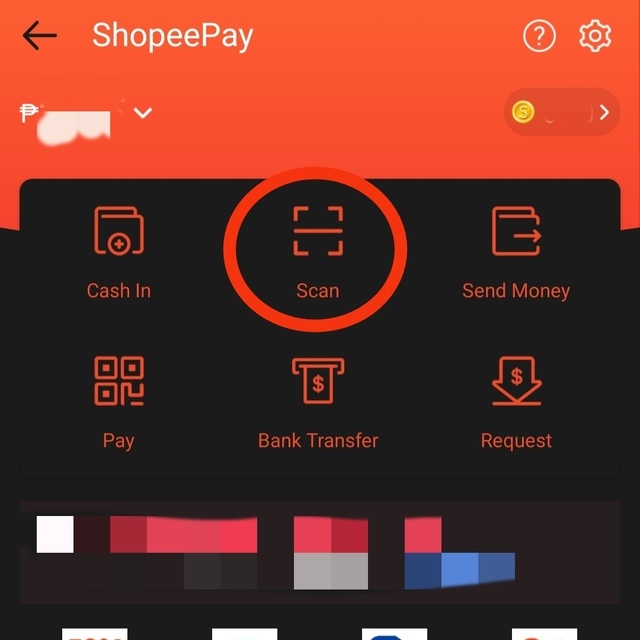
- Alternatively, you can use the scan QR code feature. Use this tool on the displayed QR code (usually by the counter). Present the reference number to the cashier.
Transferring Funds to Other Users
Note: For this feature, you need to have your account verified first.
- Under “MyWallet,” choose “ShopeePay.”
- Choose “Send Money.”
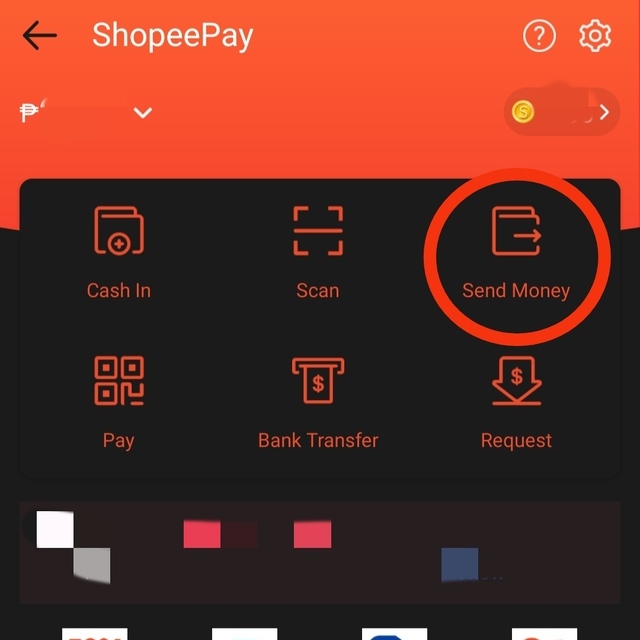
- You will be asked to choose your preferred means to send money to the recipient. Choose one and specify the amount you wish to send.
Also read:
The SPOT.ph Guide to Using GrabPay
The SPOT.ph Guide to Using PayPal