
The SPOT.ph Guide to Using GrabPay
Convenience at the touch of your fingertips.
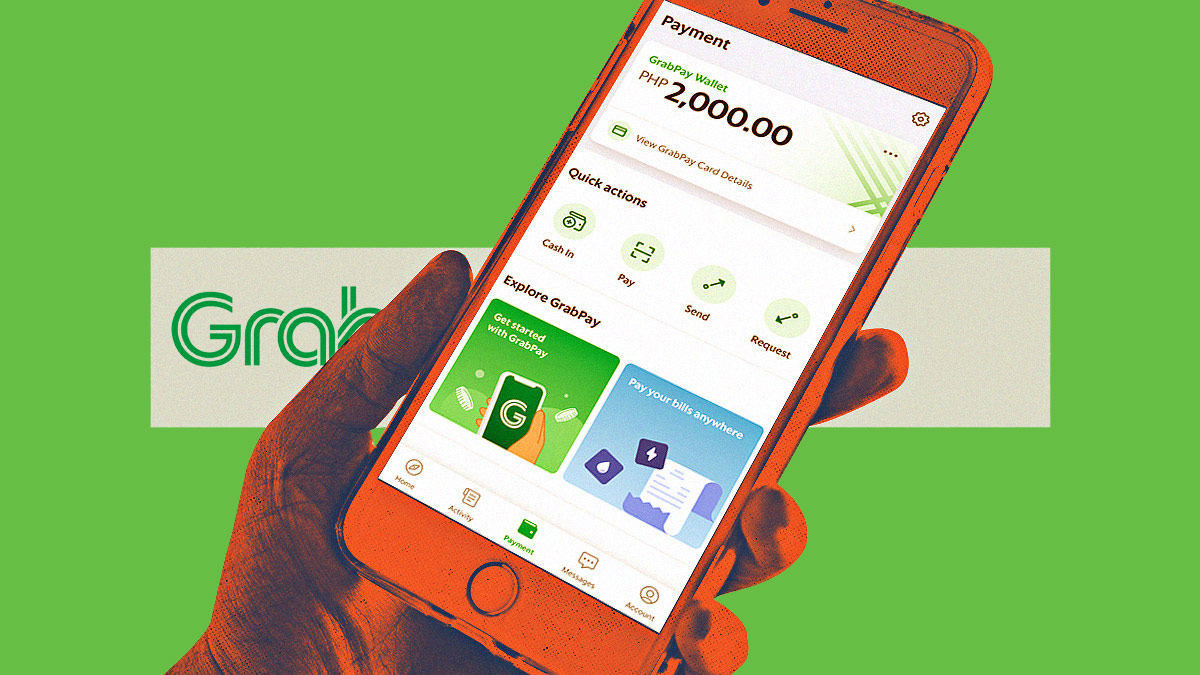
(SPOT.ph) In the ever-evolving landscape of digital transactions, GrabPay is one of the names that stand out. This mobile payment platform has revolutionized the way we pay, offering a seamless experience from start to finish and a comprehensive solution that goes beyond holding your "online cash." No more fumbling through coins or bills while you’re about to pay for your fare when you get to your destination or for your food when it finally arrives at your doorstep. If you’re still confused about how to navigate the world of cashless transactions, we give you the ins and outs of GrabPay.
What is GrabPay?
GrabPay is a revolutionary payment method developed by none other than Grab itself. This game-changing digital wallet puts the power of payments right at your fingertips. Picture this: you maintain a balance in your GrabPay wallet, ready to be unleashed whenever and wherever you desire. But how does it all work? Well, when it's time to make a payment, GrabPay seamlessly whisks you away to its user-friendly system, where you'll authenticate the transaction using minor set-up and/or QR codes. It's that simple! No fuss, no hassle—just a smooth and secure process that ensures your payments are made with ease.
You can earn GrabRewards points with every payment you make, provided that the establishment is a partner merchant. Your daily needs turn into an opportunity for rewards as GrabPay allows you to earn GrabRewards points both online and at partner merchants across the nation. But that's not all—imagine sending GrabPay Credits directly to your loved ones in an instant, completely free of charge. They can utilize these credits for a range of Grab services and purchases, making their lives more convenient and exciting. You can even use GrabPay to settle your bills.
How to Set Up Your GrabPay Account
- Download the Grab app on Android or iOS and launch it on your phone.

- Once you open the app, it will prompt you to create an account or to log in with your existing credentials. Fill in the required details in their respective fields. You will also be asked if you want to link your account to your Facebook account or Google e-mail address. Save the details and take note of these, as you will need these for cash-ins, receiving funds, and more.
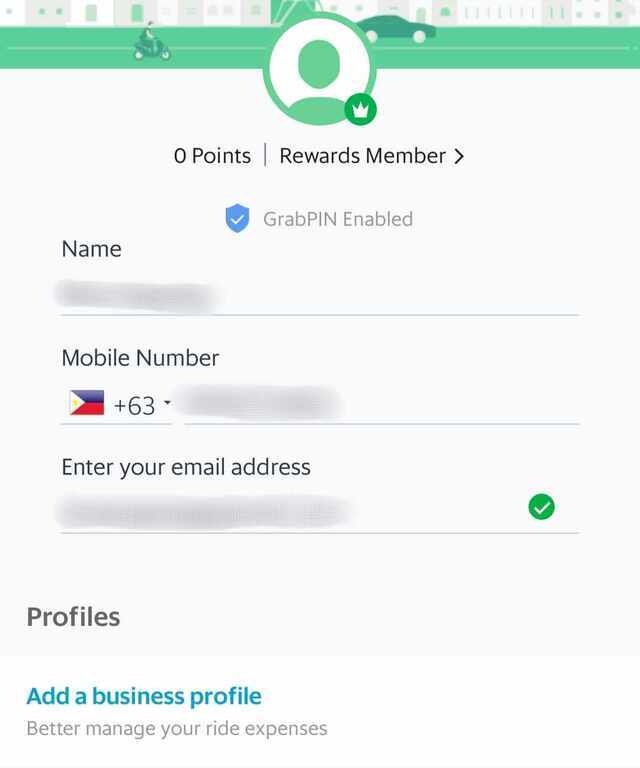
- Link your preferred payment method. In this case, you may go for a debit card or a credit card. For debit cards, you may link your UnionBank, BDO, or BPI account. For credit cards, you may use Visa or MasterCard.
Using a credit card
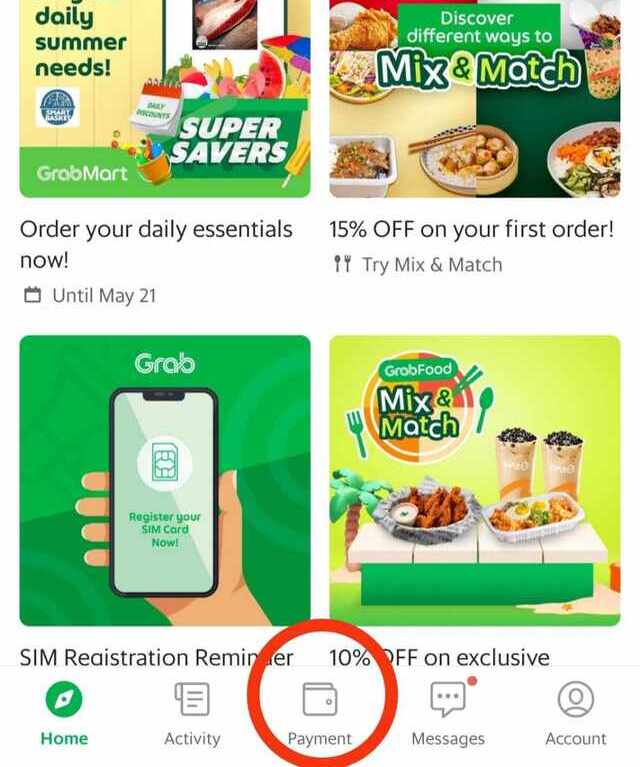
- From the homepage, click on "Payment."
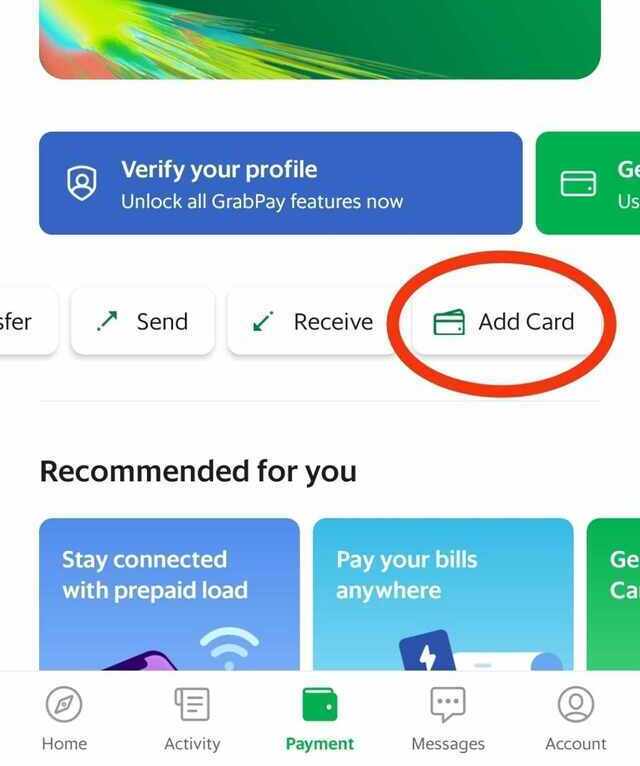
- Click on "Add Card."
- You will be asked if you prefer turning on NFC to fill in your card details or enter the details manually. If you choose the first one, you need to modify your photo settings to activate NFC. Otherwise, you need to manually enter your credit card details, such as card number, expiry date, and CVV.
- Click on "Continue."
Using a bank account
- From the homepage, click on "Payment."
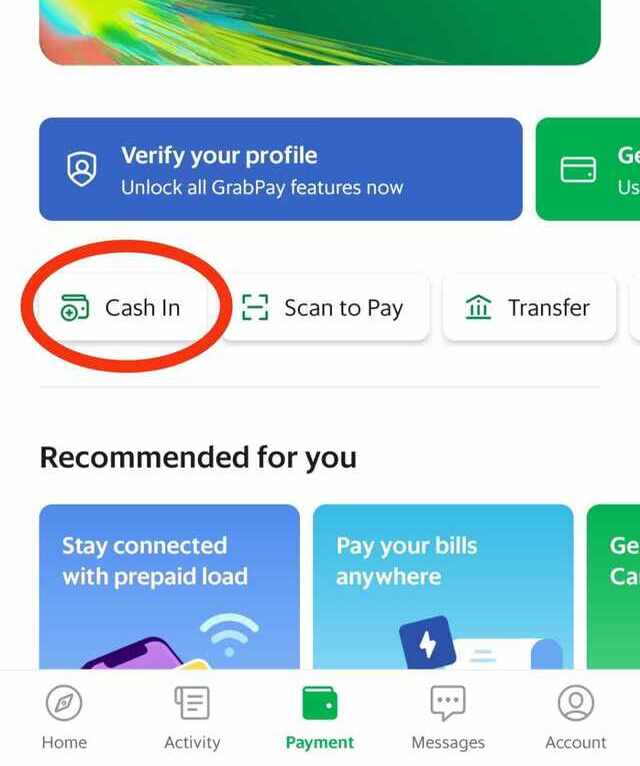
- Click on "Cash In."
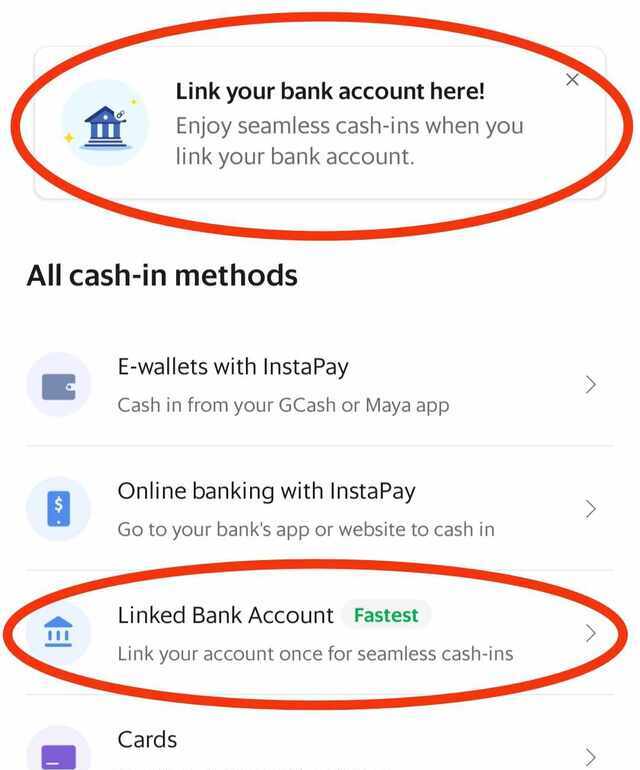
- Click on "Link your bank account here" or "Linked Bank Account."
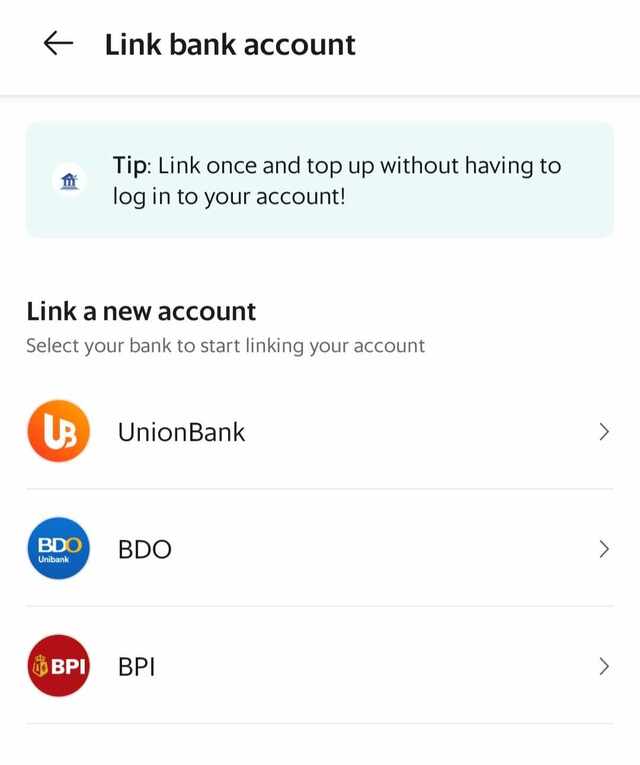
- On the next page, choose one of the banks and click on it.
- Then, tap on "Link Now."
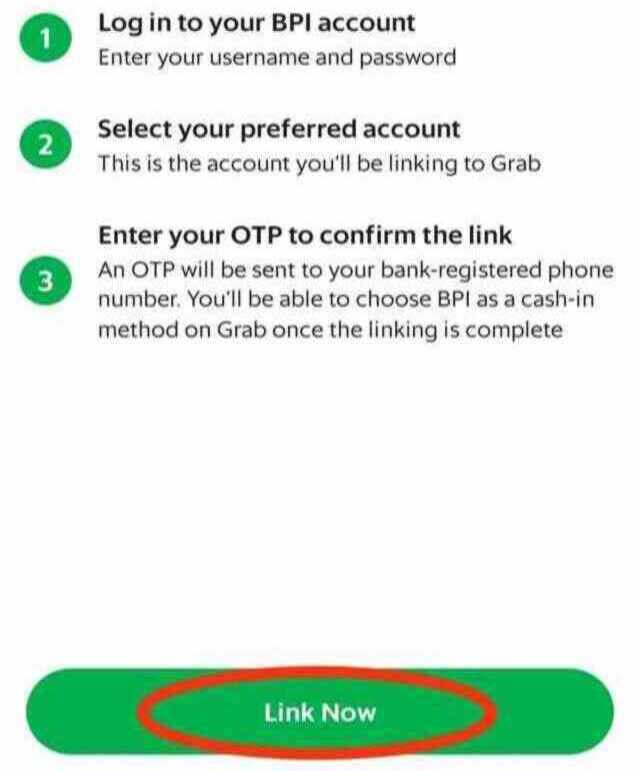
- You will be asked to log in using your online banking credentials. Provide the necessary details and certify that you’re not a robot through a CAPTCHA.
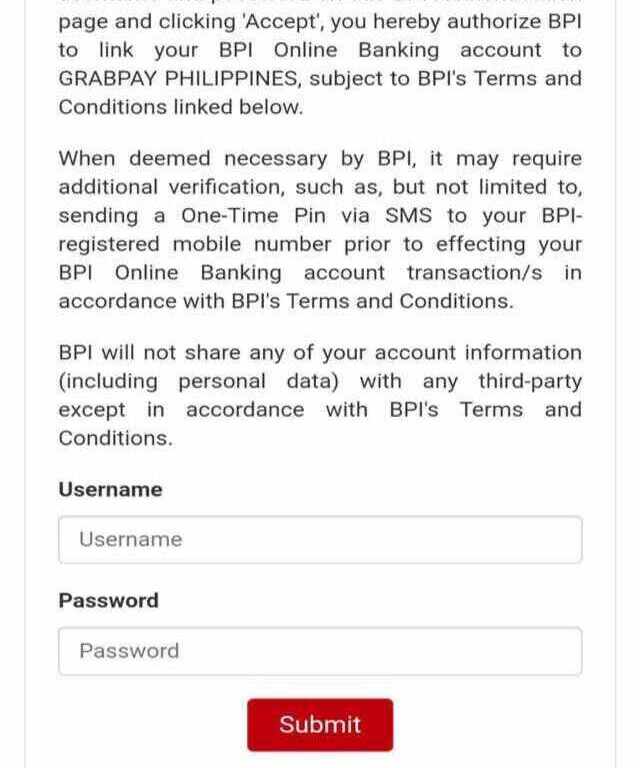
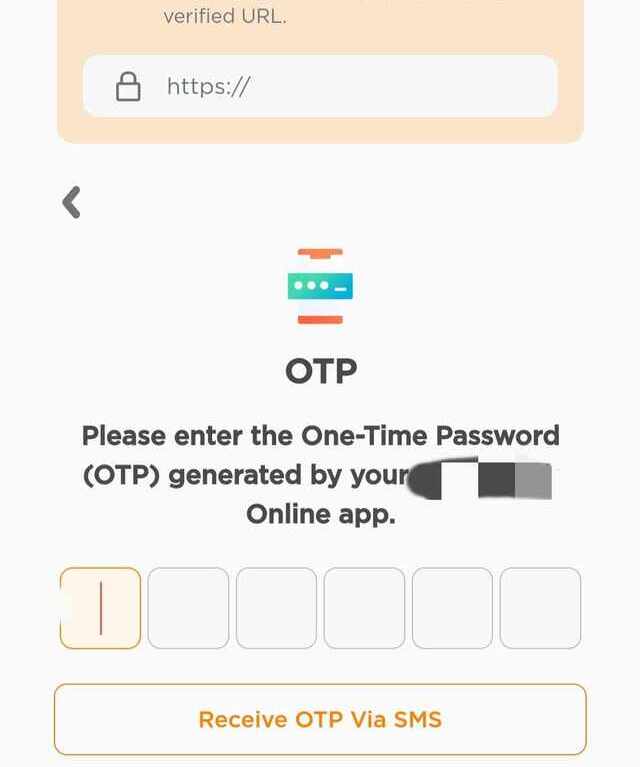
- Once you log in to your account, you will be asked to enter an OTP that will be sent through your provided email address, mobile number, or online banking account. Enter the number that will be sent to you and you’re all set.
How to Use GrabPay for Various Services
There are various ways to top up your GrabPay wallet:
- E-wallets with InstaPay: GCash and Maya
- Online banking with InstaPay: BDO, BPI/BPI Family, Metrobank, Security Bank, UnionBank
- Linked Bank Account: UnionBank, BDO, BPI
- Credit Cards: Visa, MasterCard, etc.
- In-Store: 7-Eleven or SM Business Centers
- Choose one of the options above, then choose your preferred e-wallet or banking app. You will then see instructions on how to cash in or top up using your preferred method. Follow the instructions indicated and you’re all set.
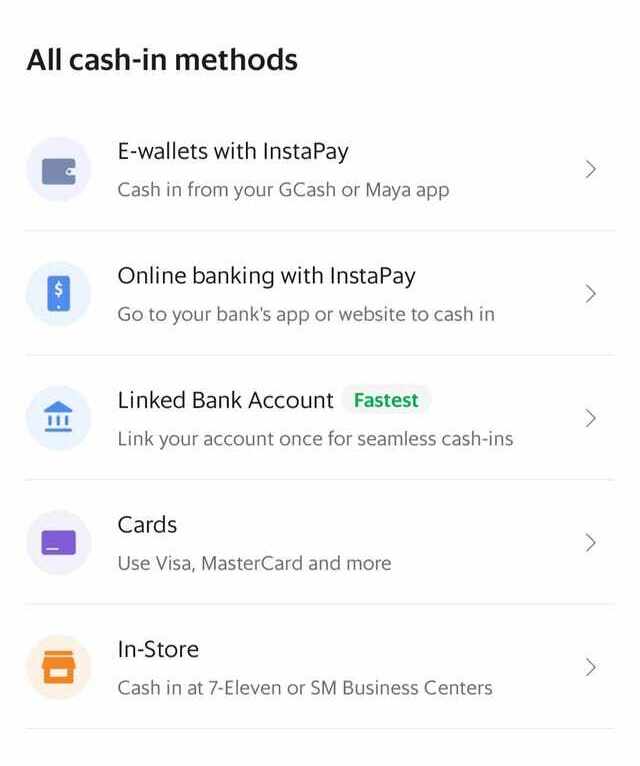
- For in-store top-ups, click the "In-Store" option.
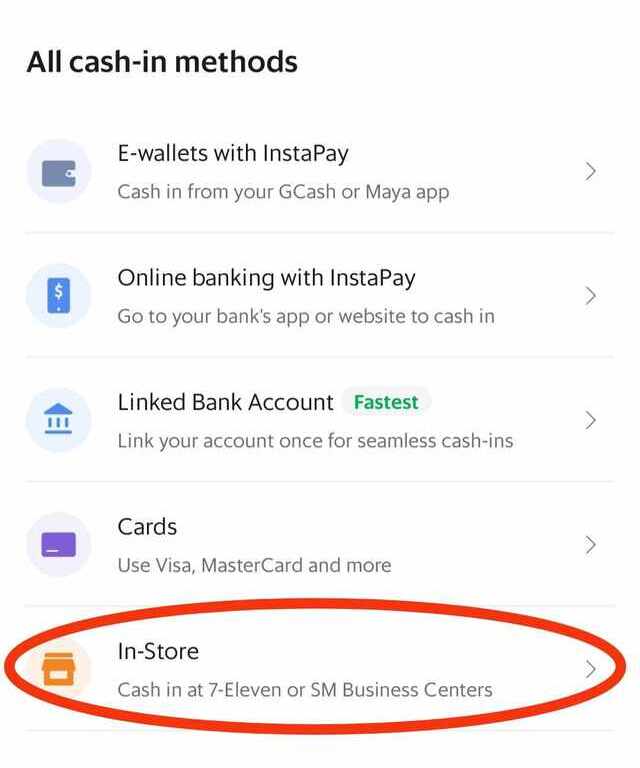
- Select the establishment where you intend to cash in.
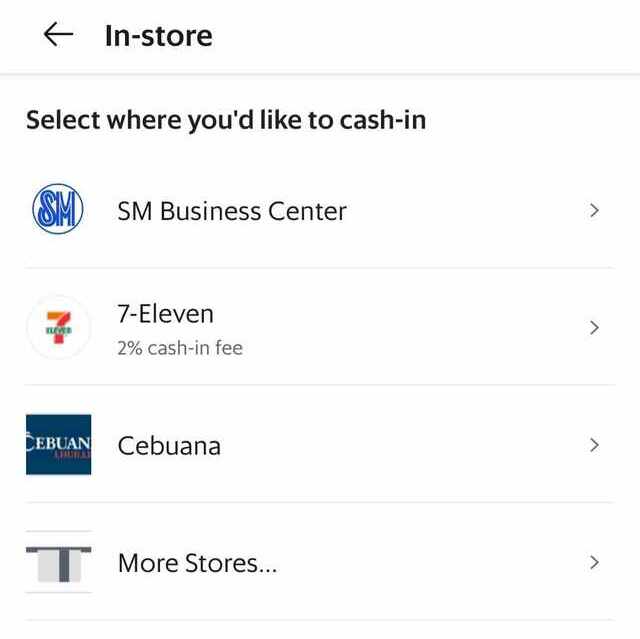
- Follow the instructions indicated on the app. Take note that the minimum amount for cash-in is Php 200.
If your bank is not on the list, you may have to manually cash in using via banking app:
- Log in to your chosen banking app.
- Check if there’s an option to transfer or send funds to another bank.
- Select the bank account you wish to use for topping up/cashing in.
- Choose GrabPay Philippines, if there’s an option for it.
- Enter the recipient’s number. In this case, the registered phone number is the account number.
- Input the amount you wish to transfer.
- Confirm that all details are correct and send the funds.
Sending Funds via GrabPay
If you want to send some GrabPay funds to another user, you can easily do that using the Grab app. However, take note that you can’t send funds that you obtained by topping up using credit cards or foreign debit cards.
- From the homepage, click on "Payment."
- Click on "Send."
- Choose the mobile number of the recipient or manually enter it. If you’re going for the latter, use the format + with the country code and area code. Example: +639123456789. Make sure that the user already has a GrabPay account. Click "Next."
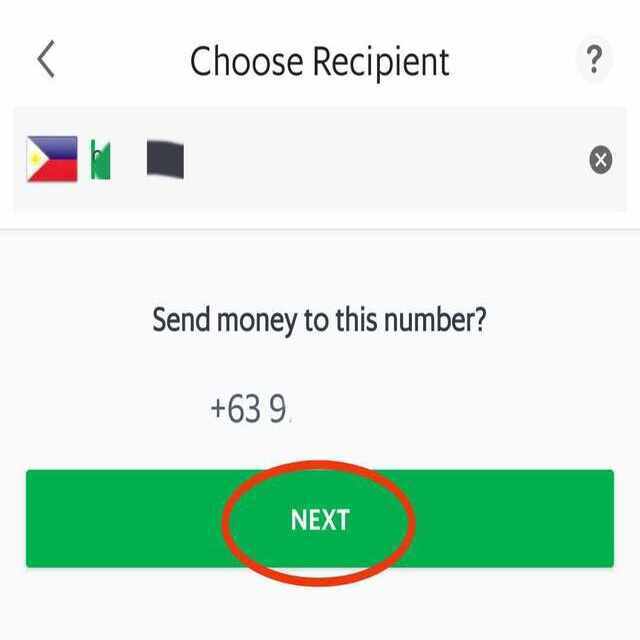
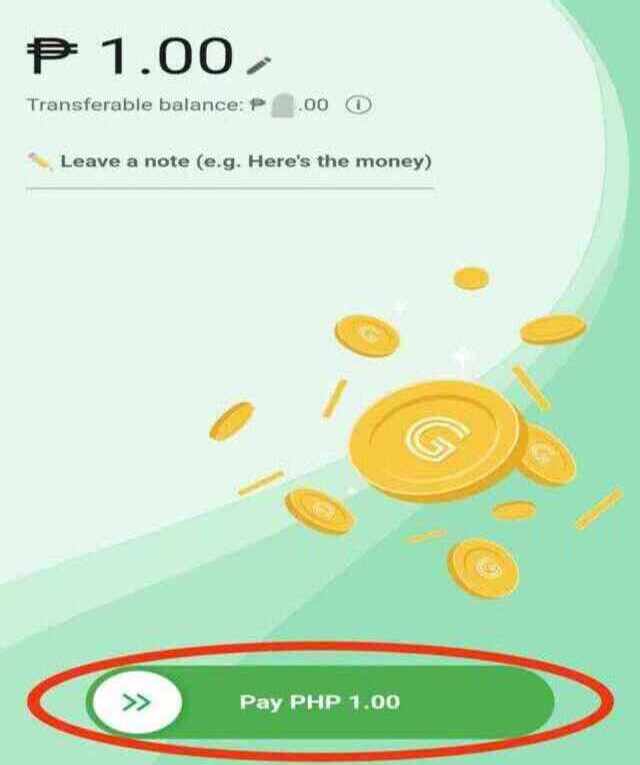
- The next screen should display the name of the recipient and their account/mobile number. Indicate the amount you wish to send. It should not exceed your available transferable balance and should be at least one peso. Leave a note when necessary. Swipe the button below to the right to complete the transfer.
Receiving Funds with GrabPay
- From the homepage, click on "Payment."
- Click on "Receive."
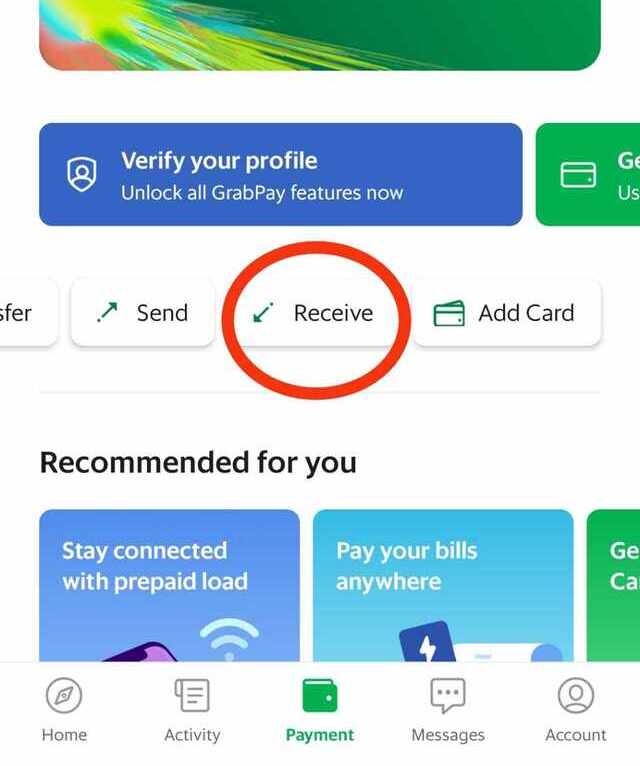
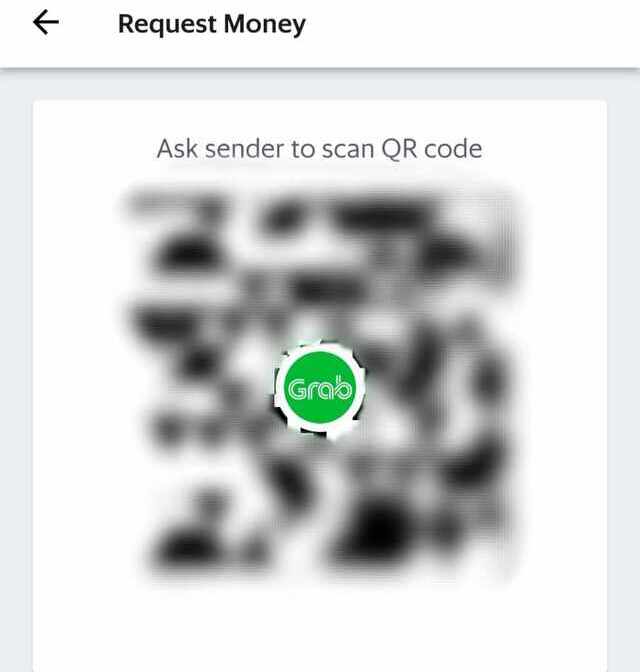
- The next page will have the QR code that you have to show the sender. Ask the sender to scan the code to send the funds directly.
- Another way is to use a link to request funds. You can generate the link by clicking "Request Money via Link."
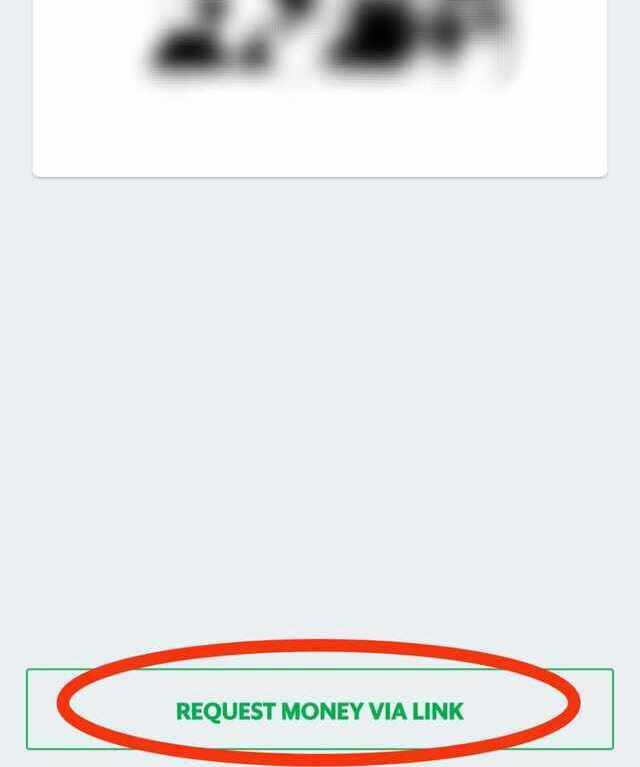
- Copy the link or send it directly to the communication line you’re using to talk to the sender.
Paying for GrabCar or GrabTaxi via GrabPay
- Book your ride as usual.
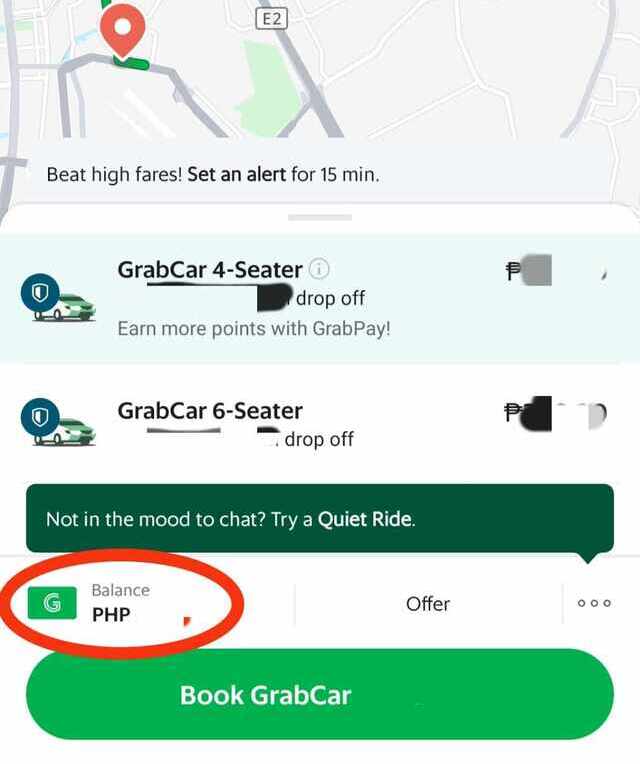
- When you get to the payment page, choose “Balance.”
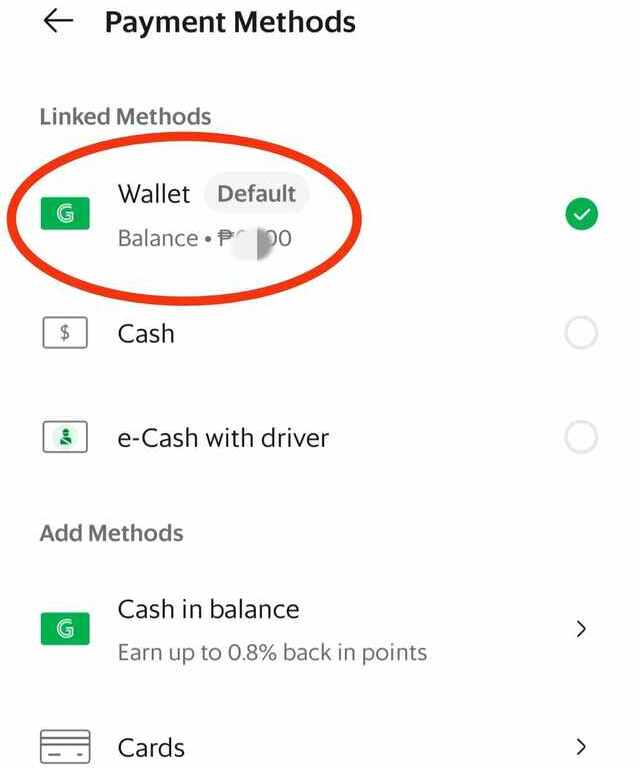
- Choose "Wallet" as your payment method.
- Book the ride.
Paying for GrabFood with GrabPay
- Order your food via Grab as usual, click on the basket, and scroll down.
- On the checkout page, click on the icon under Payment Details.
- Choose "Wallet" as your payment method.
- Place your order.
In-Store Payment with GrabPay QR Code
- Look for the store's QR code at the cashier counter.
- Scan the code using the app’s built-in QR code scanner located on the upper-left-hand side of the homepage.
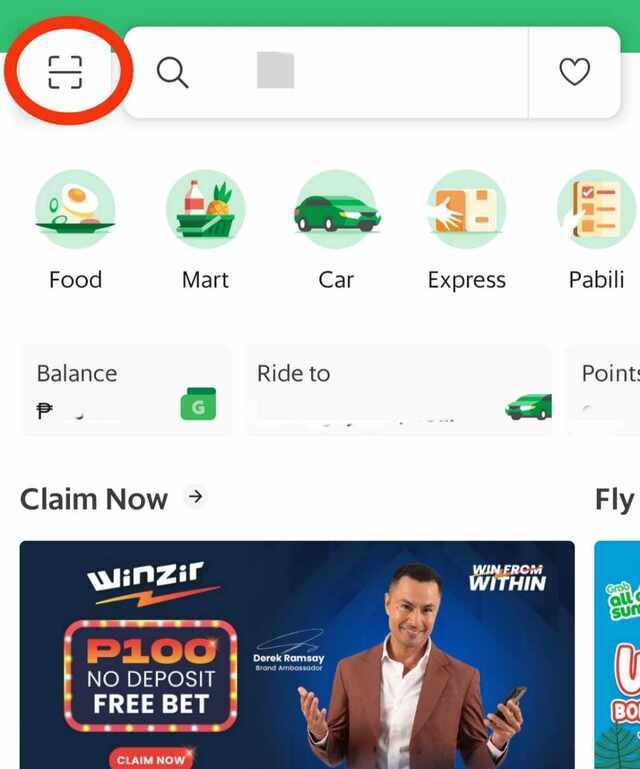
- Show the scanned result with the reference number to the cashier.
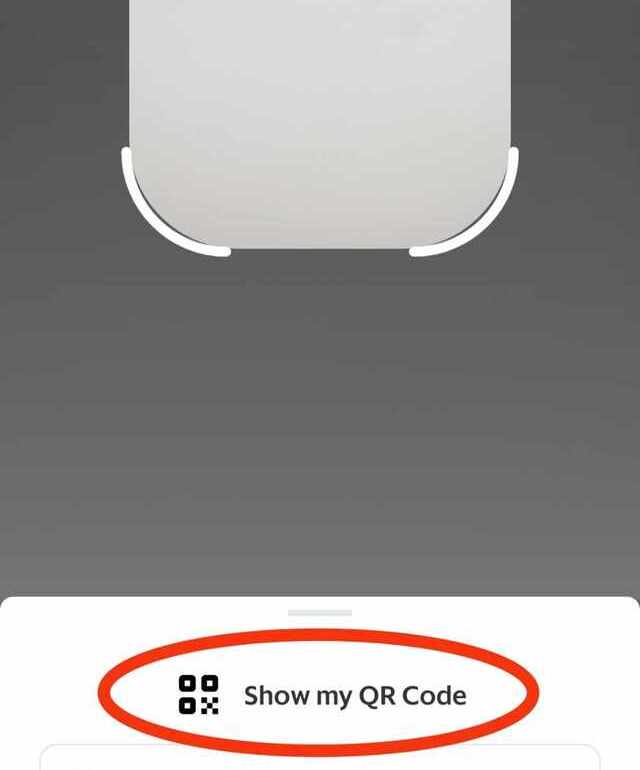
- Alternatively, you can show your QR code by clicking on “Show my QR Code.” Show the QR code to the person in charge and wait for them to scan it.
Also read:
You Can Soon Use GCash to Pay for Grab Transactions In-App
To Tip or Not to Tip: What a GrabFood Rider Has to Say, Based on Experience
How to Manage Your GrabRewards Points
Earning points through transactions and activities
Most of the app-related transactions can help you earn points. Riding a GrabCar, ordering using GrabFood, or buying groceries and other supplies using GrabMart are just some of the ways to help you gather GrabRewards points.
You don’t earn points if you don’t directly use the app and its services when purchasing goods or availing services. Using promo codes and GrabRewards points also disqualifies you from earning points. Any transaction using the GrabPay card is not eligible for points as well.
There are also selected GrabExpress and transport services that will not entitle you to GrabRewards points, such as:
- Four-Hour Delivery
- Multi-Stop Delivery
- GrabRent
- GrabBayanihan Car
- GrabTrike
Redeeming points for vouchers or discounts
- From your profile, select "Rewards."
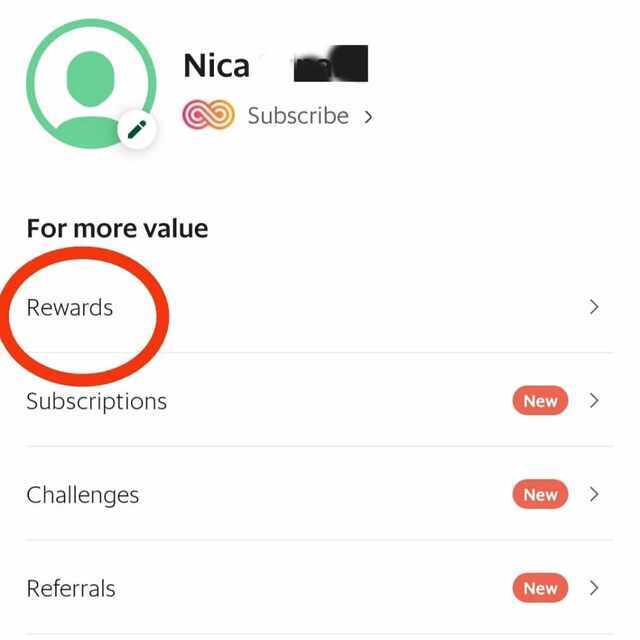
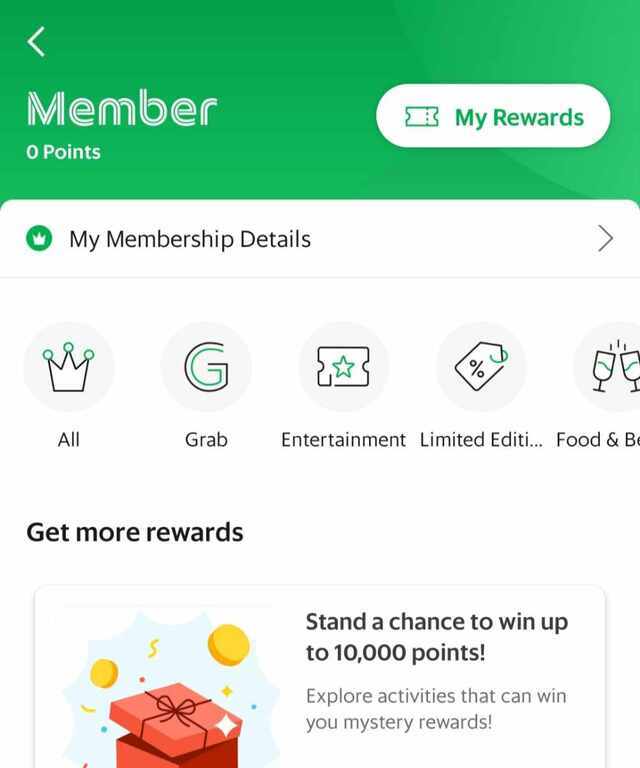
- Choose from the categories or specific offers that can be redeemed using your points.
How to Keep Your GrabPay Account Secure
As in other apps with funds and require credentials to log in, you need to take note of the following:
- Regularly update your passwords. Don’t make the password too obvious or too easy to decipher. Ideally, it should have a combination of letters, numbers, and symbols.
- Avoid sharing sensitive information. You’ll never know who can get their hands on this information and how these can be used to “retrieve” your account.
- Keep the app up to date. This is to ensure you can maximize the use of the app’s features, including those that ensure your account’s security.
- If you encounter an issue with a transaction made using GrabPay, don’t hesitate to contact customer support as soon as possible.
Also read:
The SPOT.ph Guide to Using CliQQ
The SPOT.ph Guide to Using Lazada Wallet
The SPOT.ph Guide to Using ShopeePay
The SPOT.ph Guide to Using PayPal