
The SPOT.ph Guide to Using CliQQ
It's not just for your convenience store buys.
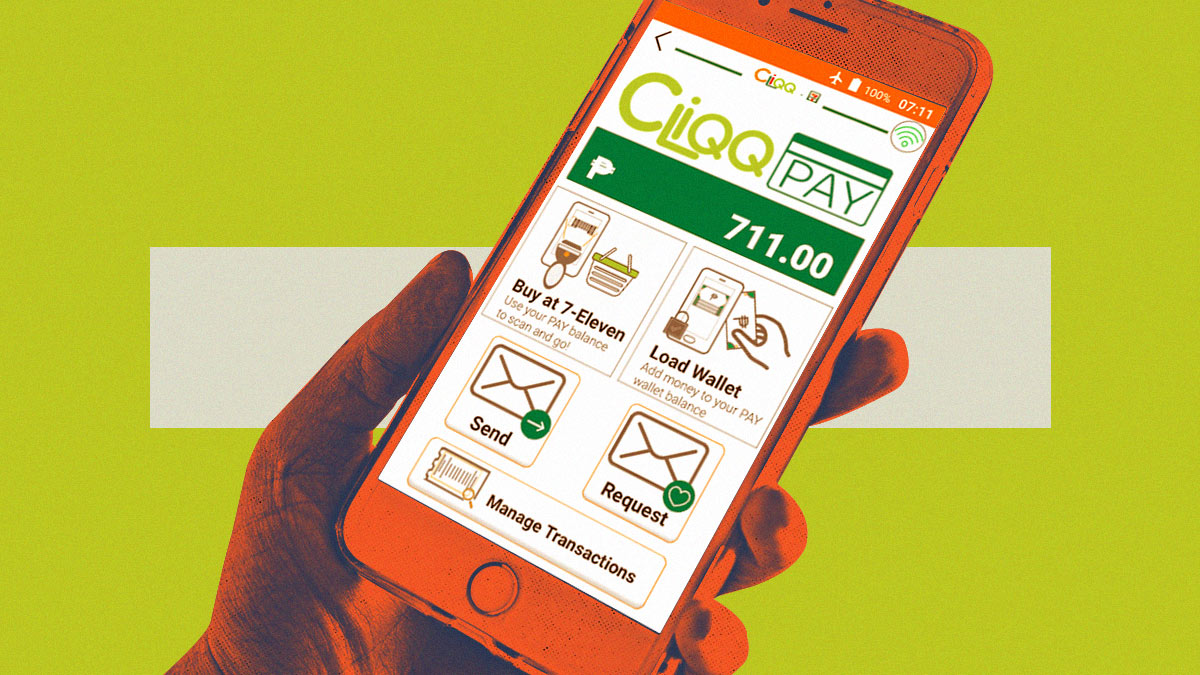
(SPOT.ph) You may have probably seen those orange-and-green-colored machines at 7-Eleven. This is actually the convenience store's very own e-wallet platform, where anyone with a CliQQ mobile app on their phone can pay their bills (utilities, tuition, insurance, etc), purchase and finalize transactions (ex. Cebu Pacific), and other online transactions. Obviously, it lets you purchase goods at 7-Eleven with just the app.
Plus, it also has a reward system, encouraging you to use the app more frequently. Every 7-Eleven payment you make through CliQQ brings you closer to earning exclusive rewards points. Whether you're shopping online or at partner merchants across the nation, your daily needs now become an opportunity to indulge in exciting rewards.
What is CliQQ?
CliQQ by 7-Eleven is one of the mobile wallets in the Philippines designed to enhance your everyday transactions with the convenience store. Developed by the trusted convenience store giant, 7-Eleven, CliQQ seamlessly integrates convenience, rewards, and innovation into a single platform, all at your fingertips.
At its core, CliQQ is a digital wallet that empowers you to manage your finances with utmost ease. Imagine having a secure and user-friendly interface where you can effortlessly maintain a balance, ensuring you're always ready to make payments anytime, anywhere.
Through CliQQ Credits, you can effortlessly send digital credits to your loved ones, allowing them to enjoy the same convenience and excitement you experience when you buy load, or purchase other products in the convenience store. From treating a friend to their favorite snack or surprising a family member with a special gift, CliQQ Credits enable you to spread happiness with just a few taps on your screen.
In essence, CliQQ by 7-Eleven is a nifty tool that can bring you convenience, rewards, and meaningful connections. It's the ultimate digital ecosystem that simplifies your transactions, amplifies your rewards, and brings people closer together.
Also read:
The SPOT.ph Guide to Using Maya
The SPOT.ph Guide to Using PayPal
The SPOT.ph Guide to Using GrabPay
How to Set Up Your CliQQ Account
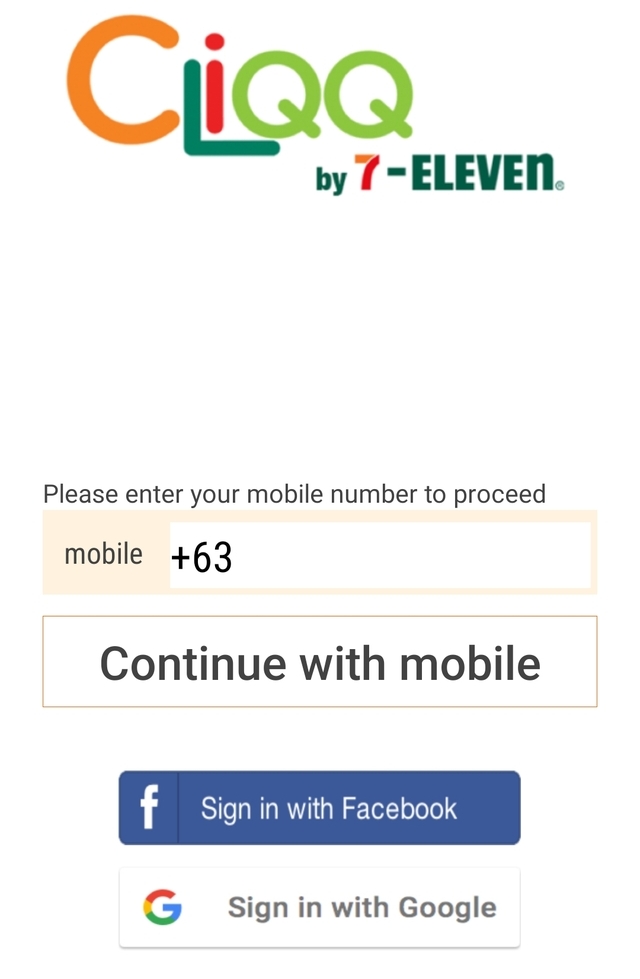
- Once you open the app, you'll be asked to register using one of three methods: mobile number, Google e-mail, or Facebook account. Click your preferred method and provide the necessary info that the system will ask you.
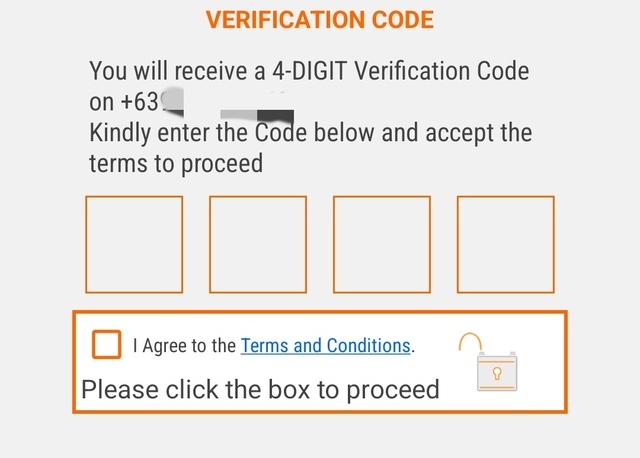
- If you go for the mobile number route, you'll receive a four-digit OTP. Enter the code in the given field and tick on the box indicating you're agreeing to the Terms and Conditions to proceed.
How to Use CliQQ for Transactions
Topping Up Your Wallet
- From the homepage, click "Open CliQQ Wallet."
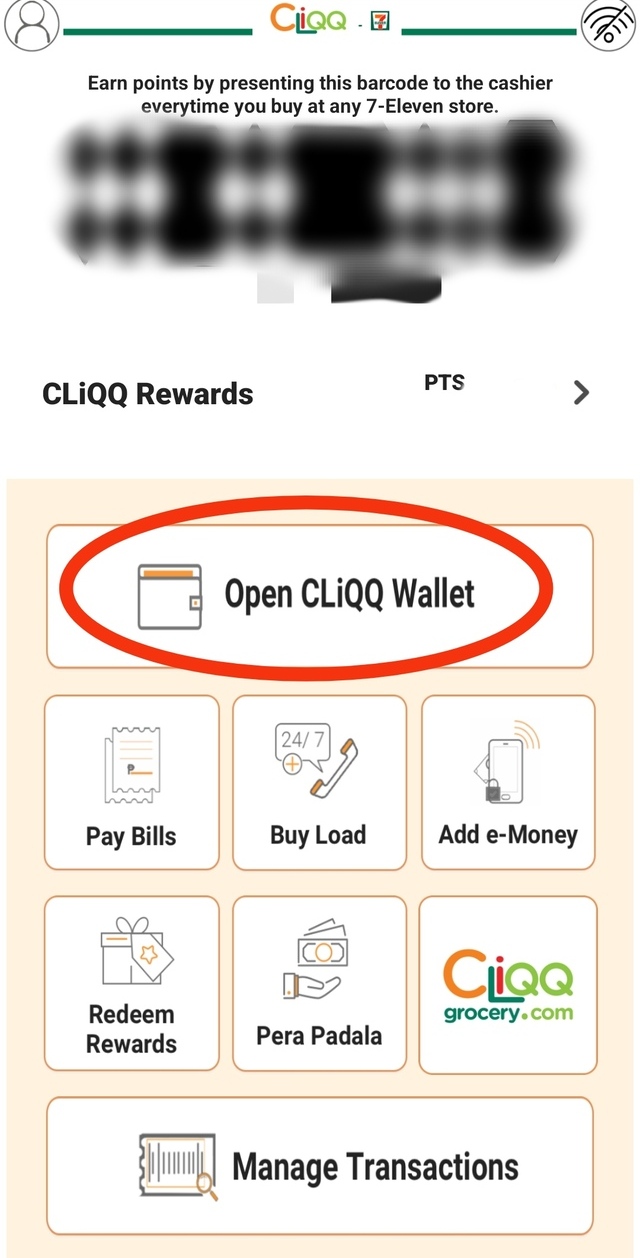
- Choose "Load Wallet."
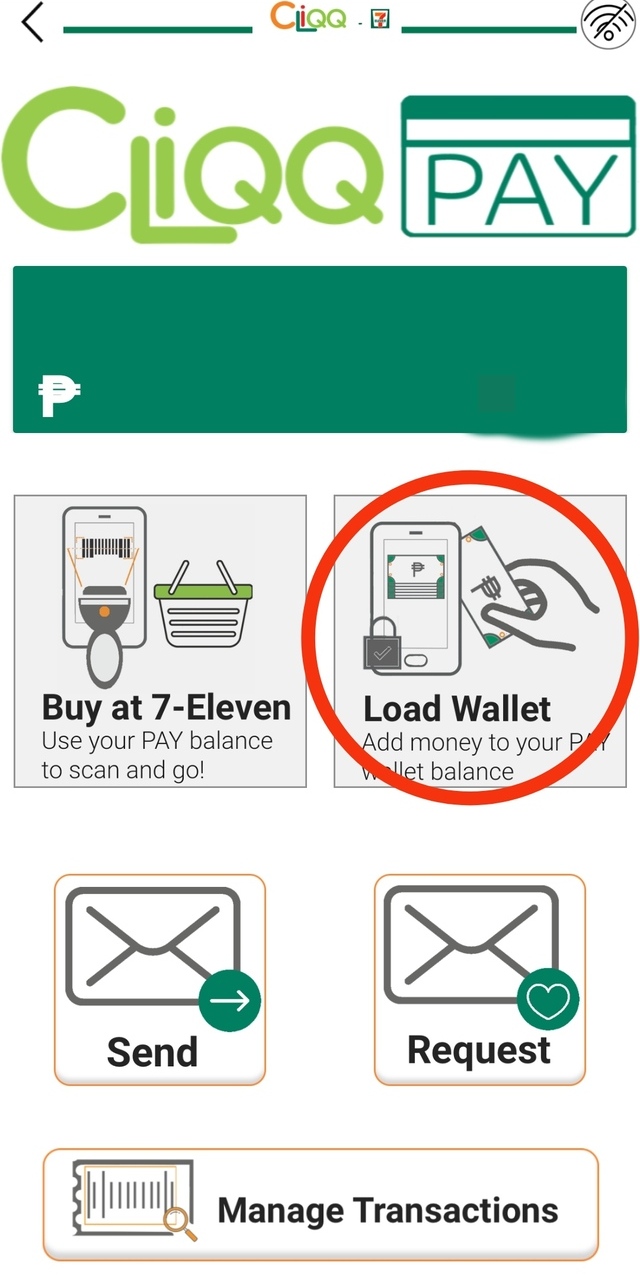
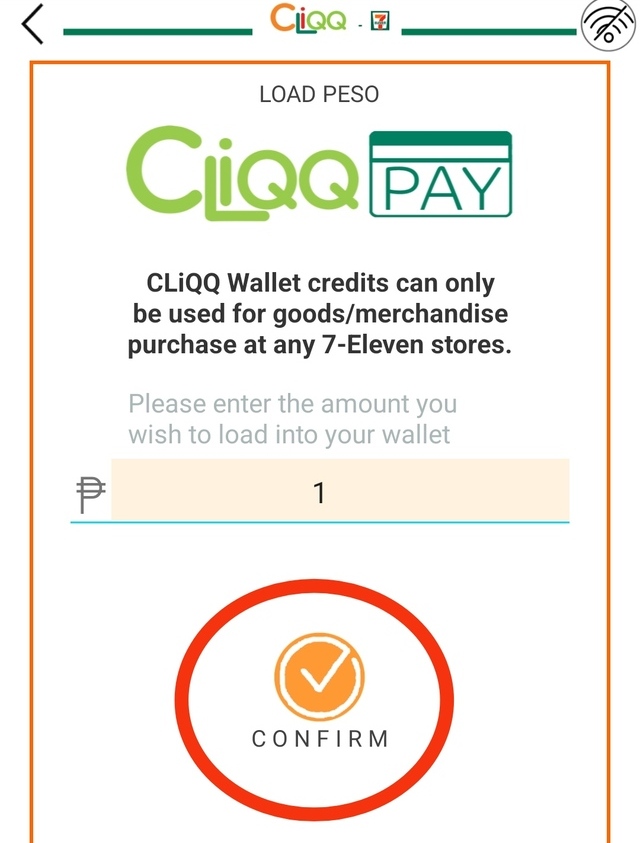
- The next page will prompt you to enter the amount you wish to top up. Type in the amount and click "Confirm."
Making Purchases Using CliQQ
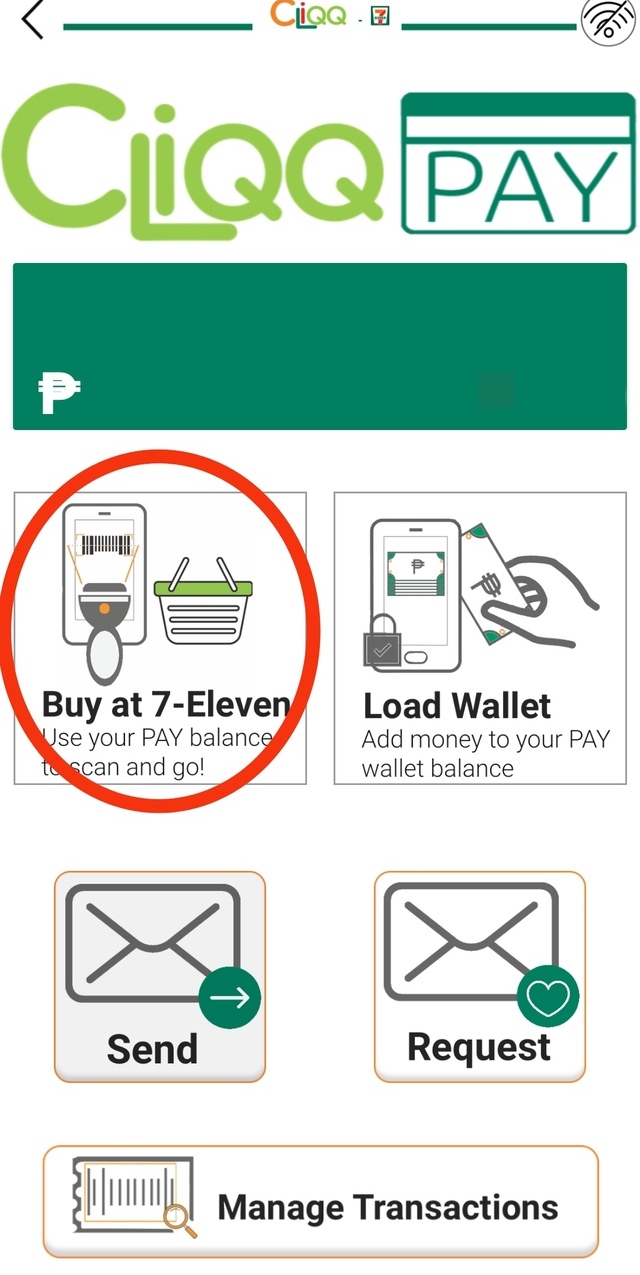
- From the homepage, click "Open CliQQ Wallet."
- Choose "Buy at 7-Eleven."
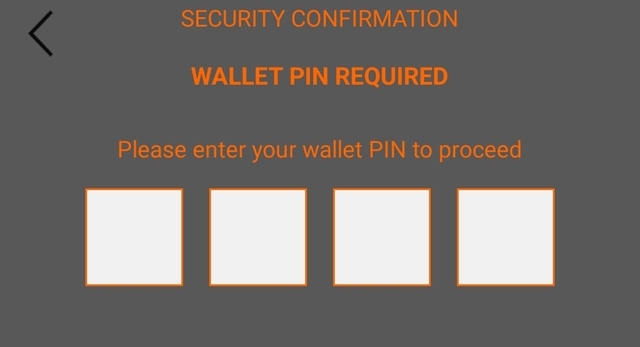
- Enter your four-digit PIN to proceed.
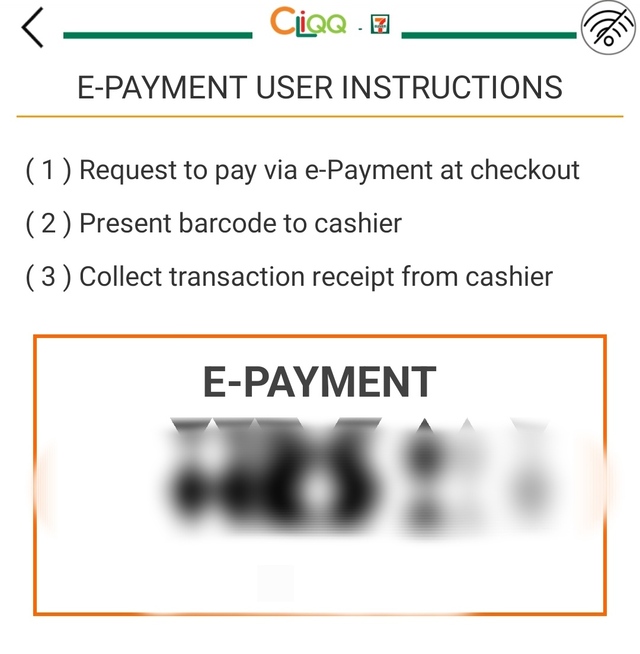
- Follow the instructions on the next page for e-payment. Make sure your mobile wallet has enough funds to pay for the items you wish to buy.
Paying Bills Using CliQQ
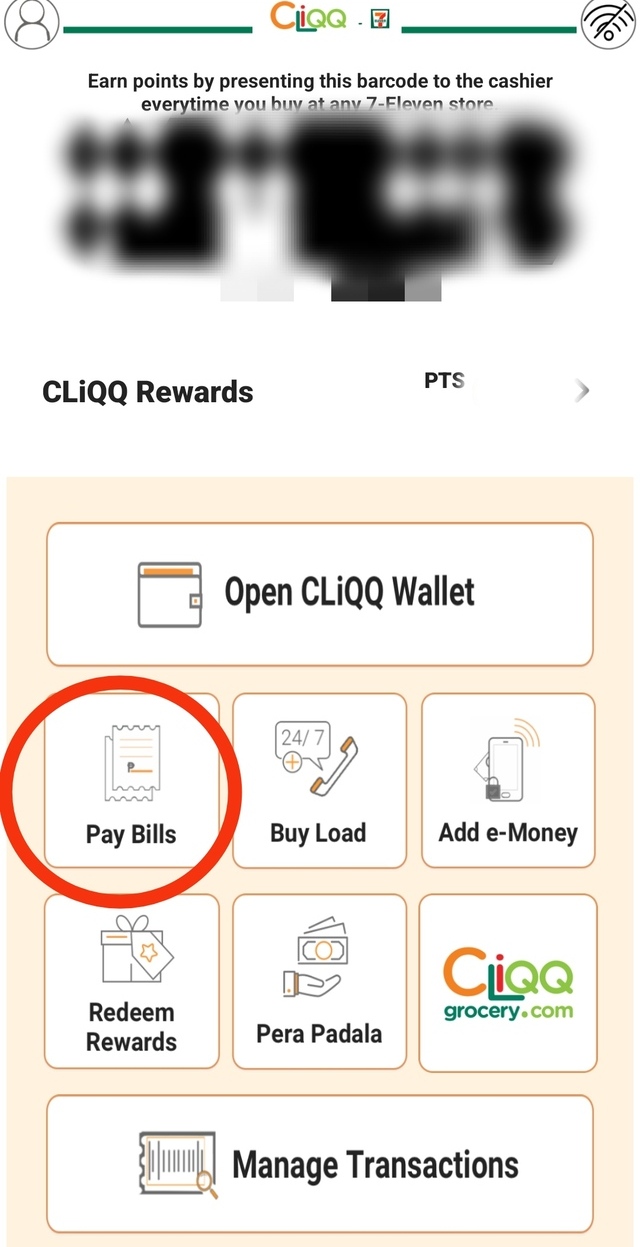
- From the homepage, click "Pay Bills."
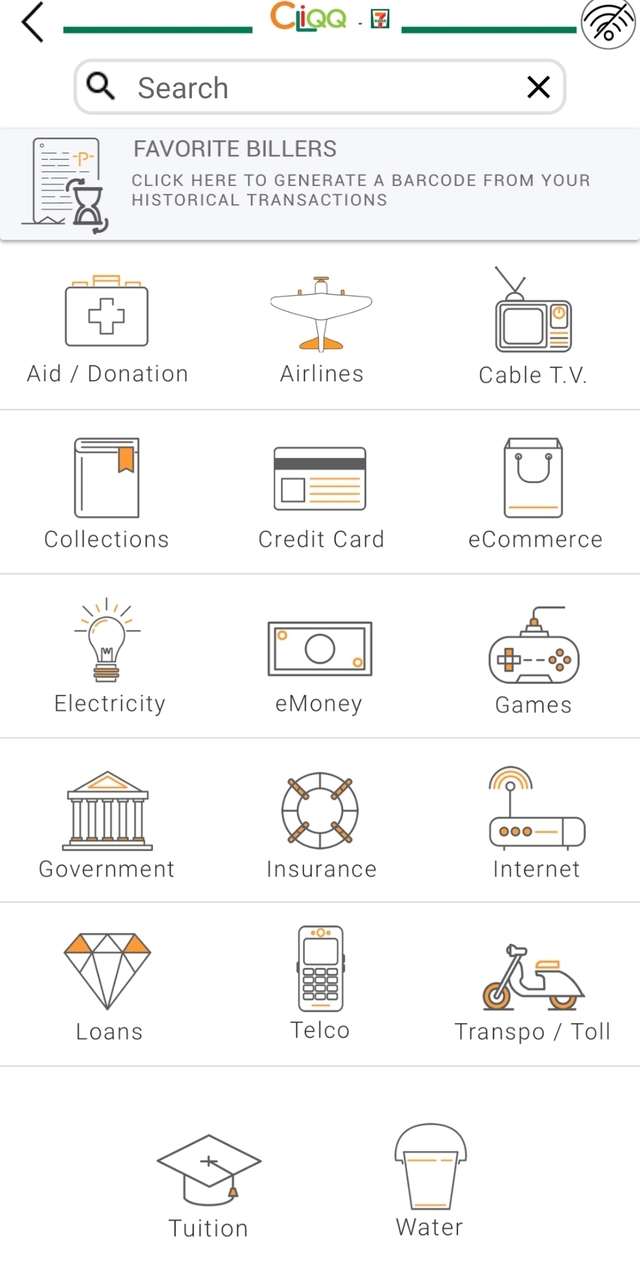
- Choose from the category and specific biller you wish to pay.
Keeping Your CliQQ Account Secure
Safeguarding your personal information and ensuring a secure digital experience is the most important when keeping any type of mobile wallet. With that in mind, we've compiled some essential tips to help you keep your CliQQ account protected, granting you peace of mind in every transaction.
-
Create a strong password. Choose a combination of uppercase and lowercase letters, numbers, and special characters. Avoid using easily guessable information such as your name or birthdate.
-
Keep your app updated to ensure you have the latest security patches and features. Check for updates frequently to ensure your app version is the latest one.
-
Be mindful of phishing attempts, where cybercriminals pose as legitimate entities to trick you into revealing sensitive information. Remember that CliQQ will never ask for your password, credit card details, or other personal information through unsolicited emails, messages, or calls. Be cautious when sharing your account details and report any suspicious activity immediately.
-
Use secure networks. When accessing your CliQQ account, make sure you're connected to a secure network. Avoid using public Wi-Fi networks, as they may be susceptible to eavesdropping and data interception. Opt for secure, password-protected networks, or consider using a virtual private network (VPN) for an added layer of encryption.
-
Regularly monitor your account regularly. Keep an eye on your online transaction history and promptly report any unfamiliar or suspicious activity to our customer support.
Also read:
The SPOT.ph Guide to Using Lazada Wallet
The SPOT.ph Guide to Using ShopeePay