
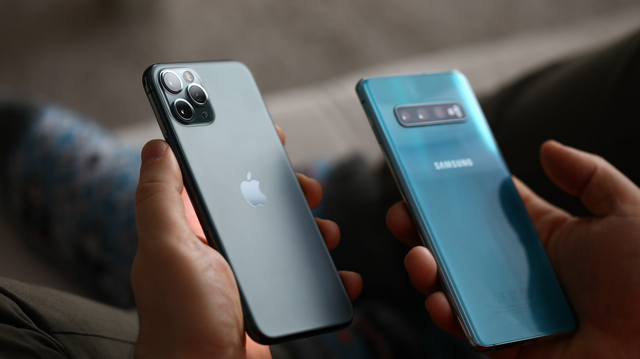
(SPOT.ph) In a connected world, like the one we are in today, having at least one smartphone is part and parcel of living. Imagine spending your day and completing daily tasks without once checking your device. Impossible, right? How we get in touch with our family and friends are a major factor in defining any society, most especially in our modern times.
In this article, I will walk you through a little history of smartphones, their types, variants, and different ecosystems/platforms, as well as give you tips on what to search for a mobile device based on purpose and budget.
Also read: From the Very First iPhone to the iPhone 11: Here's a Look at All of the iPhones Apple Has Released
A Short History of Phones as We Know Them Today
The 1990s saw the commercialization of mobile phones, commonly called cellular phones back then. It was also around this period in history that handheld devices the forerunner of modern-day smartphones—known as PDAs (Personal Digital Assistant, not the other PDA term we use when we see couples strolling around holding hands, and the like)—began to enjoy their limelight in consumer tech conferences and computer trade shows.
PDAs, also known as handheld PCs for a time, are small, mobile, handheld devices used for computing and data storage of people on-the-go. Before the advent of the modern Internet in the late 1990s—Philippine consumer Internet started its roll out after 1994)—PDAs were capable of sending/receiving text-only email and facsimiles (fax messages) when tethered to the telephone. SMS was not yet a thing then, Infra-red port for transmitting/receiving data (Bluetooth was invented in 1994), and had non-backlit monochrome displays.
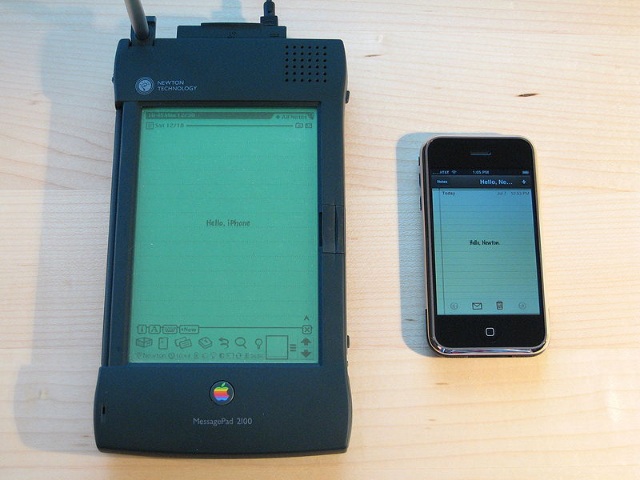
Contrary to popular belief, the Apple Newton was not the very first PDA device commercially available to consumers. The Newton MessagePad 2100 was launched in August 1993, whereas the Psion Organiser was released in 1984 (discontinued in 1986). But the true gamechanger came in 1994 when the IBM Simon was launched. This device sports PDA functionality with analog cellular phone features, making it the world’s first smartphone.
When we talk about PDA devices, one brand trumped IBM, Apple, and Hewlett-Packard: Palm (also known as PalmOne). It was so popular during my college days (when laptops were still not an “in” thing) that I even joined a local Palm User Group called “MaPalad” (which means lucky in Filipino) to be able to join IR beaming and show-and-tell sessions.
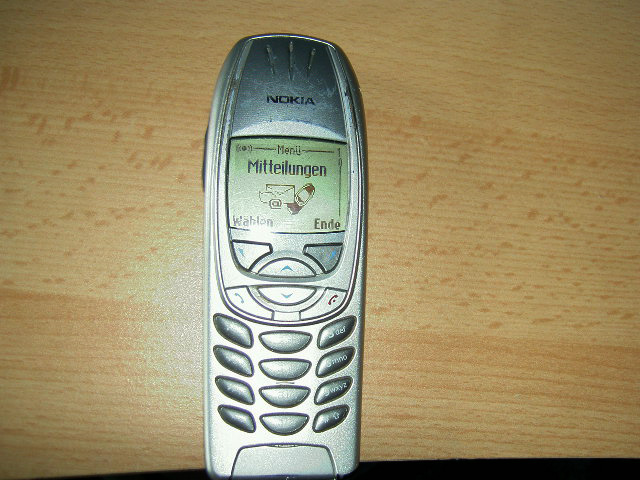
Also read: SPOT.ph Roadtest: What's It Like Using the Nokia 6310 in 2022?
During the late 1990s until the early 2000s, we saw the entry of the once-mighty brand Nokia into the Philippine market. Though the first Nokia devices that flooded the local consumer tech scene were not smartphones, many see this as the main reason why many of the brand’s loyal followers switched to other labels as smartphone prices become more attractive even to the masses.
Android vs. iOS Phones
Mobile phones today can be classified as smartphones and feature phones (jokingly called “dumb phones” in the tech scene—because they are not “smart”). Whereas, smartphones can be classified into two major families: Android and iOS— referring to the operating systems (OS) that these devices use.

Think of it as the Windows versus macOS vs Linux comparison when it comes to desktop and laptop computers. For a time, Microsoft had its fair share of the mobile market with its Windows Mobile operating system. The development of Windows 10 Mobile has been discontinued, and end-of-life was set on December 2019.
The Android mobile operating system is based on the Linux kernel (open source software) and is currently maintained by the Open Handset Alliance, a consortium of developers, and is commercially sponsored by Google. The HTC Dream, launched in September 2008, was the very first commercially available Android device after the OS was announced in November 2007.
Handset manufacturers these days tweak the core version of Android and offer their own brand’s Android skin (User Interface or UI) to make their devices appear different and to add features unique to their own. Google’s own Pixel family of devices sports the Pixel UI, while Samsung has One UI, Oppo uses Color OS, Xiaomi has MIUI, and many more. Some say that handset manufacturers do this to avoid paying royalties to Google. Some brands stick to the core version launched by the Android Open-Source Project (AOSP), labeling their devices to carry “Stock Android” operating systems.
Android device users download and install apps for their handsets through Google Play, requiring them to sign in using their Google accounts. Depending on the device, some allow the sideloading of Android apps. Sideloading is the practice of installing software on a device without having to pass through the approved app store or software distribution channel from their OS manufacturer.
Also read: Smartphone Users, Here's How to Properly Disinfect Your Phone
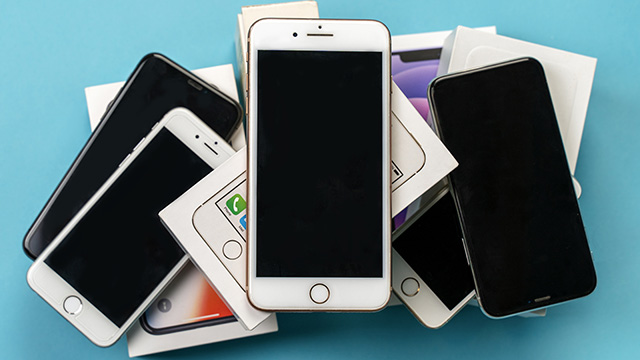
Apple iPhone fans, on the other hand, have no other choice but to be locked in the iOS ecosystem. When the technology giant launched the first iPhone in 2007, Steve Jobs claimed that the iPhone runs on OS X (read as “OS Ten”), the rock-solid desktop operating system used by Apple computers. From “iPhone OS,” Apple rebranded and trademarked its mobile operating system to “iOS” in June 2010. From that day on, Apple mobile devices not classified as computers began using iOS.
It may also be noted that some handset brands like Huawei, Samsung, and TCL are developing their own operating systems for mobile devices. Huawei has HarmonyOS, Samsung develops Tizen, while TCL Technologies in cooperation with Mozilla and KaioOS Technologies are developing KaiOS (based on Mozilla’s Firefox OS). Each of these operating systems has its own app store where handset users may download and install mobile applications.
Specifications to Look Out For When Buying Phones
When friends and family ask me for recommendations on which particular phone model to buy, I normally throw the question back to them: what is the intended purpose of the device? Will it be a daily driver, for gaming and multimedia, etc.? Do you need something with a small form factor or a device with a big screen?
In the local Philippine market now, the usual screen sizes of smartphones available range from the smallest 4-inch up to as big as more than 7-inch when measured diagonally. Depending on how big the hands of the device user are, a smartphone sporting somewhere between a 5-inch to 6.5-inch screen will be alright for comfortable use.
Once you are decided on how big your next smartphone will be, the next specification to look out for is the device processor, system memory, and storage space.
Smartphones these days can easily compete with consumer-grade digital cameras in terms of the lenses they use and the photo qualities that they can produce. Among the camera features one needs to look for when buying a new smartphone are:
Amount of Megapixels in Phone Camera
Depending on the sensor a smartphone may have, the number of megapixels (a million pixels; MP) the device can handle will mean better photos. A 12MP photo is technically composed of up to around 12 million pixels. The greater the MP value can mean better pictures captured.
Aperture
In the world of photography, there is a thing called the “exposure triangle” composed of shutter speed, ISO, and aperture. Aperture refers to the opening of a lens so that light can pass through, effectively controlling image exposure.
Image Stabilization
This feature minimizes the shake effect on photos captured or videos recorded by a smartphone.
Lens Type
Different lens types will produce an array of distinct images captured by your mobile device. Premium smartphones use better camera lenses (like pro-grade, German-made ZEISS found in professional digital cameras) compared to the cheaper ones.
Zoom
For serious mobile photographers, the choice of a smartphone with better zoom capabilities is a must. Devices capable of using optical zoom can produce less-grainy images compared to those taken using digital zoom.
HRD, ISO Control, Shutter Response, and Flash Type are other features that you may also consider when shopping for your next mobile handset. Proper research on the camera capabilities and specifications of smartphones can help you decide on which to get next.
Usual Prices and Popular Brands of Phones
The usual prices of smartphones in the Philippines as of this writing vary depending on the brand, specifications, and features that the device may have. With a quick trip to a neighborhood tiangge, one can easily buy a brand new Android smartphone for as cheap as P2,000. Devices from popular Android device manufacturers like Samsung, Oppo, Xiaomi, Vivo, Nokia, ASUS, Lenovo, TCL, Motorola, TECNO Mobile, realme, Huawei, and Google (Pixel) will cost somewhere between P5,000 to as high as P80,000.
Also read: 10 Phones Under P10,000 That Are Actually Worth Your Money
For Apple device fans, be ready to shell out somewhere between P28,000 for the iPhone SE and P102,000 for the top-of-the-line iPhone 13 Pro Max.
Buying Secondhand Phones
If you want to have a high-end smartphone but your budget can only afford to buy an entry-level to mid-range one, an option is to buy a secondhand unit. When buying pre-loved devices, I would prefer to acquire them from someone I know so that I can have an idea of how it was used and taken care of.
When buying a secondhand smartphone from someone you don’t know (from online marketplaces or tiange’s), it would be better if the seller can show proof of purchase and if the device is still covered by a shop warranty. It is also a plus factor if the smartphone has been fitted with a screen protector (or tempered glass) since day one of purchase by the original device owner. If there are signs that the device has previously been repaired, avoid it at all costs.
Additional Tips
How to Charge Your Phone Safely
First things first, it is best not to use your phone while it is charging as that may cause heat levels to rise. Make sure to use the charger your phone came with or make sure the charger's specs are within that recommended for your unit. Those specs are typically in the manual. It's also best to top up your phone's battery and not let it drain completely.
How to Clean Your Phone
Think of all the surfaces you've put your phone on recently. Okay, now imagine your hands right now. Yup, don't forget to clean your phone. Hardware-wise, you can use 70% isopropyl alcohol wipes or non-abrasive cloth to wipe down your device. You can also use UV-C light to kill germs and bacteria.