
The SPOT.ph Guide to Using Maya
Cashbacks and more at your fingertips.
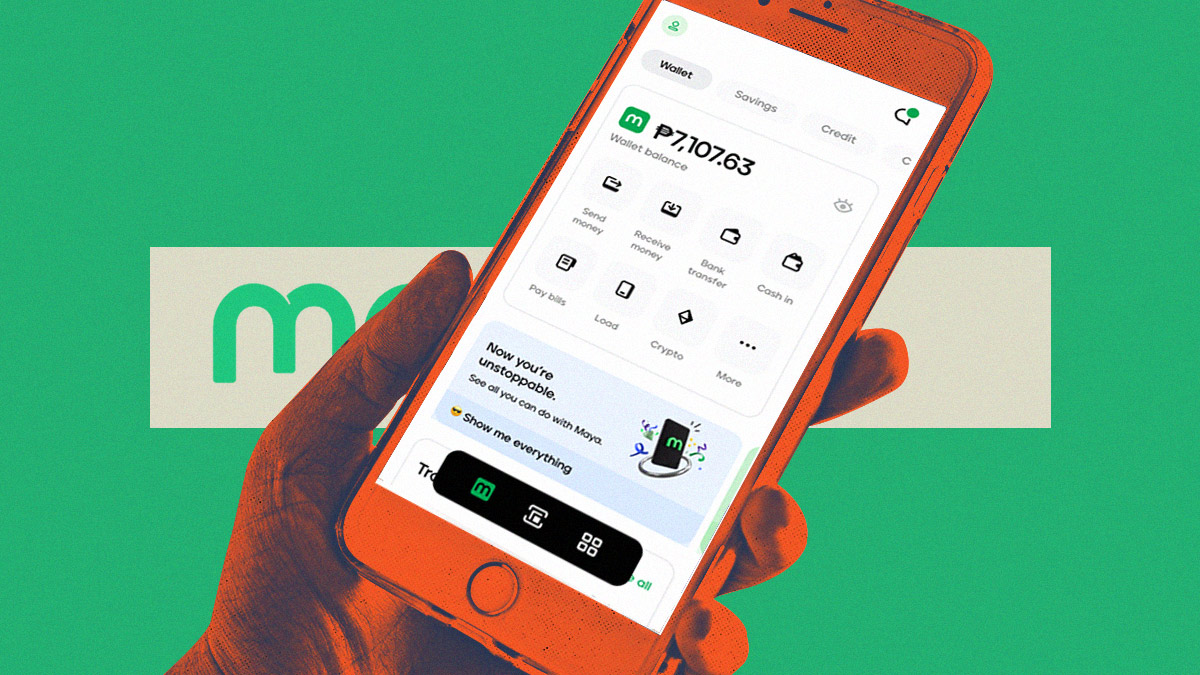
(SPOT.ph) In this fast-paced digital age, where convenience is key, Maya emerges as one of the ultimate game-changers in the world of mobile wallets in the Philippines. Formerly known as PayMaya, Maya is a revolutionary payment method that empowers you to effortlessly navigate the realm of cashless transactions. Picture this: you hold the power of a versatile digital wallet, brimming with possibilities, right at your fingertips. Now, let's delve into the enchanting world of Maya and discover how it transforms the way you pay.
But Maya doesn't stop there. It opens a world of exciting opportunities, where each transaction turns into a rewarding experience. With Maya, you can earn exclusive Maya Rewards points with every payment you make, simply by patronizing partner merchants. From your daily needs to your indulgent desires, Maya ensures that every purchase brings you closer to a host of exciting rewards.
What is Maya?
Maya, formerly known as PayMaya, is a digital payment method that revolutionizes the way we handle transactions in the digital landscape. As a versatile digital wallet, Maya empowers users with the convenience of seamless and secure payments at their fingertips.
But Maya isn't just about convenience—it's about rewarding your everyday transactions. By simply using Maya for payments at partner merchants, you earn valuable Maya Rewards points. Each transaction becomes an opportunity to accumulate these points, bringing you closer to a world of exciting rewards and exclusive perks.
Furthermore, Maya goes beyond personal transactions. It lets you share the convenience and excitement with your loved ones. Through Maya, you can instantly send digital credits to family and friends, free of charge. These credits can be used for various Grab services, making their lives more convenient and exciting.
Also read: You Can Now Use Maya to Buy QR Tickets for LRT-1
How to Set Up Your Maya Account
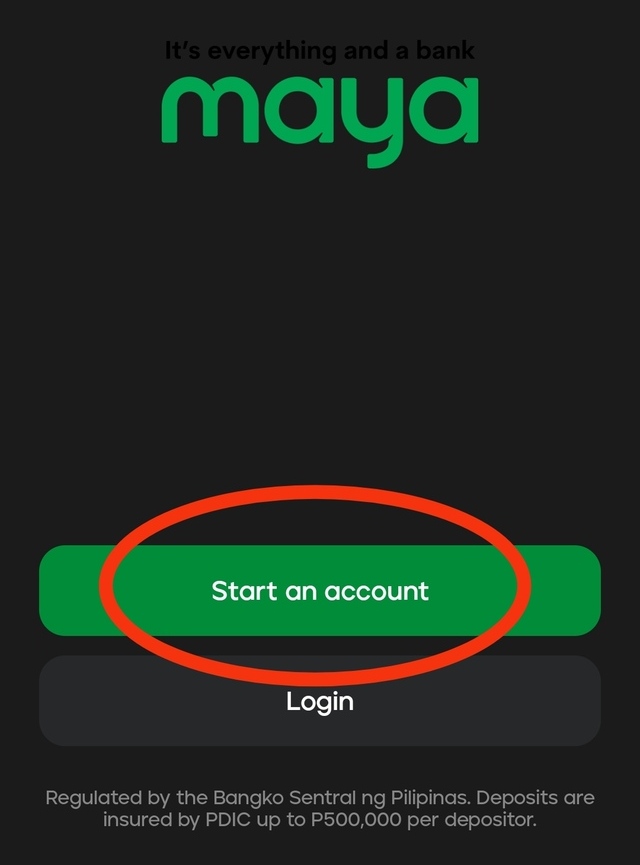
- Create an account if you haven't yet. Once you open the app, click "Start an Account."
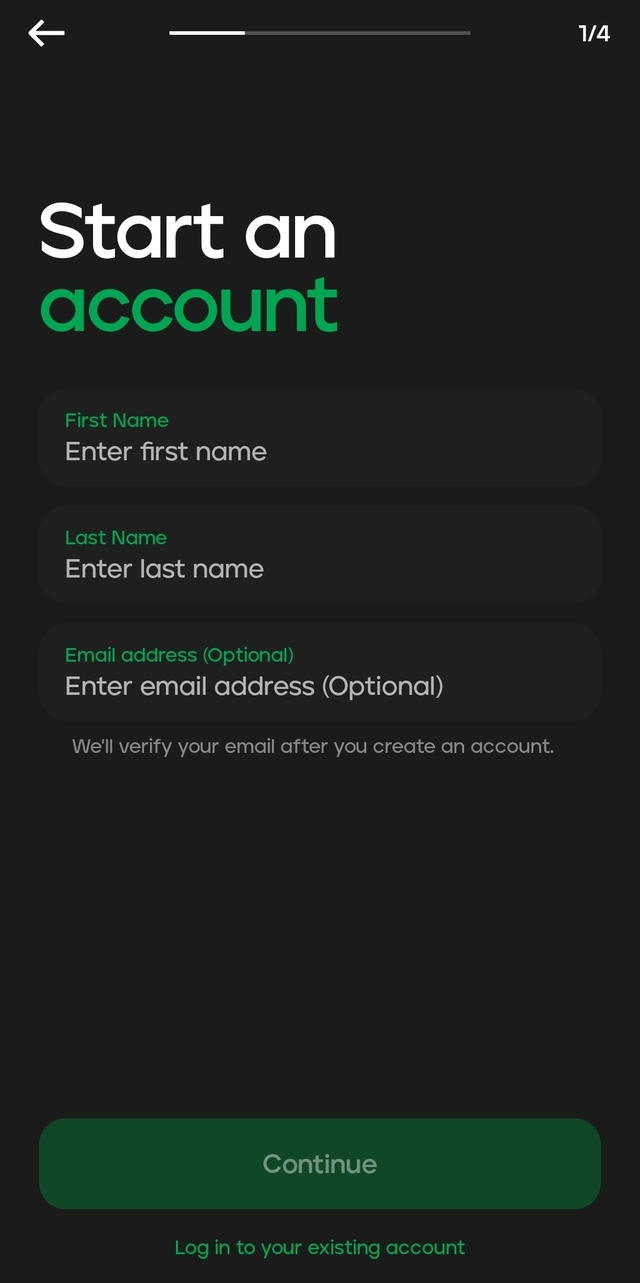
- You will be asked for basic information. Fill out the fields and click "Continue" once done.
- You will also be asked for your mobile number and preferred Maya account password. Fill out the necessary fields and click "Continue."
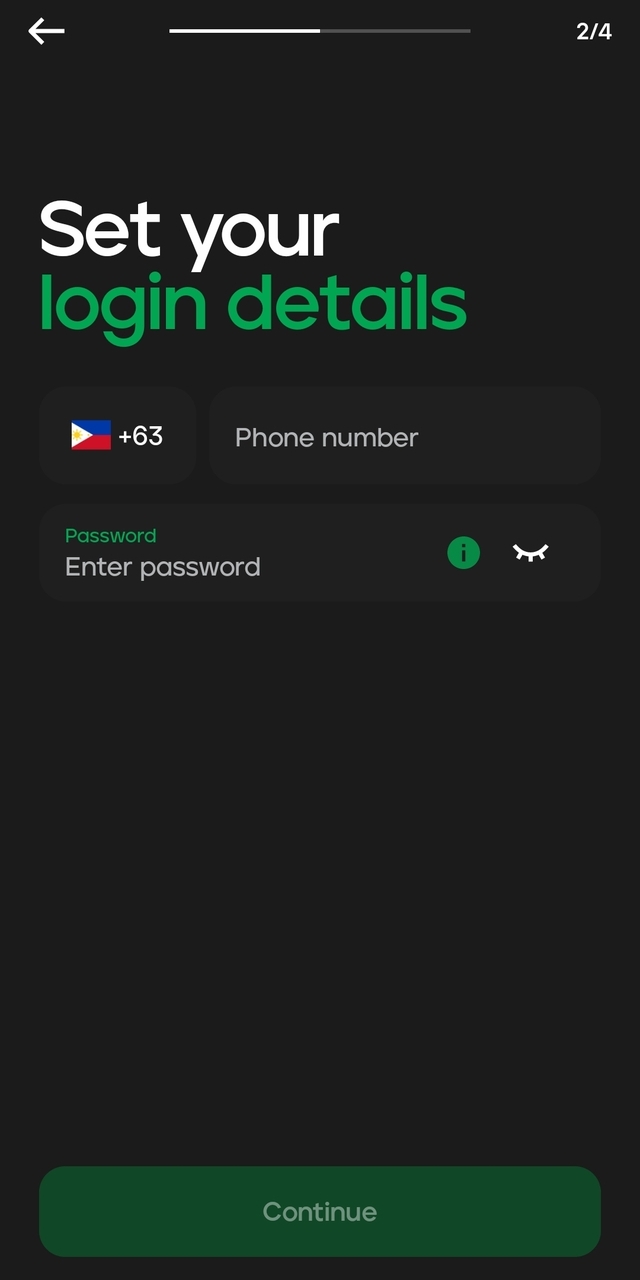
- Check out the Terms and Conditions and Privacy Policy. Click "Continue."
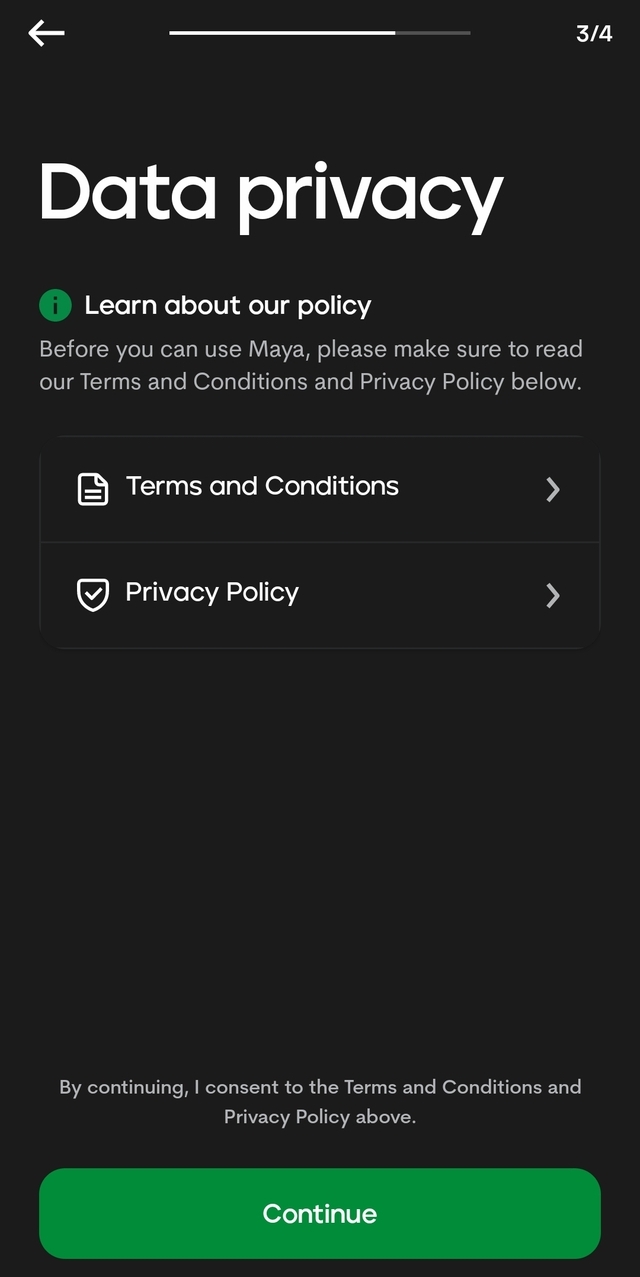
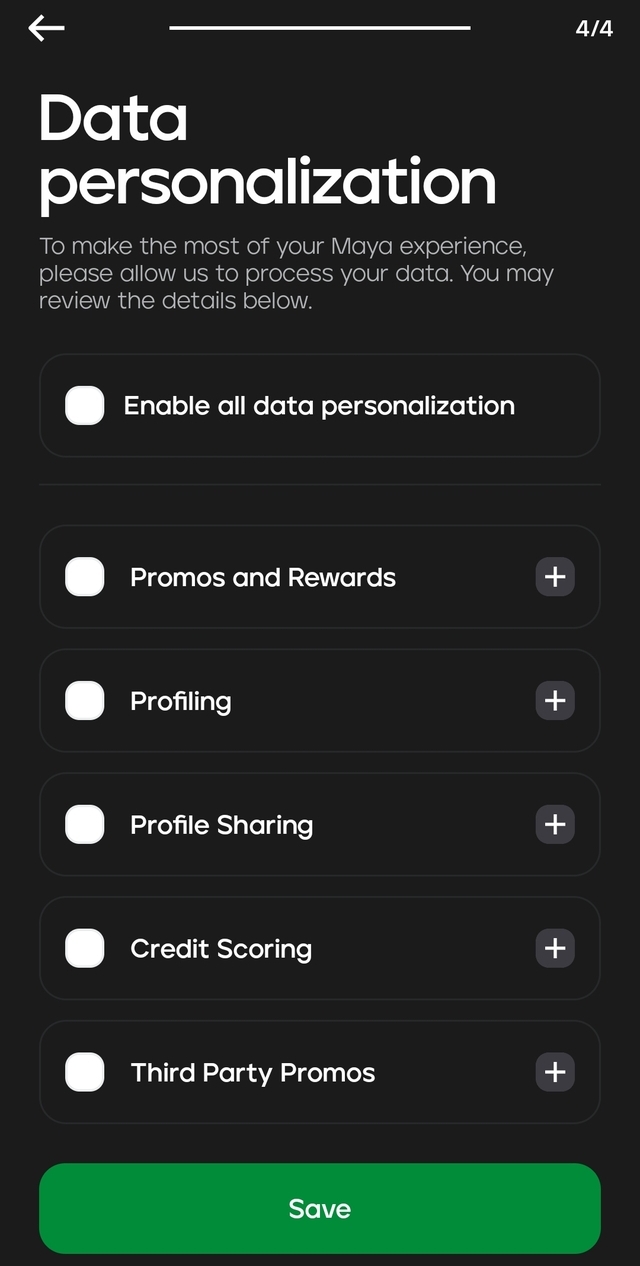
- You will be asked for data personalization. Tick on the boxes that you agree with in terms of how Maya will use your data in the future and click "Save."
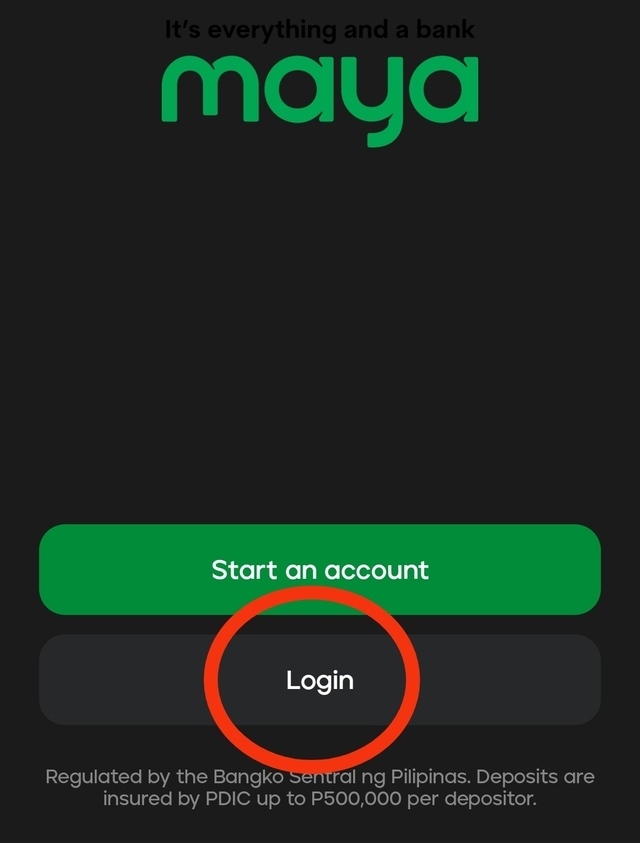
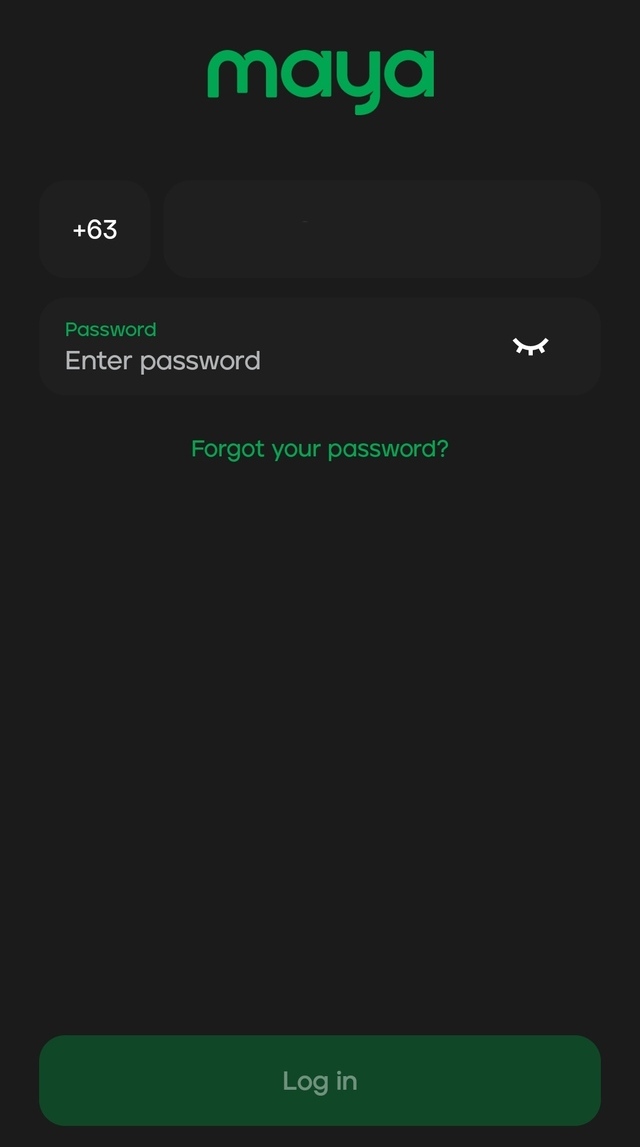
- From the homepage, click "Login."
- Fill out the details you provided during account registration (your mobile number and preferred password). Click "Log In."
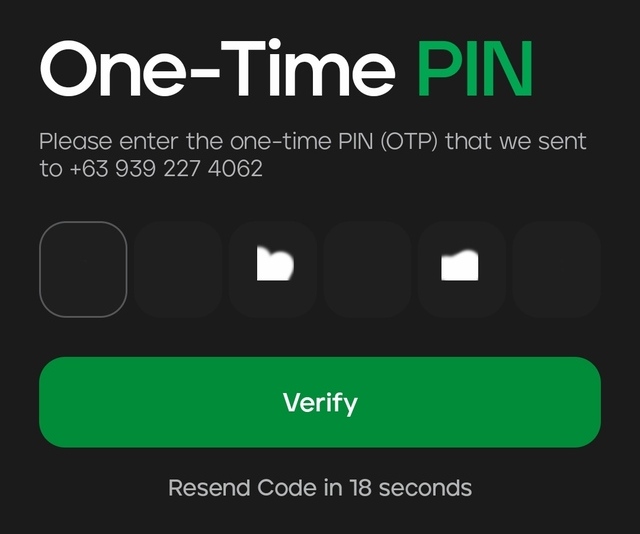
- The next page will prompt you to enter an OTP that will be sent to your mobile number. Fill out the blank boxes with the numbers sent via SMS and click "Verify".
How to Use Maya for Transactions
Topping Up Your Wallet
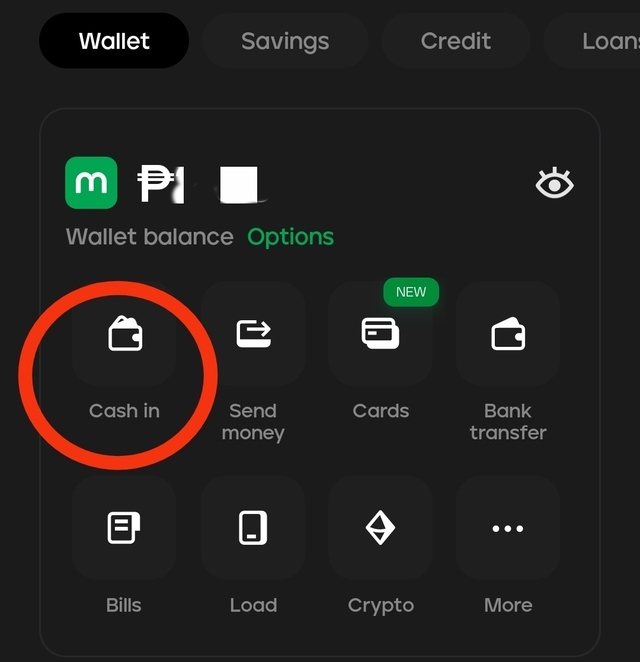
- Once you've logged in to your account, click "Cash In."
- The next page will show you a list of popular cash-in methods, as well as Maya's Partners. Click on your preferred method.
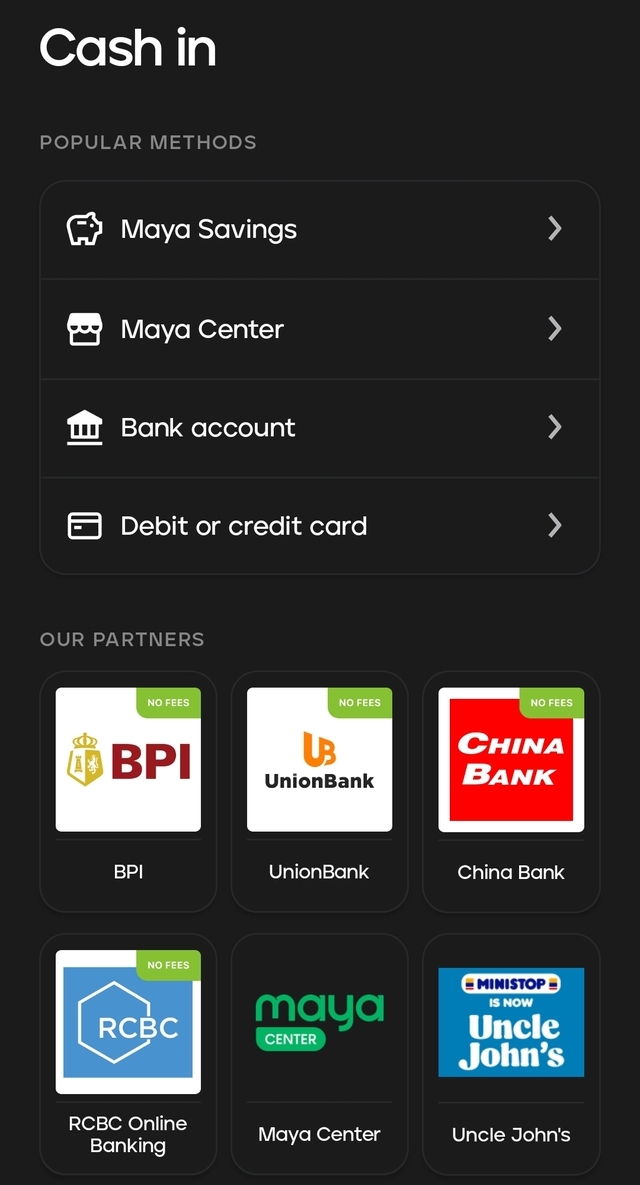
- Follow the instructions indicated for your preferred method. This will differ, depending on the chosen bank account, remittance center, or establishment.
Also read: Maya Users, Cash In Is Free at These Establishments
Paying Bills
- Once you've logged in to your account, click "Bills."
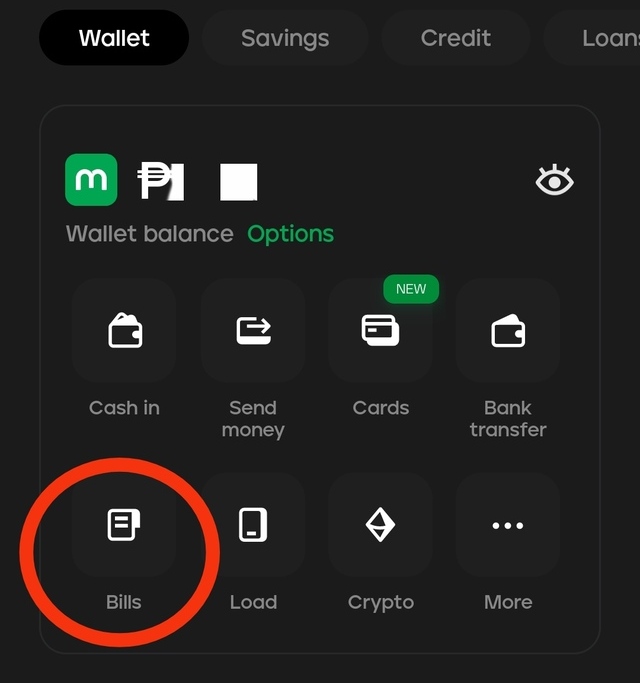
- Look for your preferred biller from the category shown on the next page and click on it. You may also look for the biller or merchant using the search box. Just type the name of the establishment.
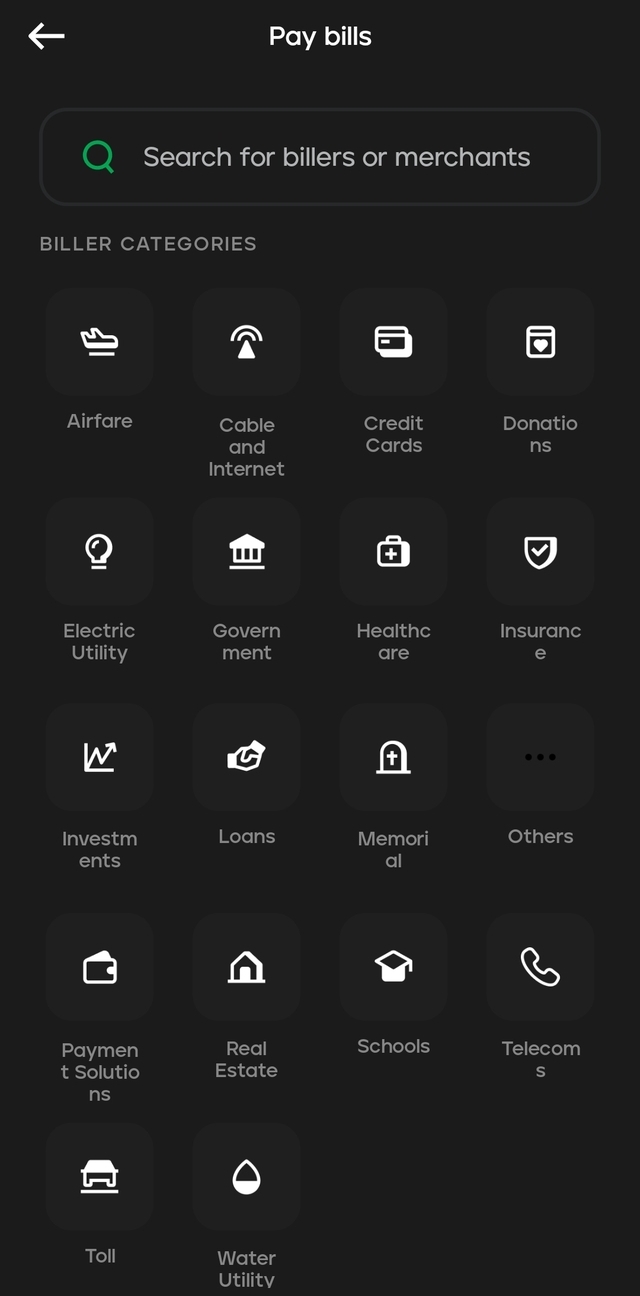
Paying for Goods or Services via QR
- Click any of the two icons indicated below:
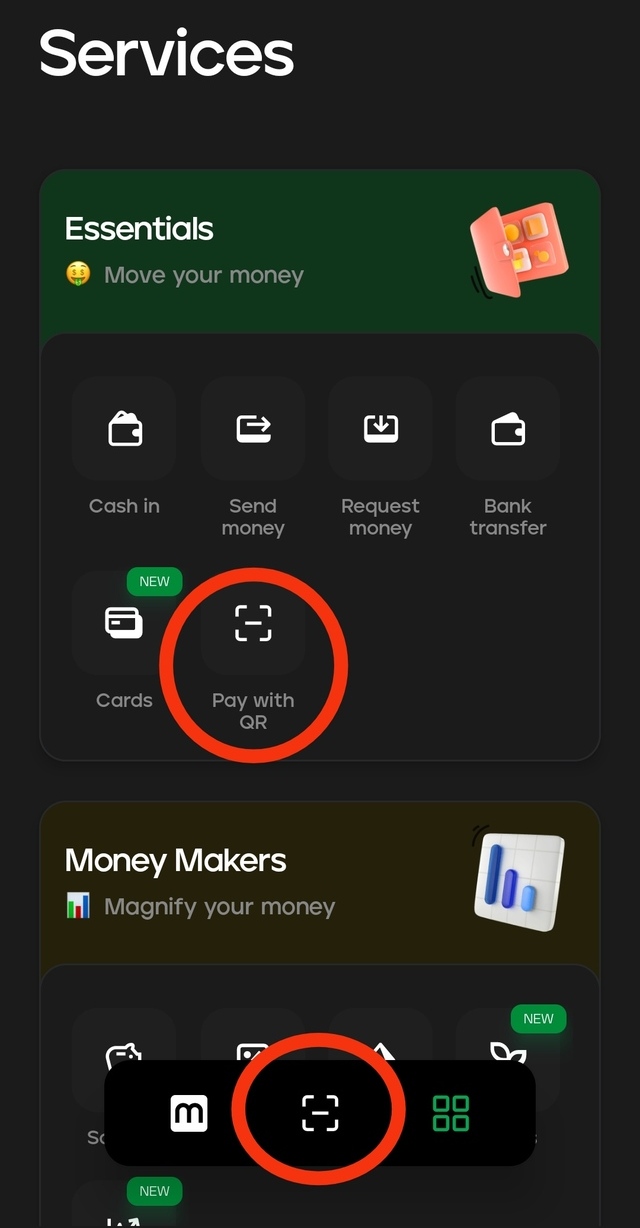
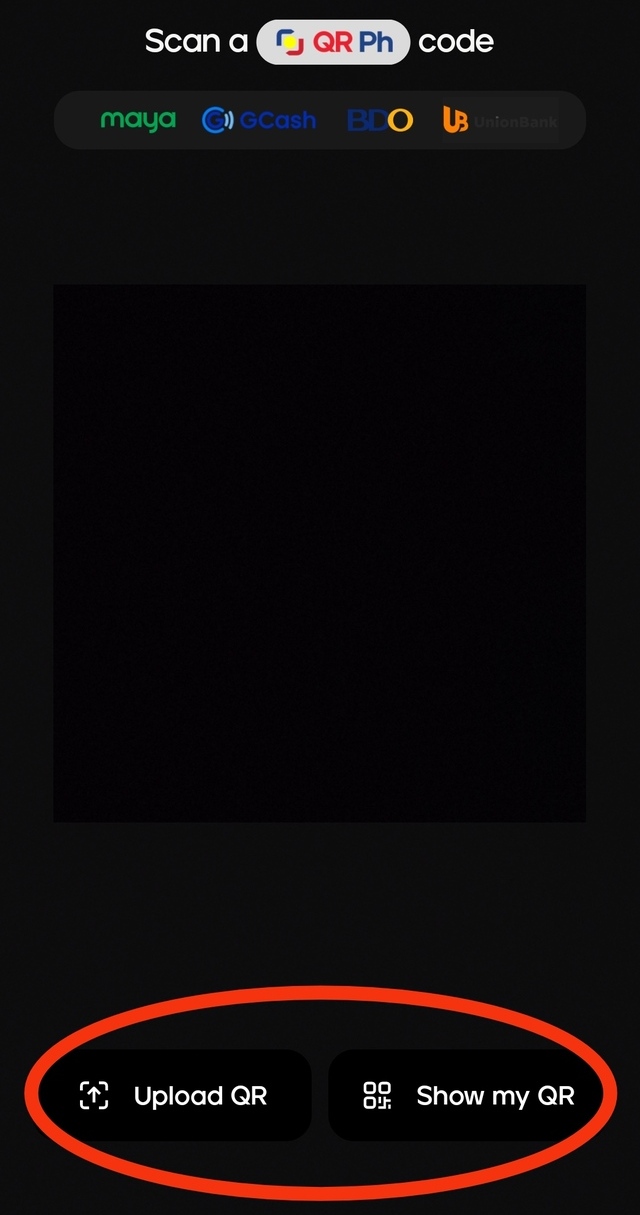
- The system will present you with a QR code scanner. Use this to scan the merchant's QR code.
- Alternatively, you may upload the QR code if you managed to save it. You may also show your generated QR code to the cashier.
Also read:
How to Transfer Funds from GCash to PayMaya
How to Transfer Funds from PayMaya to GCash
Keeping Your Account Secure
Here are some tips to keep your PayMaya account secure:
- Enable two-factor authentication if possible.
- Do not share your login credentials with anyone, even to your closest friends.
- Set a strong password that you change regularly. This should not be easily related to your identity, such as birthdays or anniversaries.
- Monitor your transaction history and report any suspicious activity.
- Verify and update your account information regularly.
- Be wary of phishing scams and suspicious links.
- Contact PayMaya support immediately if you encounter any issues regarding account access or funds-related problems.
Also read:
The SPOT.ph Guide to Using CliQQ
The SPOT.ph Guide to Using Lazada Wallet
The SPOT.ph Guide to Using ShopeePay
The SPOT.ph Guide to Using PayPal
The SPOT.ph Guide to Using GrabPay