
The SPOT.ph Guide to Using Lazada Wallet
Adulting just got easier with this mobile wallet.

(SPOT.ph) Lazada Wallet is one of the mobile wallets in the Philippines that has become increasingly popular in the ever-evolving landscape of online transactions. In today's fast-paced world, where convenience and security are paramount, it offers users a seamless and efficient payment experience. Understanding the ins and outs of Lazada Wallet becomes essential for anyone seeking a convenient and reliable online payment solution. Whether you're a seasoned online shopper or a curious newcomer, this article aims to provide you with all the information you need to know about Lazada Wallet.
What is Lazada Wallet?
Lazada Wallet is a digital payment feature offered by Lazada, one of the leading e-commerce platforms in Southeast Asia. It serves as a virtual wallet that allows users to store funds and make seamless transactions within the platform. With Lazada Wallet, you can conveniently complete your purchases without the need to enter your payment details repeatedly.
To get started, users can create a Lazada Wallet account, which is linked to their Lazada profile. Once set up, you can easily top up your Lazada Wallet using various funding sources, including credit cards, debit cards, or even through offline payment methods like bank transfers or over-the-counter payments at authorized partners. This flexibility ensures that you have multiple options to add funds to your wallet, depending on your preferences and convenience.
The funds stored in your Lazada Wallet can be used for a wide range of transactions within the Lazada platform. You can purchase products from various sellers, pay for services or bills, or even participate in flash sales and promotions offered exclusively to Lazada Wallet users.
Also read:
The SPOT.ph Guide to Using ShopeePay
The SPOT.ph Guide to Using PayPal
The SPOT.ph Guide to Using GrabPay
How to Set Up Your Lazada Wallet
To have access to your Lazada Wallet, you need to set up your Lazada account first.
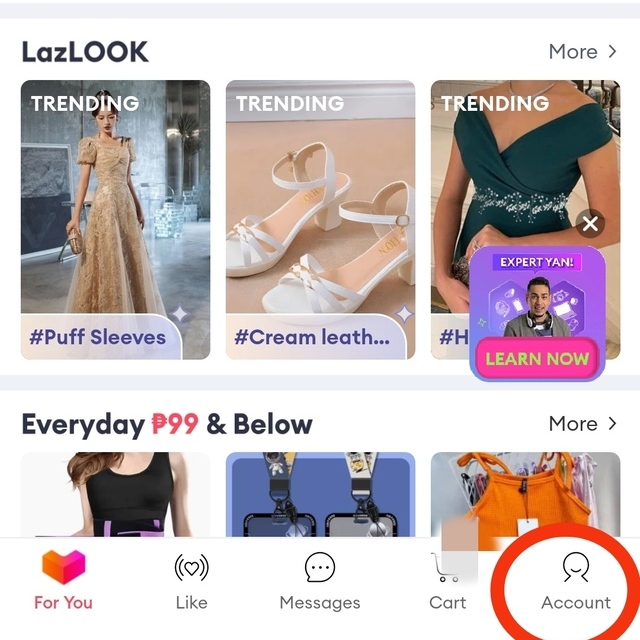
- To do this, register an account first. From the app’s homepage, go to “Account.”
- Click “Sign Up.”
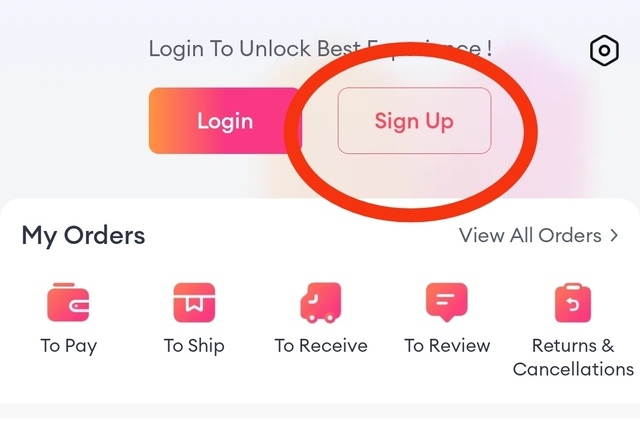
- You may either use your mobile number, your Google e-mail address, or your Facebook account to set up an account. Choose one of these and click on “Agree” to consent to Lazada’s Terms of Usage and Privacy Policy.
- If you already have an account, make sure it’s logged in. Click on “Account.”
- Go to “Lazada Wallet.”
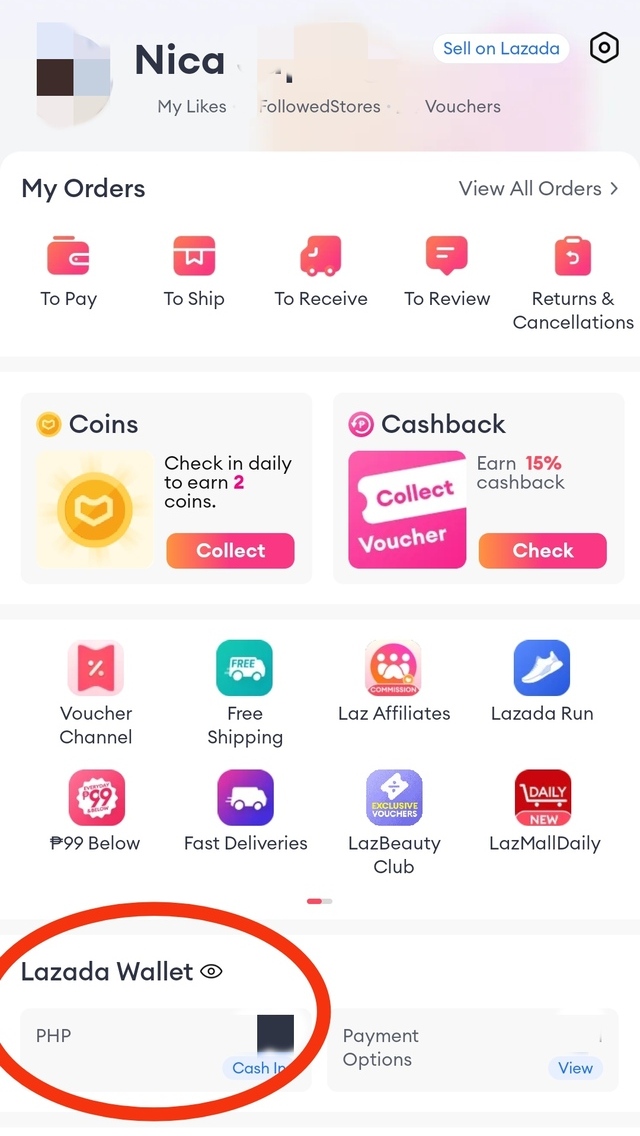
- From there, you’ll have access to the mobile wallet’s various features.
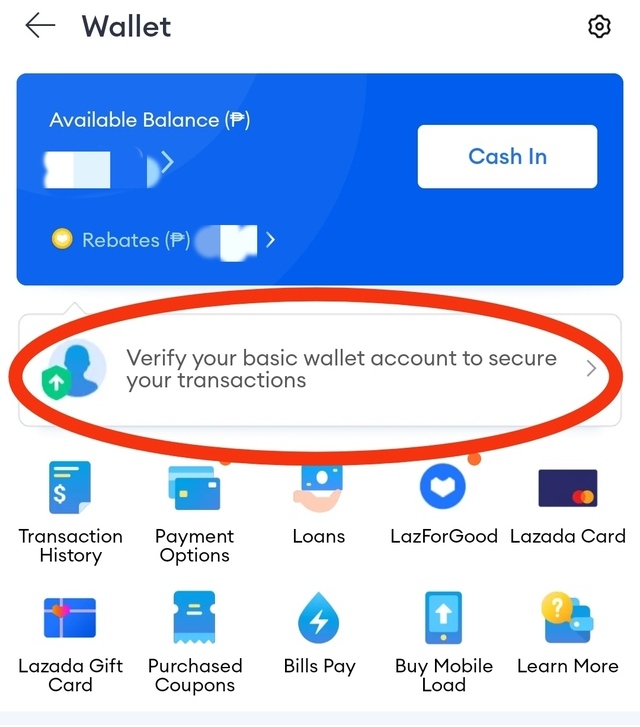
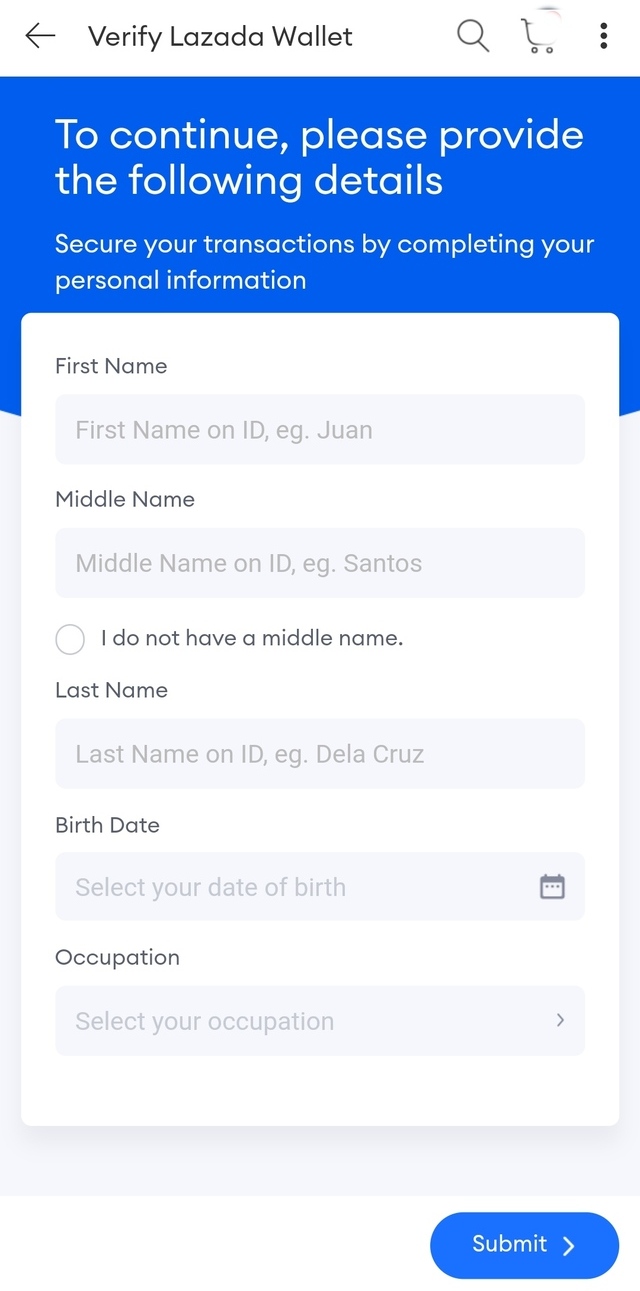
- You’ll be asked to verify your basic wallet account. Fill out the necessary details and click “Submit.”
How to Use Lazada Wallet for Transactions
Topping Up Your Wallet
Once you’ve activated your Lazada Wallet, you may now top up or cash in some funds.
- Go to “Lazada Wallet.”
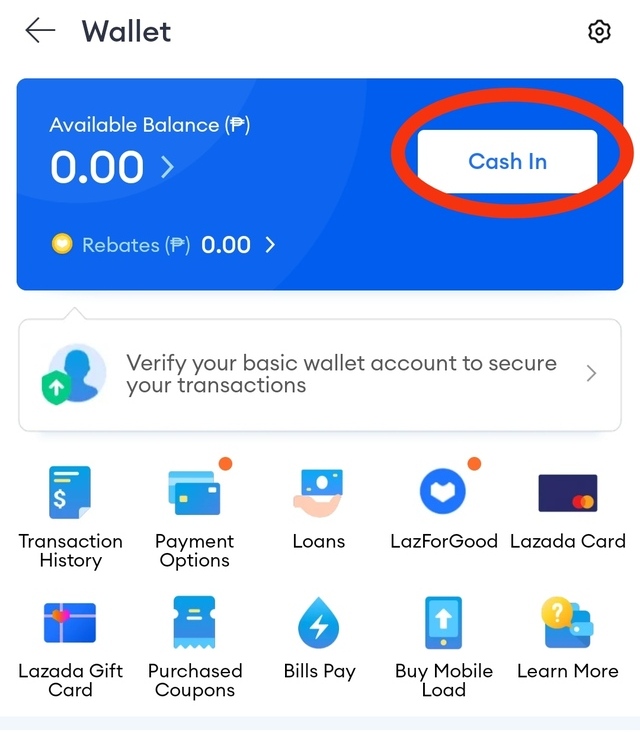
- Click “Cash In.”
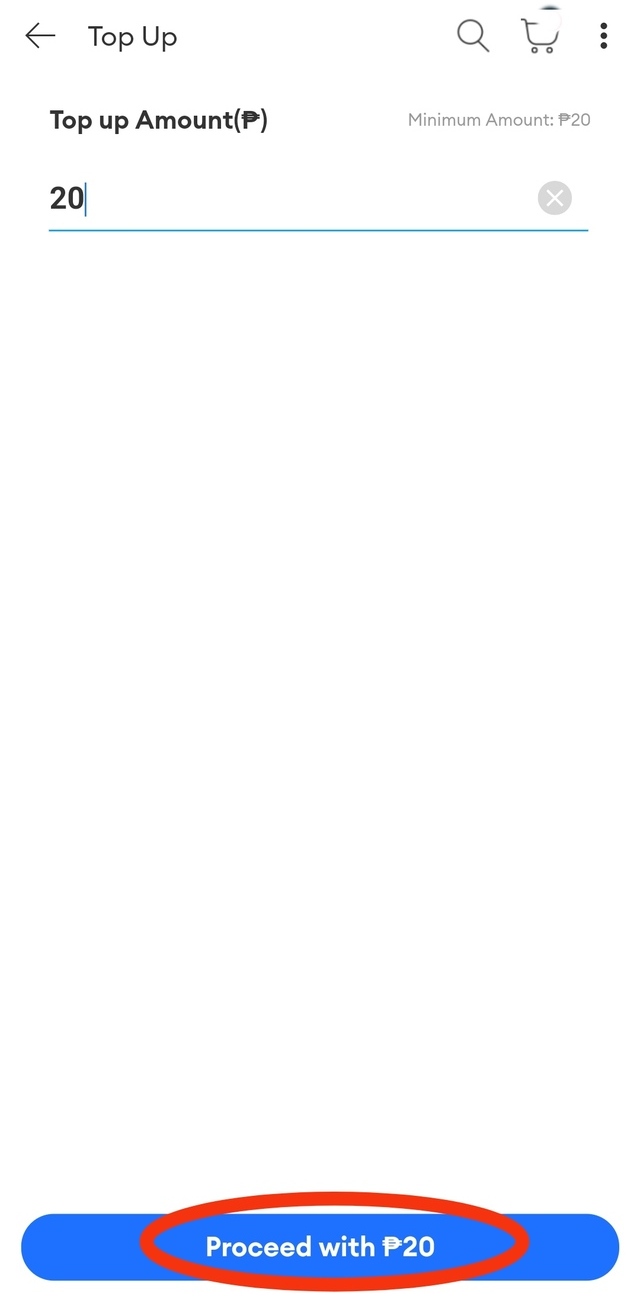
- The next page will prompt you to enter the amount you want to top up. Note that the minimum amount is P20 while the maximum amount that the mobile wallet can hold at a time is P100,000. This includes the rebate and refund balances. Click “Proceed with P(amount).”
- You will be asked for the specific payment method you want to use. Click on it and choose “Confirm.” You may choose from the following:
- Credit/Debit Card: Visa, Mastercard, Japan Credit Bureau, American Express
- E-Wallet: GCash, Maya
- Over-the-Counter: 7-Eleven, TouchPay
- Bank: BPI, BDO, UnionBank, MetroBank
- Choose an item you want to buy and add it in your cart.
- Click on your cart at the bottom-right-hand side of the app.
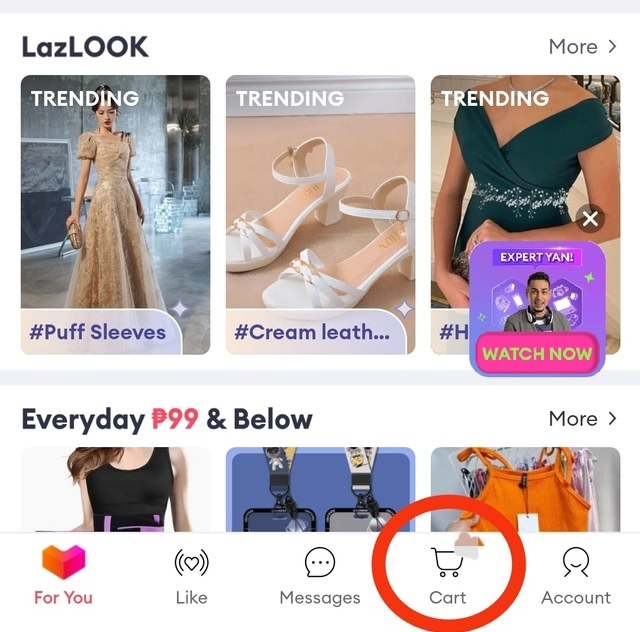
- If you have multiple items in your cart, tick the ones that you wish to check out and click “Check Out.”
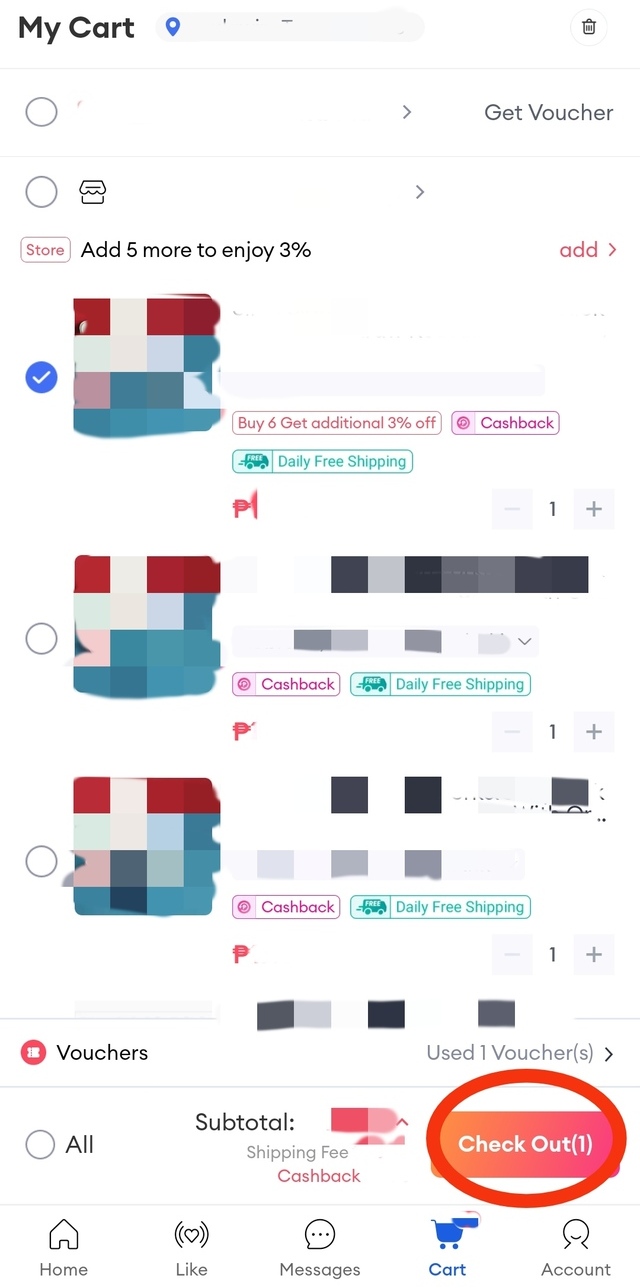
- Select your preferred payment method.
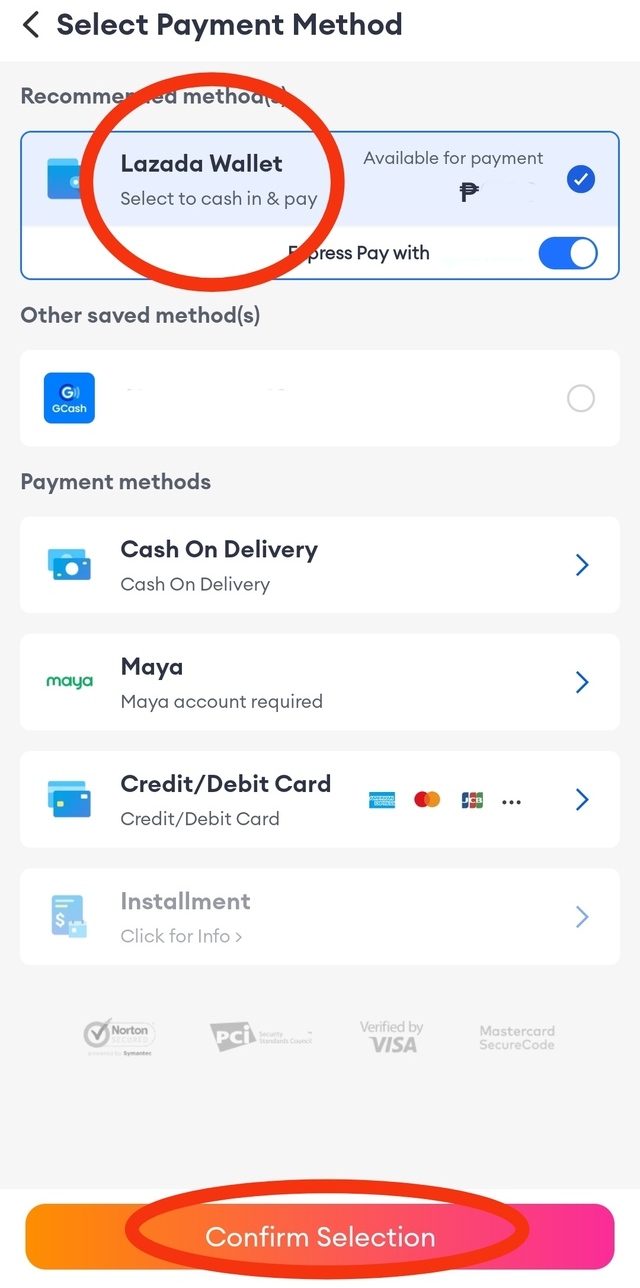
- In this case, click “Lazada Wallet.” Click “Confirm Selection.” Make sure your mobile wallet has enough funds to cover the base price and the shipping fee.
- Double check all the details and click “Place Order.”
- Go to “Lazada Wallet.”
- Click “Bills Pay.”
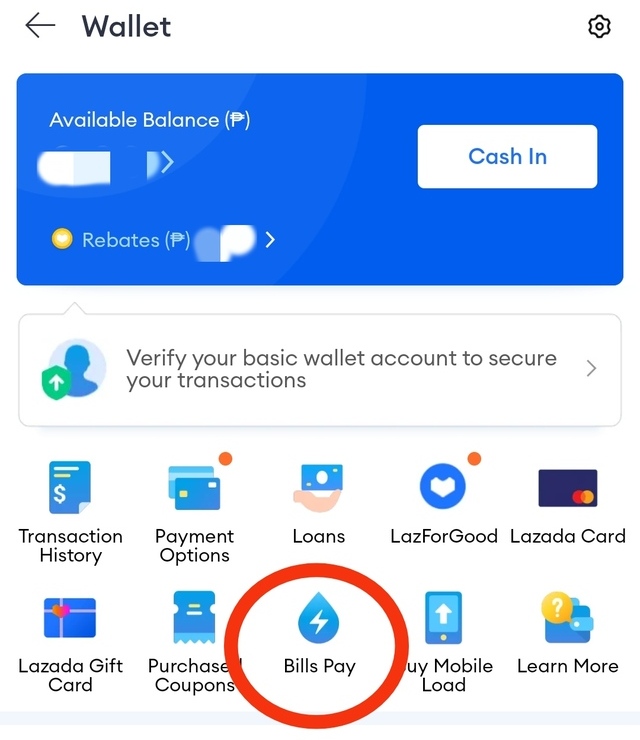
- The next page will show you the categories of bills. Choose the one you intend to pay for and choose the specific company/establishment.
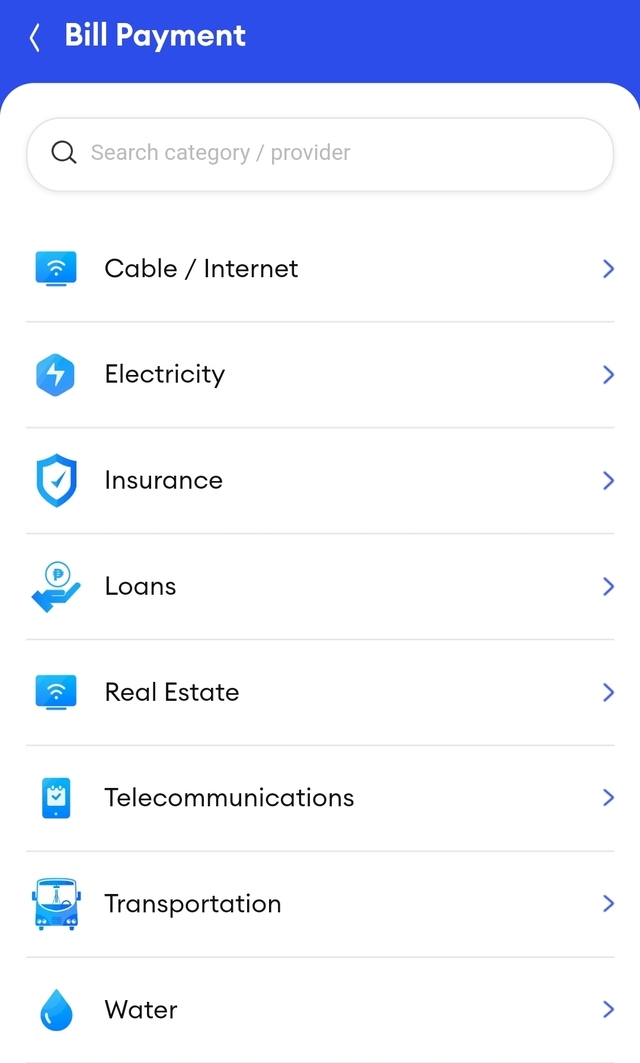
- Specify the amount due and submit.
- Regularly top up your Lazada Wallet to ensure uninterrupted shopping and smooth transactions.
- Take advantage of exclusive wallet promotions, such as special promotions and discounts.
- Constantly review your transactions and wallet activity to keep track of your purchases, refunds, and any promotional credits or vouchers applied to your account. Monitoring your wallet activity helps you identify any discrepancies or unauthorized transactions promptly as well.
- Keep your wallet and account secure by having a strong and unique password for your Lazada account. Don’t share it with anyone. Also, be cautious of phishing attempts or suspicious links and only enter your Lazada login details on the official Lazada website or app.