
The SPOT.ph Guide to Using Alipay
Language barrier doesn't have to be an issue.
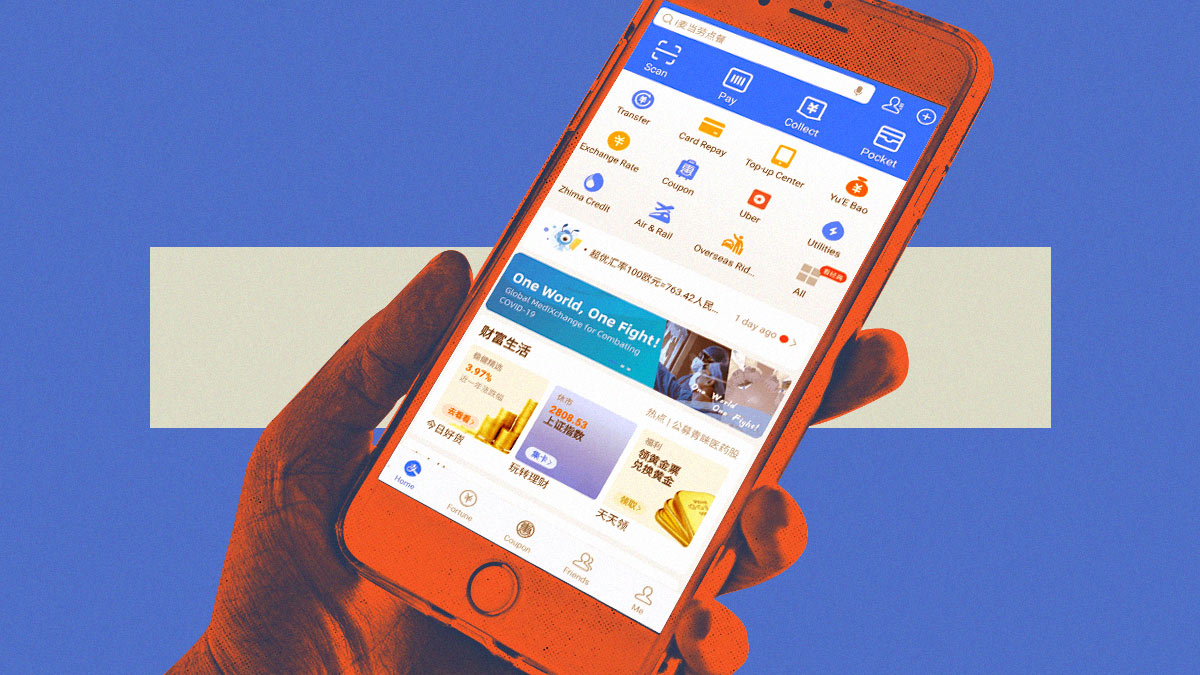
(SPOT.ph) Alipay is slowly becoming a contributor when it comes to the convenience and efficiency that mobile wallets in the Philippines provide. This mobile app allows you to navigate the world of transactions with unparalleled ease. Say goodbye to the complexities of traditional payment systems, for Alipay places the power of seamless payments right at your fingertips.
With minor set-up steps and the utilization of cutting-edge QR codes, Alipay ensures a secure and easy process that leaves no room for fuss or hassle. The days of grappling with tedious payment procedures are now a thing of the past.
Alipay also turns your everyday expenses into rewarding experiences, as every payment you make helps you earn valuable points. Partnered with a growing network of merchants, it presents you with the chance to accumulate rewards both online and offline. Whether you're indulging in a virtual shopping spree or exploring brick-and-mortar establishments, Alipay ensures that your loyalty never goes unnoticed.
Aside from this, Alipay allows you to go beyond personal transactions and lets you effortlessly share the joy of seamless payments with your loved ones. With a simple tap, you can send Alipay credits to them. Whether it's hailing a ride, ordering delicious meals, or embarking on thrilling adventures, Alipay Credits open up a realm of possibilities, all without any additional charges.
Alipay also lets you settle your bills in a matter of seconds. Gone are the days of standing in long queues or grappling with tedious paperwork. Alipay puts the power to settle your expenses right in the palm of your hand, ensuring that your financial obligations are met swiftly and effortlessly.
What is Alipay?
Simply put, Alipay is a mobile wallet that allows you to complete monetary online transactions, such as sending money, receiving money, and paying bills. Just as PayPal and Venmo are popular in the U.S., Alipay has been the in thing in China for quite some time now.
By storing debit or credit card information in the Alipay app, customers may use their phones to make both online and in-person purchases. It functions as a mobile wallet-based payment system, similar to GCash and Maya.
You can use the app to pay for products or services if a merchant lists Alipay as an accepted mode of payment.
The app used to be exclusive to users who understand simplified and traditional Chinese. But now, English has recently been added to the app as a beta feature.
Also read: SPOT.ph Roadtest: GCash Works in Japan and It Saved Us From Money Changer Losses
How to Set Up Your Alipay Account
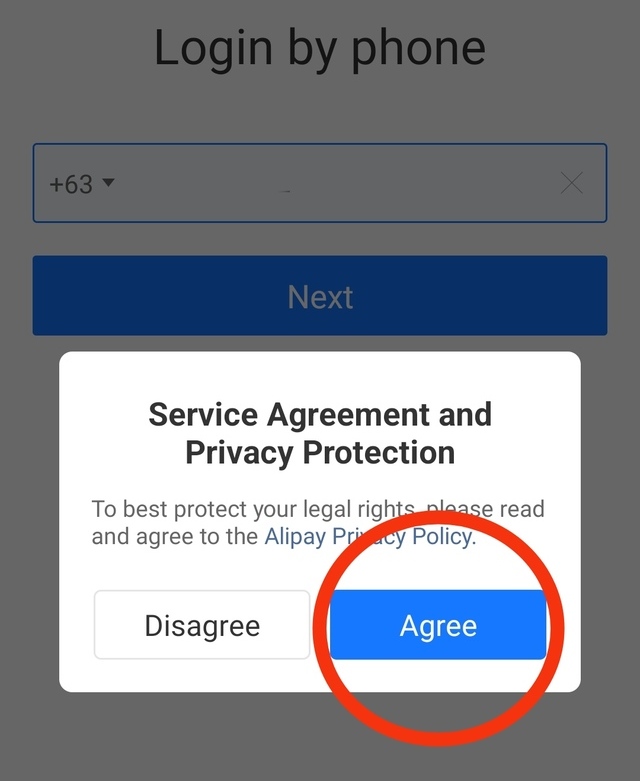
- From the homepage, enter your phone number in the given field and press "Next." Make sure the area code is correct. In this case, the area for the Philippines is +63.

- Agree to Alipay's Privacy Policy.
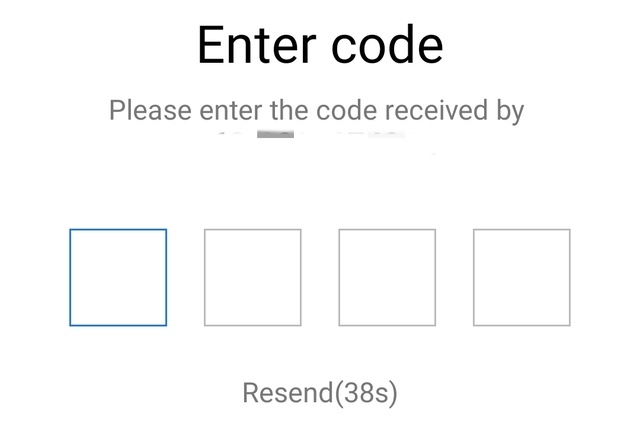
- Enter the OTP that will be sent to your mobile number.
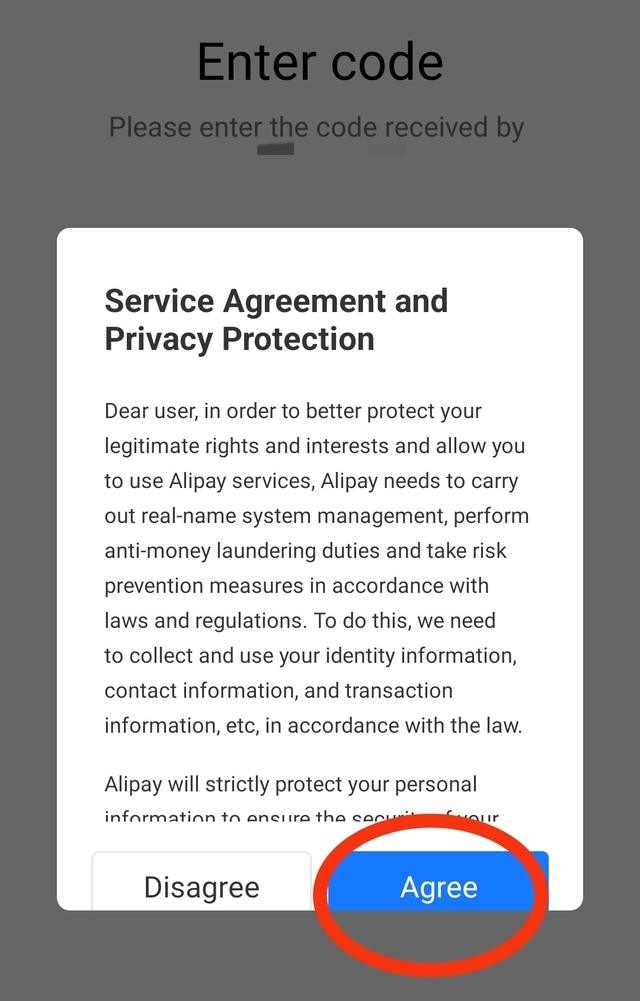
- Agree to Alipay's Service Agreement and Privacy Protection procedures.
How to Use Alipay for Various Services
Topping Up
- Go to the app's dashboard.
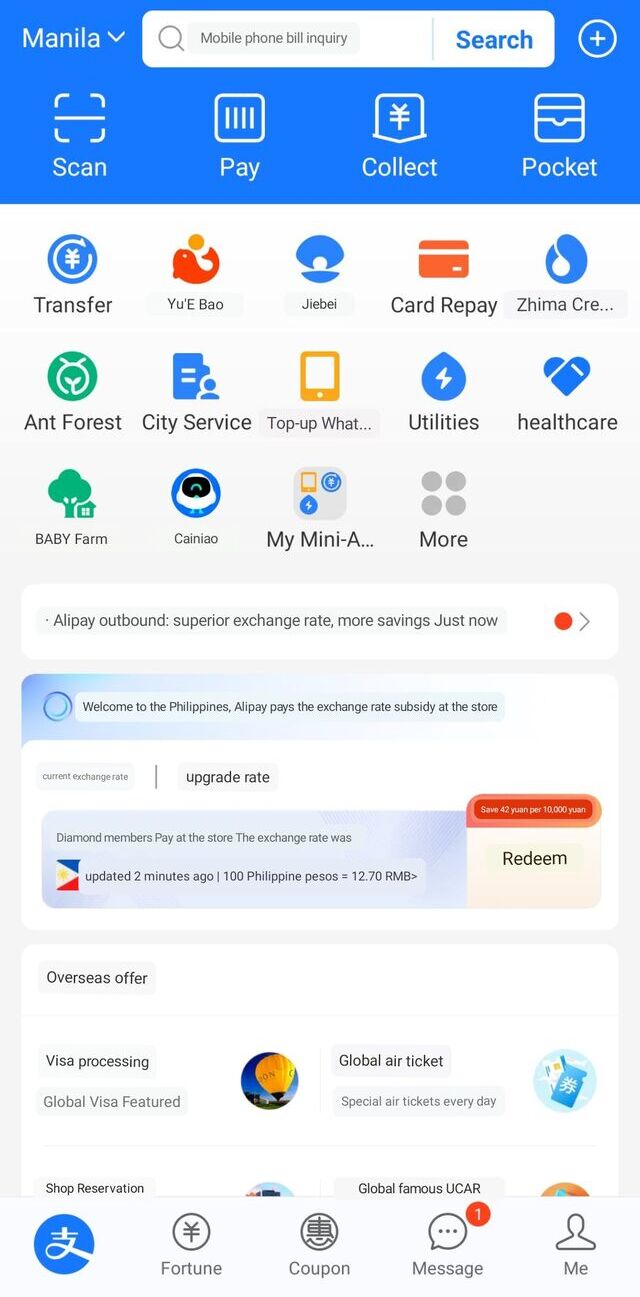
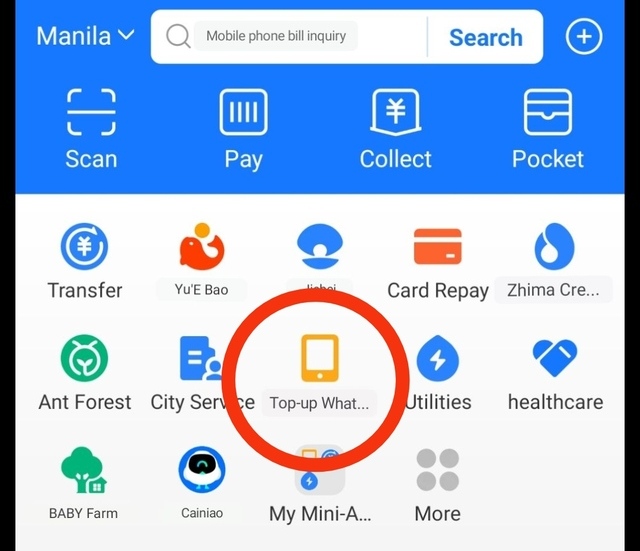
- Choose "Top-Up."
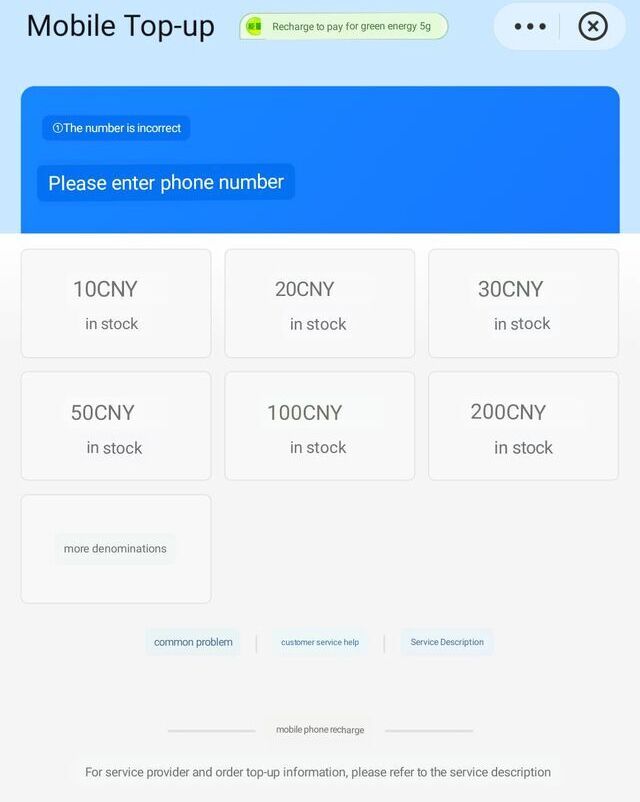
- Provide the mobile number and the amount you wish to top up (in this case, your mobile number).
Sending Funds to Other Alipay Users
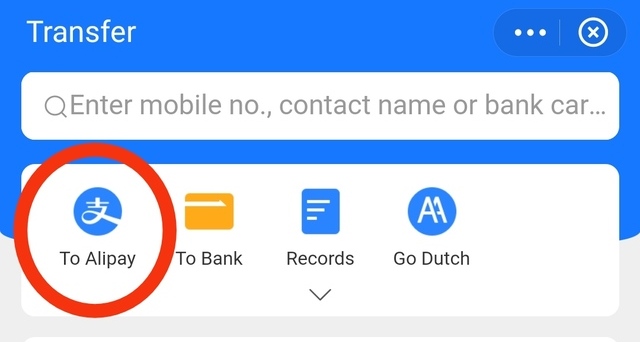
- From the dashboard, click on "Transfer."
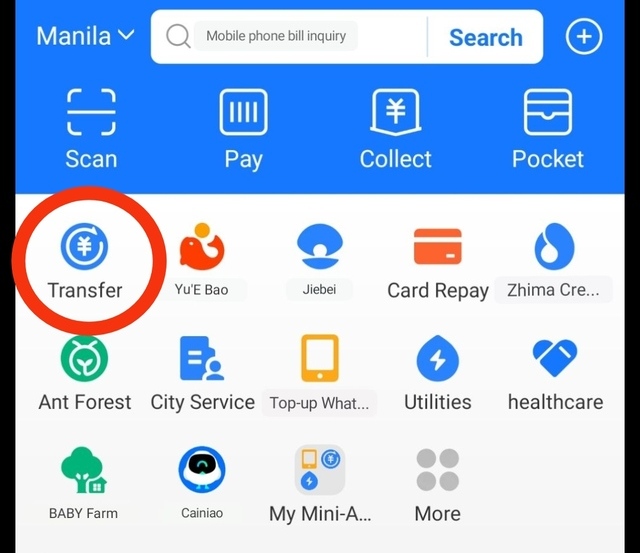
- The next page will show a blank field where you can fill out details, such as mobile number, contact name (if you saved the recipient's info in your contacts list), and bank account details. Click "To Alipay."
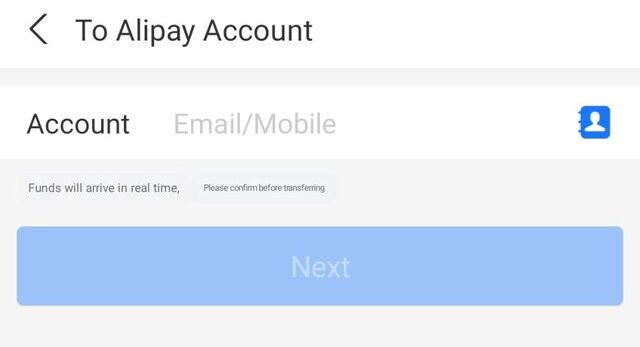
- Provide the e-mail address or the mobile number of the recipient in the next page.
Paying Merchants
- From the dashboard, click on the "Scan" icon.
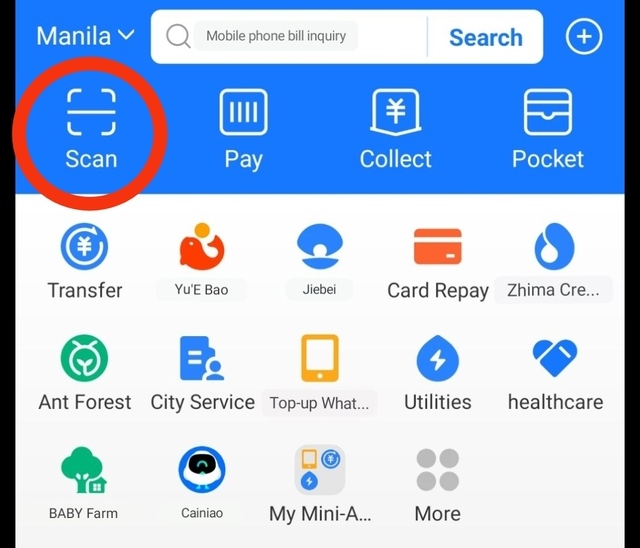
- The app will bring you to its built-in QR Scanner tool. Point your phone camera lens in front of the merchant's QR code to scan it and you're all set.

Receiving Funds
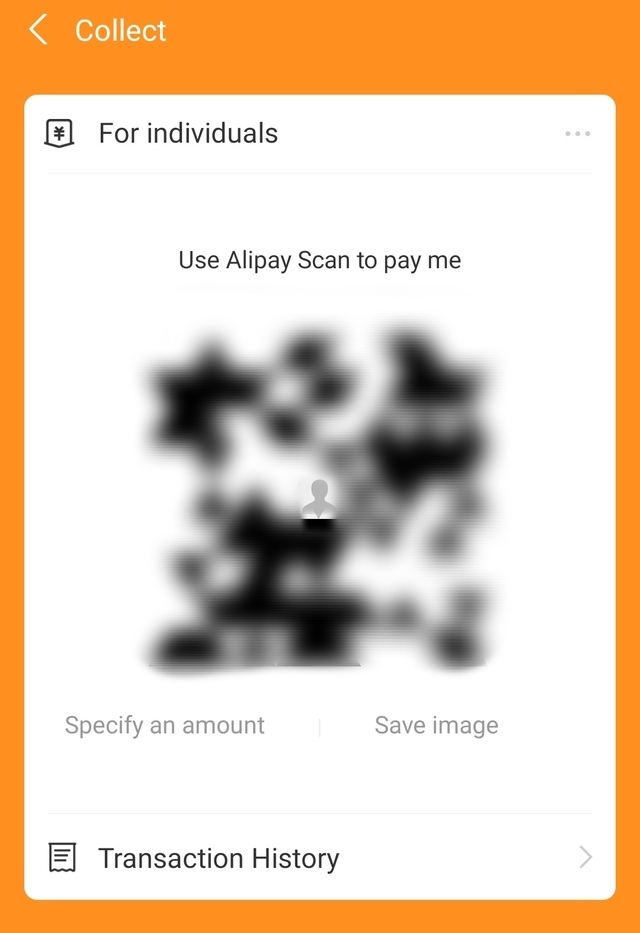
- From the dashboard, click on the "Collect" icon.
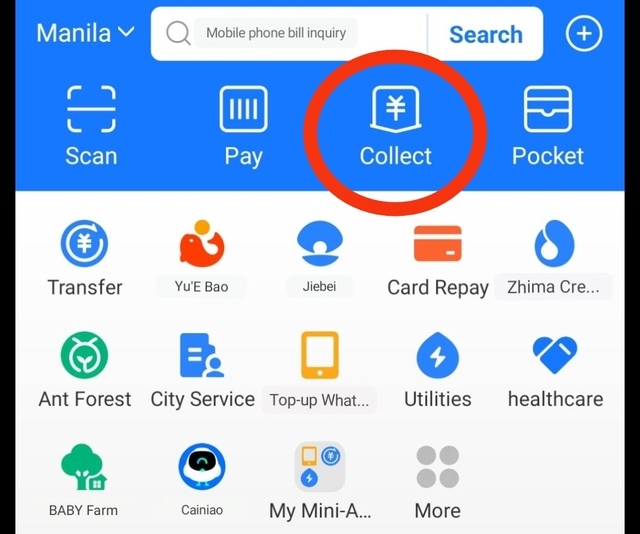
- The app will generate your QR code that you may share with the sender. The system also allows you to specify the amount you intend to receive at the time.
Also read:
The SPOT.ph Guide to Using GrabPay
The SPOT.ph Guide to Using PayPal
The SPOT.ph Guide to Using Maya
Keeping Your Alipay Account Secure
Here are some tips to keep in mind:
- Choose a strong, unique password for your Alipay account. Avoid using easily guessable information and consider using a combination of letters, numbers, and symbols.
- Set up a strong passcode or biometric authentication (e.g., fingerprint or facial recognition) to unlock your mobile device and ensure unauthorized access is prevented.
- Regularly monitor your account for any suspicious activities or unauthorized transactions. If you notice anything unusual, report it to Alipay's contact channels immediately.
- As in any other online activities or accounts you have out there, beware of phishing emails, messages, or websites that attempt to trick you into revealing your personal information or login credentials. Always double-check the sender's email address or website URL before clicking anything. Better yet, go straight to Alipay's website or app to make sure you get legit info about your account.
- Ensure that the devices you use to access Alipay are protected with up-to-date antivirus software and security patches. Avoid using public or unsecured Wi-Fi networks when making transactions. In line with this, keep your Alipay app and other related applications updated to benefit from the latest security features and patches. Enable automatic app updates whenever possible.
- Be cautious about sharing personal information online or with unknown sources. Alipay will never ask for sensitive information via email or messages.
- Educate yourself: Stay informed about the latest security practices and scams by regularly reading updates and guidelines that Alipay provides.
Also read:
The SPOT.ph Guide to Using ShopeePay
The SPOT.ph Guide to Using Lazada Wallet
The SPOT.ph Guide to Using CliQQ